
Type of augmented reality: Enterprise Guide to 8 Practical Solutions
Augmented Reality (AR) has moved from a conceptual technology to a mission-critical enterprise tool, driving measurable improvements in efficiency, training, and operational resilience. However, the term 'AR' is not a monolith. It encompasses a wide array of distinct technologies, each with unique strengths, applications, and implementation requirements. Choosing the wrong type of augmented reality can lead to costly project failures, while the right choice can unlock transformative ROI and solve your most pressing operational challenges.
This guide provides a comprehensive roundup of the 8 most impactful types of AR for industrial and enterprise applications. We will move beyond generic definitions to offer a clear, professional breakdown of each technology's mechanics, pros and cons, and specific business use cases. You will gain a practical understanding of how to differentiate between marker-based, markerless, projection-based, and spatial computing, among others.
Our focus is on providing actionable insights to help you select, implement, and scale the AR solutions that deliver tangible results. Understanding the nuances of each type of augmented reality is the first step in leveraging platforms like AIDAR Solutions to achieve significant outcomes, such as a documented 75% reduction in expert travel and a 50% decrease in critical service times. This article will equip you with the knowledge to make informed decisions, ensuring your AR initiative is a strategic success from day one.
1. Marker-Based AR
Marker-based augmented reality is a foundational type of augmented reality that relies on a physical image or pattern, known as a "marker," to trigger and anchor digital content. When a device's camera recognizes a specific marker, such as a QR code, a custom image, or even a 3D object, the AR application overlays a pre-programmed digital element onto the real-world view. This direct link between the physical marker and the digital overlay makes it exceptionally stable, precise, and reliable.
This high level of accuracy makes marker-based AR an ideal choice for industrial environments where precision is non-negotiable. For example, a technician can scan a QR code on a complex piece of machinery and instantly see a 3D animation of a specific repair procedure overlaid directly onto the equipment. This removes ambiguity and significantly reduces the risk of error.
Industrial Use Cases and Implementation
Leading industrial companies leverage marker-based AR for its dependability. For instance, automotive component manufacturers use markers to guide technicians through intricate maintenance and assembly tasks, ensuring every step is performed correctly. In the aerospace sector, marker-based systems help engineers quickly identify aircraft components and access relevant maintenance data on the spot, improving accuracy and efficiency.
Key Insight: The primary advantage of marker-based AR is its predictability. Because the system knows exactly where to place the digital content relative to the physical marker, the user experience is consistent and accurate, which is critical for standardized training and procedural guidance.
Best Practices for Enterprise Deployment
To successfully implement marker-based AR in an industrial setting, consider these actionable tips:
- Design for Durability: Create high-contrast markers that can be easily recognized by cameras, even in low-light or dirty environments. Test them at various angles and distances to ensure reliability.
- Strategic Placement: Affix markers to non-moving parts of equipment where they are easily accessible and won't obstruct normal operations.
- System Standardization: Develop a consistent marker system across all facilities. This ensures that training and procedures are uniform, making it easier for technicians to move between locations or projects.
- Integrate with Workflows: A marker-based system can be integrated directly into your existing maintenance workflows, linking QR codes on machinery to specific interactive repair guides or remote expert support sessions.
For a deeper technical dive, you can explore the principles that power these systems and learn more about how augmented reality works.
2. Markerless & SLAM (Visual-Inertial Odometry + Image-Based SLAM)
Markerless AR is a sophisticated type of augmented reality that operates without predefined physical markers. Instead, it uses a device's sensors, such as cameras, gyroscopes, and accelerometers, to understand and map the physical environment in real-time. This is often powered by Simultaneous Localization and Mapping (SLAM) technology, which allows a device to build a 3D map of its surroundings while simultaneously tracking its own position within that map. The result is a dynamic and flexible AR experience where digital content can be placed on any real-world surface, like a floor or tabletop, and remain anchored in place as the user moves around.
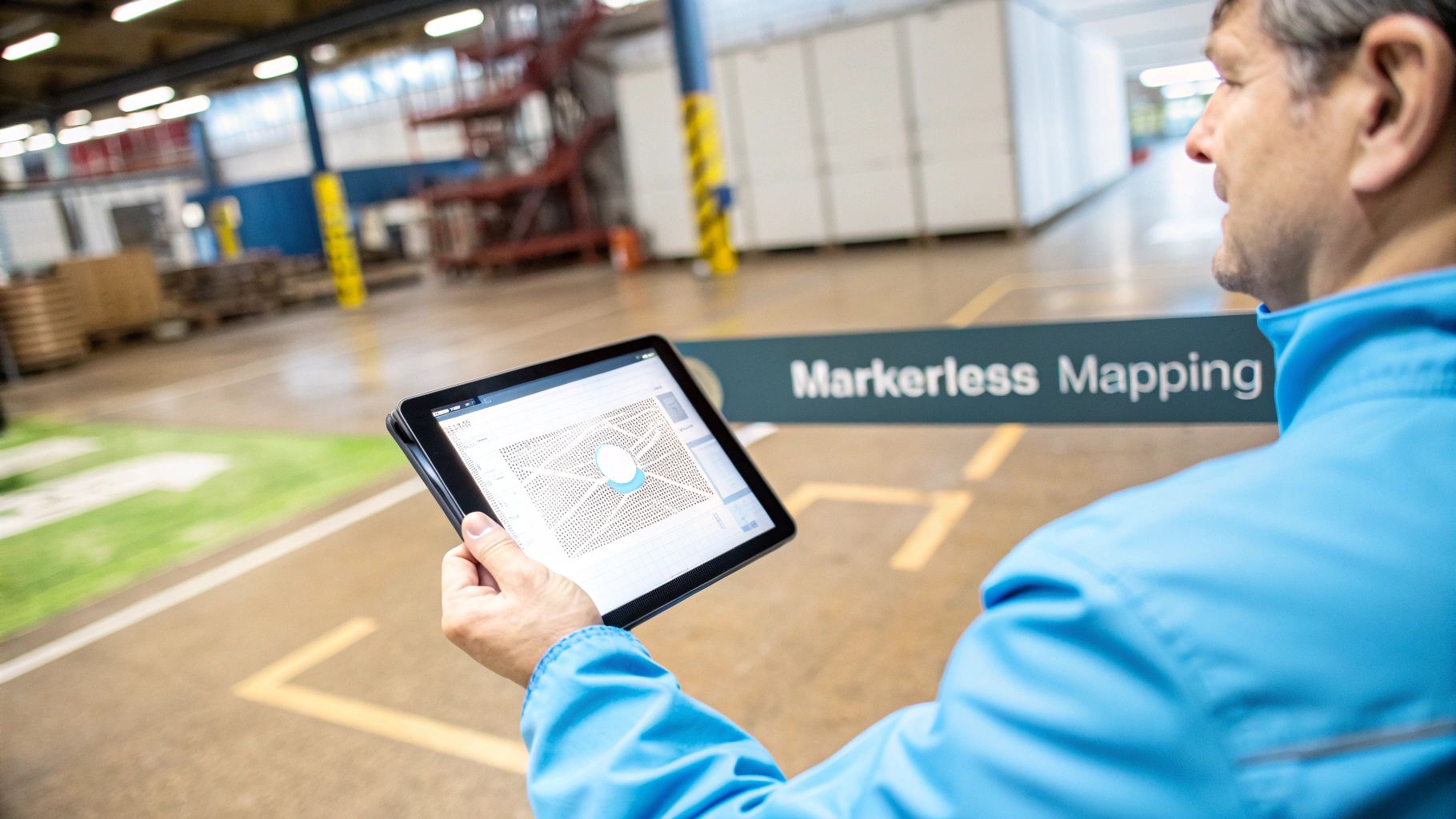
This freedom from physical markers makes markerless AR incredibly versatile for large-scale industrial applications. A maintenance engineer can walk around a massive generator, placing persistent digital annotations on specific components without needing to first apply QR codes. This technology enables true room-scale interactions, where training simulations or remote assistance can unfold across an entire factory floor, not just on a single piece of equipment.
Industrial Use Cases and Implementation
Markerless and SLAM technologies are at the heart of modern industrial AR. Advanced head-mounted devices use spatial mapping to allow workers to interact with complex 3D holograms that are anchored to the physical world. Similarly, a wide range of mobile platforms empower technicians to use standard tablets and smartphones for intricate, location-aware AR tasks. Enterprise AR platforms leverage this capability to map entire manufacturing floors, enabling experts to place persistent, step-by-step instructions that guide on-site personnel through complex procedures.
Key Insight: The primary advantage of markerless AR is its environmental awareness and freedom. It adapts to unstructured environments, allowing digital information to be anchored anywhere in the user's space, which is essential for large-scale operational guidance and on-the-fly problem-solving.
Best Practices for Enterprise Deployment
To successfully deploy markerless AR in an industrial setting, consider these actionable tips:
- Ensure Adequate Lighting: SLAM algorithms rely on visual feature tracking. Operate in well-lit conditions, avoiding both very dark areas and harsh glare that can obscure surface details.
- Pre-Map Critical Zones: For high-stakes tasks, pre-scan the work area during off-peak hours. This creates a robust, pre-existing map that enables faster initialization and more stable tracking.
- Prioritize Textured Surfaces: Tracking is most reliable in environments with rich visual details. Avoid large, uniform, or reflective surfaces like blank white walls or polished floors.
- Combine with Other Systems: For expansive outdoor environments, integrate SLAM with GPS or other positioning systems to maintain tracking accuracy over vast distances where visual drift might occur.
3. Web-Based AR
Web-based augmented reality is a game-changing type of augmented reality that removes the biggest barrier to adoption: the need to download a native application. This approach, often called WebAR, delivers AR experiences directly through a standard mobile web browser. By leveraging technologies like the WebXR API and WebGL, users can simply scan a QR code or click a link to launch interactive 3D content, making AR instantly accessible to anyone with a smartphone.
The primary advantage of WebAR is its immediacy and broad reach. In an industrial context, this means a field technician can access an AR-powered service manual on a piece of equipment without pre-installing a specific app, regardless of whether they use an iOS or Android device. This frictionless access accelerates troubleshooting, simplifies information delivery, and ensures that critical guidance is available on demand without IT hurdles.
Industrial Use Cases and Implementation
Forward-thinking industrial companies are using WebAR to streamline customer support and internal training. For instance, an equipment manufacturer can place a QR code on its machinery that links to a WebAR experience, allowing customers to instantly visualize setup instructions or troubleshoot common issues. This reduces support calls and empowers users. Internally, WebAR can be used for quick, on-the-spot training modules that don't require employees to install and manage enterprise applications on their personal or company devices.
Key Insight: The core strength of Web-based AR is its frictionless deployment. By eliminating the app store, it enables instant engagement and ensures maximum compatibility across a wide range of devices, making it perfect for large-scale or public-facing AR initiatives.
Best Practices for Enterprise Deployment
To successfully implement Web-based AR for industrial applications, focus on performance and accessibility:
- Optimize for Performance: Design lightweight 3D models and assets to ensure fast load times, even on lower-bandwidth mobile networks. Progressive asset delivery can further enhance the user experience.
- Prioritize a Clear Call-to-Action: Use prominent QR codes or clear URL links on equipment and in documentation to guide users directly to the WebAR experience.
- Ensure Cross-Browser Compatibility: Test the experience extensively across various mobile browsers (Chrome, Safari, etc.) and device models to guarantee consistent performance for all users.
- Provide Fallback Options: Include a non-AR, web-based version of the content for users with older devices or unsupported browsers to ensure no one is left without access to critical information.
4. Object Recognition AR
Object recognition is a sophisticated type of augmented reality that uses artificial intelligence (AI) and computer vision to identify real-world objects without needing predefined markers. Instead of relying on a QR code, the system analyzes the visual data from a device's camera and matches it against a library of trained 3D models. When it recognizes a specific piece of equipment, a product, or a component, it overlays the appropriate contextual digital content onto the live view.
This markerless approach enables a more intuitive and dynamic user experience, as the AR interaction is triggered simply by looking at an object. This makes it exceptionally powerful for complex industrial environments where numerous similar-looking machines are present. For instance, a technician can point their device at an engine assembly, and the system can automatically identify a specific valve, displaying its real-time performance data and maintenance history directly on screen.
Industrial Use Cases and Implementation
Major industrial players are adopting object recognition AR to streamline complex operations. In heavy manufacturing, service technicians can identify machinery components simply by viewing them through a smart device, which then provides access to the correct service manuals and guides. In the automotive sector, workshops integrate object recognition into their service workflows to help technicians quickly identify vehicle parts and access step-by-step repair instructions, improving both speed and accuracy.
Key Insight: The core advantage of object recognition AR is its contextual intelligence. The system doesn't just display information; it understands what the user is looking at and delivers precisely relevant data, making it ideal for diagnostics, training, and on-the-job performance support.
Best Practices for Enterprise Deployment
To effectively implement object recognition AR, enterprises should focus on creating a robust and reliable system:
- Invest in High-Quality Training Data: The accuracy of your system depends entirely on the data used to train the AI models. Capture comprehensive 3D scans or image sets of your equipment from multiple angles and under various lighting conditions.
- Start with Distinctive Assets: Begin your rollout by training the system to recognize equipment with unique and easily distinguishable features. This helps build momentum and prove the concept before tackling more visually ambiguous assets.
- Implement Fallback Options: For objects that are difficult to distinguish or are obscured, provide a fallback to marker-based AR (like a QR code) or a manual selection menu to ensure workflows are never interrupted.
- Integrate with Asset Management: Connect the AR application to your existing asset management or ERP systems. This allows the system to pull real-time data, such as maintenance schedules or operational status, for any recognized object.
For a closer look at how this technology is transforming specific sectors, you can explore the applications of augmented reality for cars and automotive manufacturing.
5. Spatial Computing & Mixed Reality
Spatial computing represents a significant evolution in the type of augmented reality, using advanced hardware like head-mounted displays to seamlessly merge digital content with the physical world. This technology goes beyond simple overlays by understanding environmental depth and tracking user movements, enabling persistent digital objects that interact realistically with their surroundings. It creates a true mixed reality experience where users can manipulate holograms with natural hand gestures, turning their entire field of view into an interactive workspace.
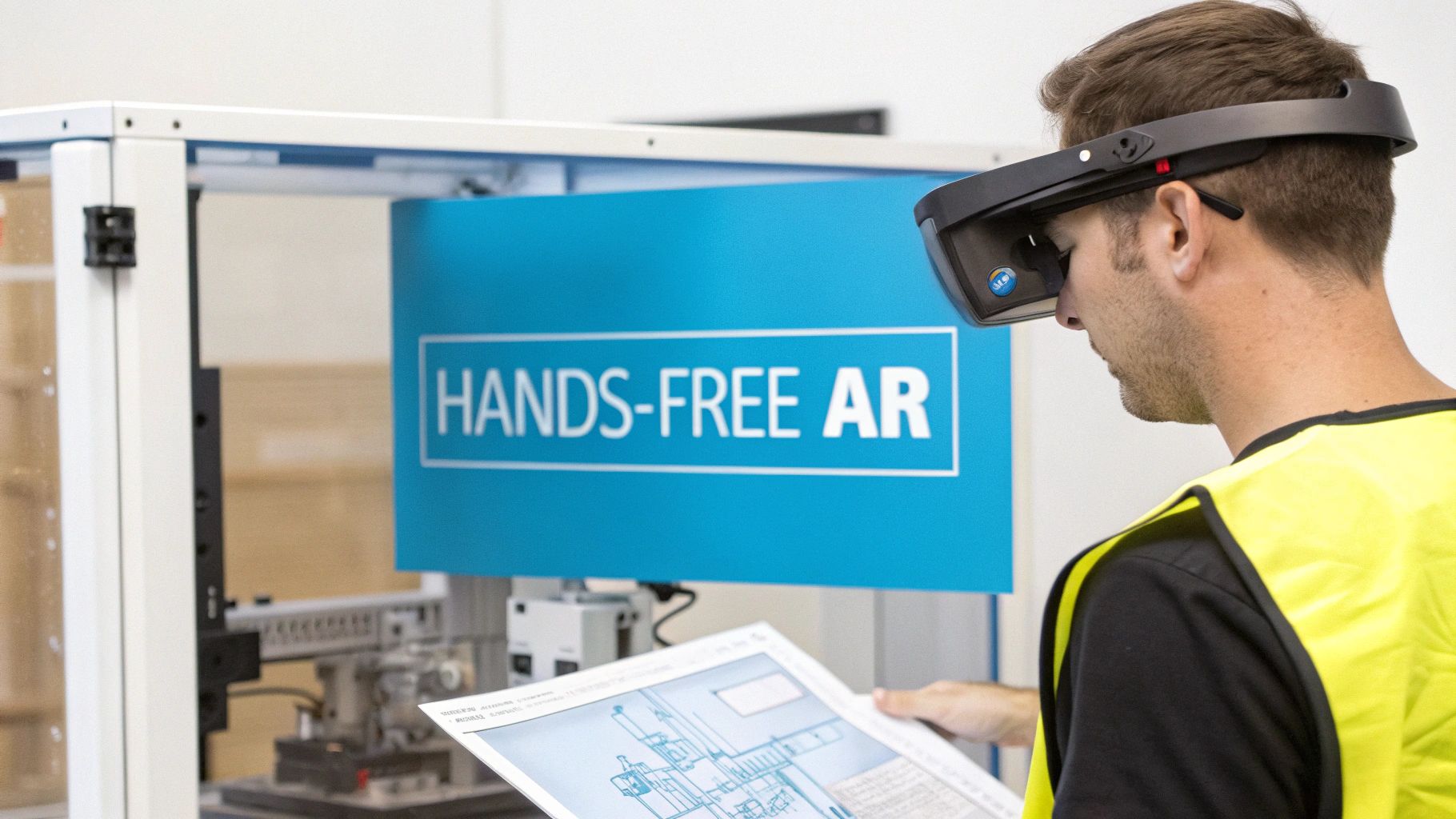
The ability for digital and physical objects to coexist makes this an incredibly powerful tool for complex industrial tasks. For instance, a technician wearing an AR headset can see a persistent digital twin of a motor overlaid on the real equipment, with step-by-step assembly instructions appearing right where they are needed. This hands-free operation is a game-changer for efficiency and safety.
Industrial Use Cases and Implementation
Leading innovators are deploying spatial computing to solve complex challenges. In aerospace, this technology guides technicians through intricate aircraft wiring assemblies, reducing production time and improving accuracy. In manufacturing, spatial computing is implemented to optimize factory operations, allowing engineers to visualize and interact with production line data in a fully immersive context. The foundational role of 3D Technology is critical here, powering the creation and interaction of these detailed digital twins.
Key Insight: The core advantage of spatial computing is its contextual immersion. By anchoring persistent, interactive digital information directly within the user’s physical environment, it allows for hands-free operation and intuitive interaction, dramatically enhancing comprehension and performance in complex procedural tasks.
Best Practices for Enterprise Deployment
To successfully integrate spatial computing and mixed reality, consider these focused strategies:
- Prioritize Hands-Free ROI: Start with use cases where the ability to operate hands-free provides a clear and measurable return on investment, such as complex assembly or remote expert assistance.
- Design for Spatial UI: Develop user interfaces specifically for head-mounted displays. Avoid simply converting mobile app layouts; instead, focus on gesture controls, voice commands, and eye-tracking for a truly native experience.
- Build Device Infrastructure: Implement a robust infrastructure for device charging, storage, and maintenance to ensure headsets are always ready for use and properly cared for.
- Train for Interaction: Provide comprehensive training that covers not only the application but also the new interaction paradigm, including gesture controls and spatial UI navigation, to ensure user adoption and proficiency.
- Develop Advanced Training: Utilize spatial computing to develop advanced training modules, allowing technicians to practice complex procedures on persistent holograms in a safe, controlled environment.
To better understand how this fits into the broader technological landscape, you can explore the full spectrum of immersive technologies and get a clearer picture of what Extended Reality is.
6. Context-Aware AR (Sensor Fusion)
Context-aware AR is a sophisticated type of augmented reality that uses sensor fusion to understand a user's environment and situation, delivering information that is not just overlaid but highly relevant. It aggregates data from multiple sources like GPS, accelerometers, gyroscopes, and connected Internet of Things (IoT) devices to interpret context. The system then automatically surfaces the most appropriate digital content without requiring direct user input.
This intelligent capability transforms AR from a passive display into a proactive assistant. For example, a field technician's AR glasses could automatically display safety warnings upon detecting a nearby high-temperature reading from a connected sensor, or overlay real-time performance data on a machine that an IoT sensor has flagged as underperforming. This situational awareness is a powerful tool for improving safety and operational efficiency.
Industrial Use Cases and Implementation
Leading industrial innovators are adopting context-aware AR to build smarter, safer workplaces. For instance, energy companies have explored AR safety systems that use sensor data to detect hazardous conditions and alert workers with immediate, location-specific instructions. In smart factories, this technology overlays real-time equipment status and diagnostic data onto machinery, triggered by live data feeds from the factory floor, allowing for predictive maintenance.
Key Insight: The primary advantage of context-aware AR is its proactive intelligence. By understanding the "what, where, when, and why" of a user's task, it can anticipate needs and deliver critical information precisely when it's most impactful, significantly boosting worker productivity and safety.
Best Practices for Enterprise Deployment
To successfully implement context-aware AR in an industrial setting, consider these actionable tips:
- Start with Key Data Sources: Begin by integrating 2-3 critical sensors (e.g., temperature, vibration, location) before expanding to more complex data streams. This allows for a more controlled and scalable rollout.
- Design Smart Triggers: Carefully design the algorithms that trigger AR content to avoid overwhelming users with constant alerts. Focus on critical, actionable events rather than simple status updates.
- Build in Manual Overrides: While automation is powerful, always provide a way for users to manually access information or override automated triggers. This ensures the system remains flexible and useful in unexpected scenarios.
- Integrate with Training Platforms: Enterprise training systems can use sensor data from trainee equipment or biometric devices to dynamically adjust the difficulty of a training module, ensuring a personalized and effective learning experience.
For a deeper technical dive, you can explore the principles that power these systems and learn more about how augmented reality works.
7. Collaborative AR (Multi-User & Social AR)
Collaborative AR is a transformative type of augmented reality that allows multiple users to view and interact with the same digital content in a shared space, either co-located or remotely. By synchronizing spatial maps and data streams, this technology creates a shared digital reality where teams can manipulate 3D models, annotate physical environments in real-time, and solve complex problems together. This creates a powerful bridge between physical distance and effective teamwork.
This shared context is invaluable for remote support and complex problem-solving. An on-site technician facing a critical equipment failure can share their real-world view with a remote expert. The expert can then place 3D annotations, instructions, and schematics directly into the technician's field of vision, guiding them through the repair process step-by-step as if they were standing right there.
Industrial Use Cases and Implementation
Leading innovators are deploying collaborative AR to break down geographical barriers and enhance operational efficiency. In aerospace, shared AR systems allow technicians across different locations to collaborate on intricate aircraft assembly tasks, ensuring consistency and accuracy. Similarly, global service teams can now work together on complex vehicle repairs, with a senior technician in one continent guiding a junior technician in another through a challenging diagnostic procedure.
Key Insight: The primary advantage of collaborative AR is its ability to democratize expertise. It instantly connects on-site personnel with the best available expert, regardless of location, dramatically reducing downtime, travel costs, and the time-to-resolution for critical issues.
Best Practices for Enterprise Deployment
To successfully implement collaborative AR for remote assistance and training, consider these actionable tips:
- Prioritize Low-Latency Networks: Design your network architecture to achieve under 100ms of latency for collaborative sessions. This ensures real-time interaction without frustrating delays between users.
- Establish Clear Roles and Permissions: Implement a system with defined user roles (e.g., 'host,' 'viewer,' 'annotator') to manage who can manipulate digital content, ensuring a structured and efficient workflow.
- Create Intuitive Interfaces: Design simple, clear annotation and communication tools that require minimal training. The focus should be on solving the problem, not figuring out the software.
- Integrate Asynchronous Modes: Enterprise service platforms can enable recorded collaborative sessions. This allows technicians to review expert guidance later for training or to document a procedure for future use, creating a valuable knowledge base.
For a deeper technical dive, you can explore the principles that power these systems and learn more about how augmented reality works.
8. Industrial Procedure & Workflow AR
Industrial Procedure & Workflow AR is a specialized type of augmented reality that transforms complex manual processes into interactive, step-by-step digital instructions. It overlays contextual guidance directly onto physical equipment and workspaces, guiding technicians through assembly, maintenance, or repair tasks with precision. This technology acts as a digital mentor, highlighting components, showing correct tool usage, and validating task completion in real time, effectively eliminating the need for cumbersome paper manuals.
This AR application is built to sequence complex procedures and reduce cognitive load on the user. By delivering the right information at the right time and in the right place, it minimizes human error, accelerates training, and ensures procedural consistency across the entire workforce. For organizations leveraging AR in industrial settings, understanding the broader context of asset management is key; this includes a comprehensive look at a Developer's Guide to Enterprise Asset Management to see how these guided workflows fit into a larger operational picture.

Industrial Use Cases and Implementation
Global industrial leaders have adopted this technology to enhance operational efficiency and safety. Automotive manufacturers use AR to guide workers on their assembly lines, projecting instructions directly onto the vehicle chassis to ensure every component is installed correctly. Likewise, aerospace companies implement AR to streamline complex aircraft maintenance procedures, dramatically reducing inspection times and improving accuracy. These applications demonstrate the power of AR to turn static procedures into dynamic, intelligent workflows.
Key Insight: The core value of this AR type is its ability to proceduralize expertise. It captures the knowledge of seasoned technicians and standardizes it into a repeatable, easily followable digital format, empowering less experienced staff to perform complex tasks with confidence and precision.
Best Practices for Enterprise Deployment
To effectively deploy industrial procedure and workflow AR, consider these actionable strategies:
- Prioritize High-Impact Procedures: Start by digitizing tasks with the highest error rates or safety risks to achieve maximum ROI and demonstrate immediate value.
- Collaborate with Experts: Work closely with experienced technicians during the content creation process. Their hands-on knowledge is invaluable for creating accurate and practical digital instructions.
- Embed Quality Control: Include mandatory quality control checkpoints at critical steps within the AR procedure to validate work and prevent errors from moving down the production line.
- Track Performance Metrics: Implement analytics to track key metrics like procedure completion time, error rates, and user feedback. Use this data to continuously refine and improve the AR guides.
You can see how these principles are applied by exploring real-world examples of augmented reality for manufacturing.
8 AR Types Compared
| Approach | 🔄 Implementation complexity | ⚡ Resource requirements | 📊 Expected outcomes | 💡 Ideal use cases | ⭐ Key advantages |
|---|---|---|---|---|---|
| Marker-Based AR | Low — simple marker detection and registration | Low — printed markers, modest device CPU, works offline | Precise, stable overlays and repeatable placement | Maintenance, assembly, controlled industrial environments, offline sites | High accuracy and stability; cost-effective; easy integration with docs |
| Markerless & SLAM (VIO + Image SLAM) | High — mapping, loop closure, persistent anchors | High — modern devices, depth sensors optional, CPU/battery and storage for maps | Persistent room/plant-scale overlays; advanced tracking and autonomy | Facility mapping, large-scale AR, robotics, persistent expert annotations | Natural UX without markers; high-precision spatial tracking; scalable |
| Web-Based AR | Low–Medium — web standards, cross-browser testing required | Low — runs in browsers, needs network for many features | Instant access and high adoption but limited advanced capabilities | Quick demos, IT-restricted environments, shared manuals via QR links | No install barrier; easy sharing; lower dev/maintenance cost |
| Object Recognition AR | High — ML model training, dataset management, inference pipelines | High — labeled data, training compute or edge AI hardware, ongoing retraining | Context-aware identification and tailored guidance; faster diagnosis | Parts identification, equipment catalogs, training with many variants | Intuitive object-driven workflows; integrates with asset databases; adaptive |
| Spatial Computing & Mixed Reality | Very high — HMD UI design, spatial interaction, multi-user considerations | Very high — expensive headsets, enterprise IT, device management | Hands-free immersive guidance; high collaboration and task efficiency | Hands-free maintenance, complex assembly, remote expert guidance | Natural gestures; hands-free operation; persistent holograms for complex tasks |
| Context-Aware AR (Sensor Fusion) | High — multi-source integration, calibration, context logic | High — sensors/IoT, backend analytics, secure data pipelines | Situation-specific, predictive alerts and prioritized information | Predictive maintenance, safety monitoring, IoT-enabled factories | Delivers right info at right time; reduces cognitive load; predictive insights |
| Collaborative AR (Multi-User & Social) | High — real-time sync, low-latency networking, session management | High — robust networks, bandwidth, secure backend, device diversity | Faster troubleshooting, shared visual context, persistent collaboration records | Remote assistance, distributed teams, training and multi-site troubleshooting | Enables remote experts to scale support; persistent annotations; real-time teamwork |
| Industrial Procedure & Workflow AR | Medium — detailed procedure digitization and validation logic | Medium — content creation effort, device provisioning, ERP/WMS integration | Fewer errors, faster training, validated compliance and execution logs | High-risk/high-error procedures, assembly lines, technician training | Step-by-step validation; measurable ROI via error reduction and throughput improvement |
From Theory to Practice: Integrating the Right AR Solution for Your Business
Navigating the landscape of augmented reality can feel complex, but as we've explored, each type of augmented reality offers a unique set of tools designed to solve specific operational challenges. From the precision of Marker-Based AR for routine maintenance tasks to the immersive, environment-aware capabilities of Spatial Computing and Mixed Reality for complex remote collaboration, the power of AR lies in its adaptability. The key takeaway is that a one-size-fits-all approach rarely delivers optimal results.
Instead, a successful AR strategy is a carefully constructed mosaic. It leverages the strengths of different technologies to create a cohesive, high-impact ecosystem. Imagine a scenario where a technician uses Object Recognition AR to instantly identify a faulty component, then launches into an Industrial Procedure & Workflow AR guide for the standard repair, and finally initiates a Collaborative AR session with a remote expert to troubleshoot an unexpected complication. This seamless integration is where theoretical knowledge transforms into tangible business value.
Key Takeaways: From Understanding to Implementation
The journey from understanding AR to deploying it effectively requires a strategic mindset. Your choice of technology should be driven entirely by the problem you aim to solve.
- For Precision and Repetition: Marker-Based and Object Recognition AR are your workhorses. They excel in structured environments where tasks are predictable and assets are clearly identifiable, making them ideal for standardized training and quality control.
- For Freedom and Scalability: Markerless & SLAM technologies liberate AR from physical triggers. This is essential for applications like large-scale facility navigation, virtual asset placement in dynamic environments, and creating contextual overlays that move with the user.
- For Accessibility and Reach: Web-Based AR removes the friction of app downloads, making it a powerful tool for customer-facing demonstrations, interactive marketing, and providing quick access to information for a broad user base without requiring specific hardware.
- For Complexity and Collaboration: Spatial Computing, Mixed Reality, and Collaborative AR represent the pinnacle of immersive interaction. These are the solutions for high-stakes scenarios like remote expert-guided surgery, multi-user design reviews of complex 3D models, and training simulations that require a deep understanding of spatial relationships.
Ultimately, the goal is not just to implement a type of augmented reality; it is to build a digitally enhanced workforce. It’s about empowering your teams with instant access to the right information, at the right time, directly within their line of sight. This shift minimizes cognitive load, reduces human error, and accelerates proficiency in ways traditional methods simply cannot match.
Your Next Steps Toward AR Integration
Choosing the right AR solution is the critical first step toward unlocking profound operational efficiencies. A successful deployment hinges on aligning the technology’s capabilities with your specific business goals, whether that’s reducing machine downtime, accelerating employee onboarding, or eliminating costly travel for expert support.
The true value emerges when these technologies are not just adopted but strategically integrated into your core workflows. This is where a dedicated technology partner becomes an invaluable asset. By analyzing your unique challenges and operational landscape, a partner can help design a comprehensive action plan that ensures seamless tool synergy and delivers measurable, rapid ROI. The future of industrial work is not just digital; it is contextual, interactive, and augmented. The journey begins today, with a clear understanding of the tools at your disposal and a strategic vision for their implementation.
Ready to move from theory to reality? AIDAR Solutions specializes in architecting and deploying the right type of augmented reality to solve your most pressing industrial challenges. Discover how our AIDAR.SKILLS and AIDAR.SERVICE platforms can transform your training, maintenance, and support operations by visiting AIDAR Solutions.

