
Master How to Develop a Virtual Reality Application for Business Success
Before writing a single line of code, a rock-solid business case is essential. Too many VR projects start with the technology, not the problem. This means pinpointing a specific operational challenge VR can solve, defining success in measurable terms, and achieving stakeholder alignment. This foundational work is what separates a flashy demo from a tool that delivers real, tangible value.
Defining Your Enterprise VR Strategy
Jumping into VR development without a clear plan is like building a factory with no blueprint. While the result might look impressive, it probably won't solve a real business problem. A strong strategy ensures your investment translates directly into operational wins, whether that’s boosting safety, reducing costs, or accelerating employee onboarding.
This first phase is all about the "why." Set aside features for a moment and focus on pain points. Where are the bottlenecks in your workflows? Which training scenarios are too dangerous, expensive, or impractical to replicate in the real world? Answering these questions uncovers the high-value opportunities where VR can make a genuine difference.
Pinpointing High-Impact Use Cases
The most successful enterprise VR applications target specific, well-defined challenges. Instead of a vague goal like "better training," it's crucial to get granular. A much better objective is, "cutting assembly line errors by 15% by allowing technicians to practice the procedure immersively."
Here are a few practical use cases where VR delivers significant benefits:
- Complex Machinery Training: Technicians can gain hands-on experience with multi-million dollar equipment without any risk of downtime or damage.
- Hazardous Environment Simulation: Teams can train for emergencies like chemical spills or fires in a completely safe, repeatable virtual setting.
- Remote Expert Assistance: An experienced engineer can guide a junior technician through a complex repair from thousands of miles away, seeing exactly what they see and providing step-by-step instructions.
- Collaborative Design Review: Global engineering teams can walk through a full-scale digital model of a new product, spotting design flaws long before a physical part is manufactured.
To help identify the best fit for your organization, here’s a comparison of common and valuable enterprise VR use cases.
Comparing High-Value Enterprise VR Use Cases
| Use Case | Primary Benefit | Target Department | Key ROI Metric |
|---|---|---|---|
| Safety & Compliance Training | Reduced incidents & accidents | EHS, Operations | Lower insurance premiums, fewer lost-time injuries |
| Procedural Skills Training | Improved quality & consistency | Manufacturing, Maintenance | Reduced error rates, faster task completion |
| Remote Expert Assistance | Decreased downtime & travel costs | Field Service, Maintenance | Improved first-time fix rates, lower travel spend |
| Virtual Design & Prototyping | Accelerated product development | R&D, Engineering | Fewer physical prototypes, shorter design cycles |
Choosing the right use case is about aligning the technology's strengths with your most pressing business needs. This approach is a core part of any successful digital transformation initiative. You can see how this fits into the bigger picture by exploring a complete digital transformation strategy framework.
From Business Goals to a Project Brief
Once you've identified a use case, it's time to formalize it in a project brief. This document serves as a North Star, aligning business leaders with the development team. It must clearly lay out the problem, the proposed VR solution, the target users, and—most importantly—the metrics for measuring success. A significant piece of this is also unpacking the costs of software development to set a realistic budget.
The infographic below shows a simple but effective way to structure this process.
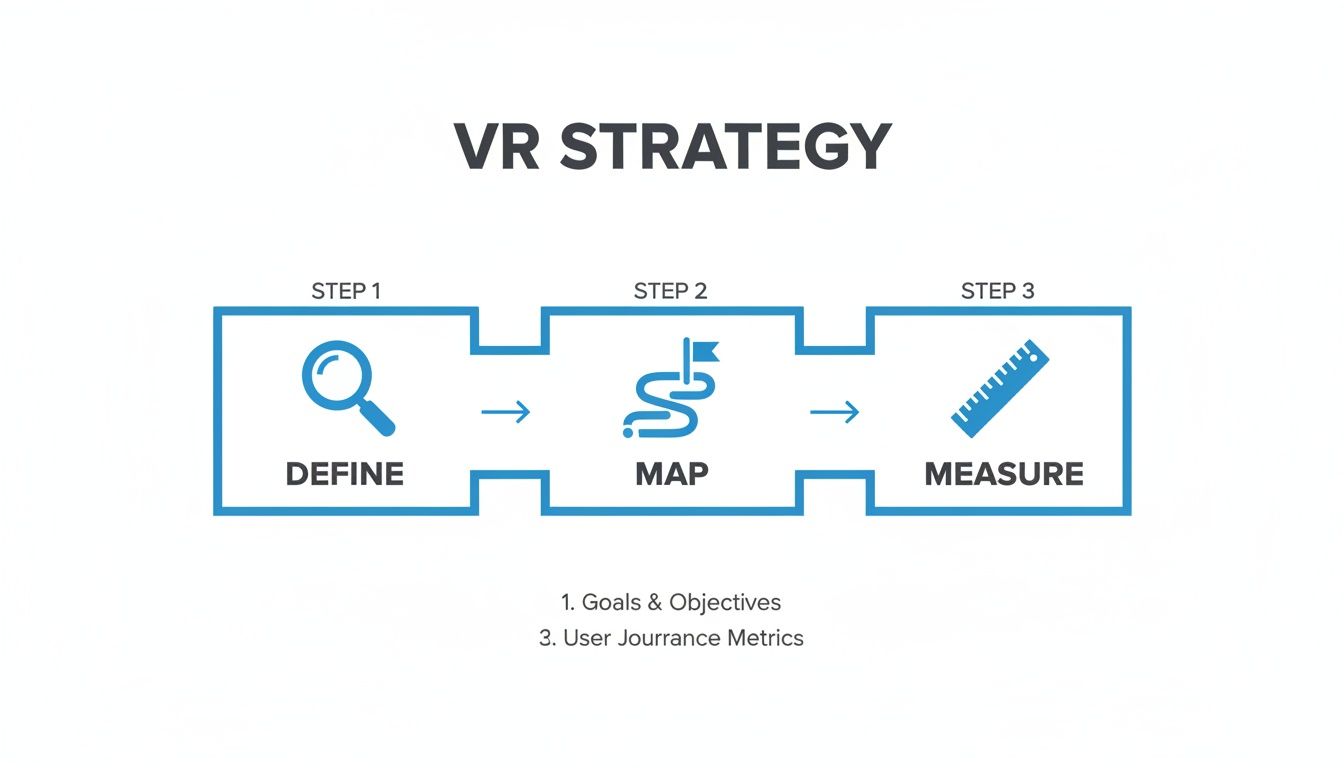
This flow—defining the core problem, mapping the user's journey, and measuring the outcomes—draws a straight line from your investment to your business results.
Strategic thinking is more critical than ever. The global virtual reality market is projected to grow from USD 36.13 billion to USD 284.04 billion by 2034, at a compound annual growth rate of 22.90%. With one in two companies already integrating VR into their strategies, the time to build a smart, focused plan is now.
Choosing Your VR Hardware and Development Platform
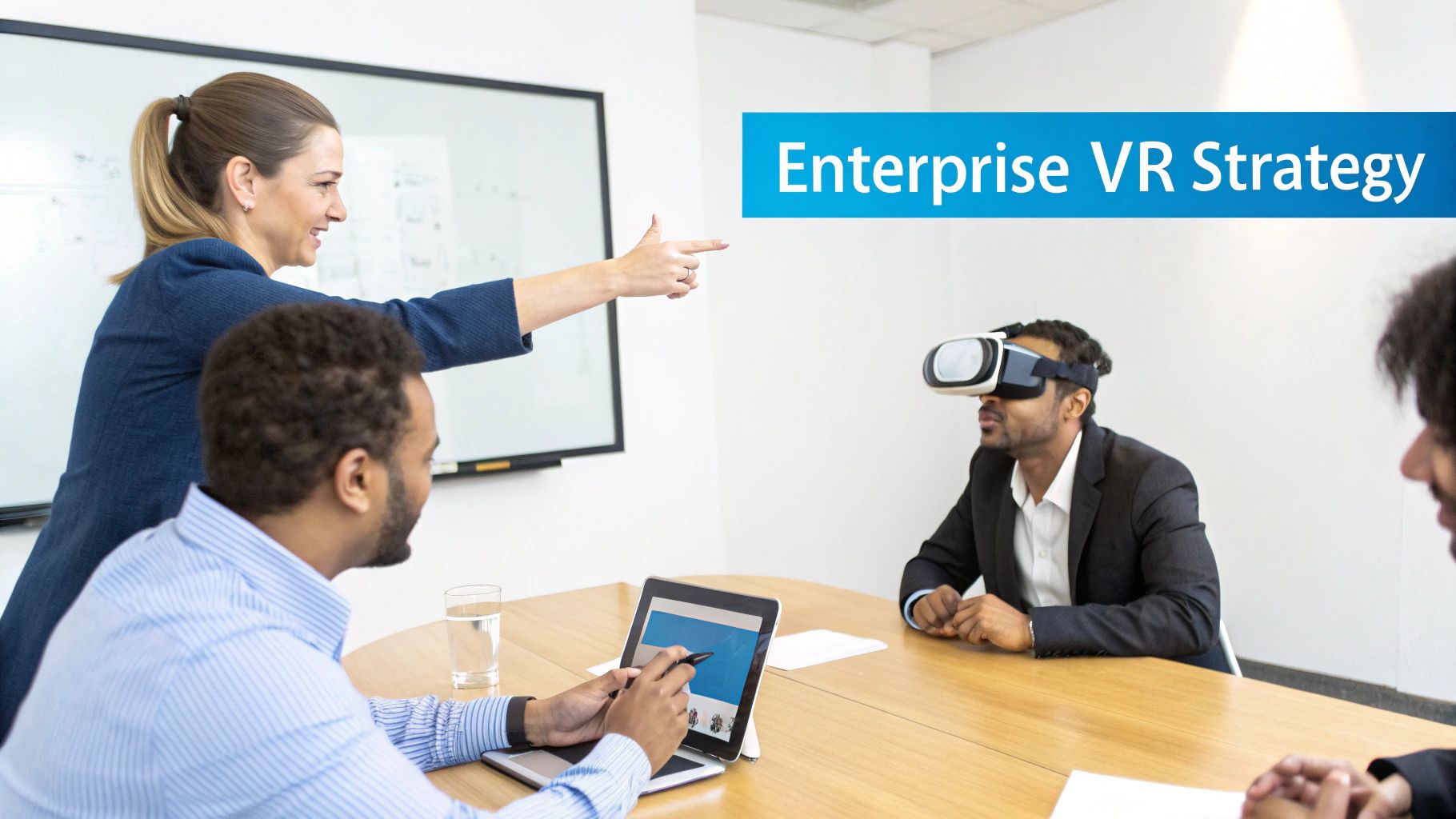
The technology stack you choose is the bedrock of your entire VR project. The right choice paves the way for great performance and future scalability, while the wrong one can lead to significant challenges. This decision boils down to two key elements: picking the right hardware for your users and a development platform that aligns with your team's capabilities and project requirements.
Your hardware choice dictates what your application can—and can't—do. It’s not just about graphics; it’s about selecting a device that fits the real-world job defined in the strategy phase.
Matching Hardware to Your Use Case
The hardware landscape is primarily divided into two categories: standalone headsets and PC-tethered systems. Each has its place in the enterprise, and understanding the difference is critical when you set out to develop a virtual reality application.
- Standalone Headsets: These devices are wireless, self-contained, and incredibly flexible. This makes them perfect for training that requires users to move around freely or for deployments across multiple sites without needing a fleet of high-end PCs. Their portability and ease of use are clear advantages for large-scale rollouts.
- PC-Tethered Headsets: These systems connect to a powerful computer to deliver superior graphics and processing capabilities. They are the standard for complex engineering simulations, high-fidelity product visualizations, or any application where photorealism is non-negotiable.
The physical environment is a key factor. A field technician needing remote assistance on a factory floor requires a portable, standalone device. In contrast, an R&D team reviewing a digital twin in an office can leverage a more powerful, tethered setup.
Key Takeaway: Resist the urge to select the most powerful hardware on the market. Always start with your user’s actual needs. The best headset is one that fits seamlessly into their workflow and removes friction, not simply the one with the highest specifications.
Selecting the Right Development Engine
With your hardware chosen, the next major decision is the software engine that will bring your vision to life. In enterprise VR, two names dominate the landscape: Unity and Unreal Engine. Both are powerful platforms, but they have different strengths that cater to different project types.
The choice often comes down to balancing graphical fidelity, development speed, and your team's existing programming language expertise. This is also an opportune moment to consider the broader world of immersive technology. To see how VR compares to other spatial tools, our guide on mixed reality vs augmented reality offers valuable perspective.
This quick breakdown highlights where each engine excels:
| Feature | Unity | Unreal Engine |
|---|---|---|
| Primary Language | C# | C++ |
| Visual Scripting | Bolt (and other assets) | Blueprints (fully integrated) |
| Asset Ecosystem | Massive Asset Store, excellent for rapid prototyping | High-quality Marketplace, focused on realism |
| Learning Curve | Generally considered easier for beginners | Steeper curve, especially for C++ development |
| Best For | Mobile VR, rapid iteration, broad platform support | High-fidelity graphics, architectural visualization |
For a practical example, if you are building a maintenance training application for a standalone headset, Unity is likely the most efficient choice. Its strong mobile performance and extensive library of ready-made assets can significantly accelerate development time. Conversely, if you are an automotive company creating a virtual showroom, Unreal Engine would be preferable for achieving the highest level of visual realism. Your choice here will fundamentally define the project's workflow and final capabilities.
Prototyping an Intuitive VR User Experience
When building a VR application for enterprise, you are not just writing software—you are architecting an entire world. This is where many projects falter. Designing for VR is fundamentally different from designing for 2D screens. The goal is to craft a user experience (UX) so natural and intuitive that the technology becomes invisible, leaving the user completely immersed in the task.
This requires a new way of thinking about everything from basic movement to user interaction with a virtual machine part. Instead of mouse clicks, users might physically reach out to grab a tool. Instead of navigating a flat menu, they might glance at an icon to select it. Mastering these interactions is what separates a powerful, effective application from a frustrating gimmick.
Start with Rapid, Low-Fidelity Prototyping
Before committing to thousands of lines of code, it is crucial to test core assumptions quickly and cost-effectively. In VR development, rapid prototyping embraces a "fail fast" mentality to identify what works. You do not need a high-tech setup to begin.
Some of the most effective methods are surprisingly simple but can uncover major design flaws early on:
- Storyboarding: Sketch out the user's journey step-by-step on paper or a whiteboard. This helps the entire team visualize the flow and spot potential dead ends or confusing moments before creating any digital assets.
- "Grayboxing": Use a game engine like Unity or Unreal Engine to build the environment with simple, untextured shapes like cubes, spheres, and planes. This is perfect for testing scale, layout, and user movement without getting bogged down in visual polish.
These early-stage prototypes help answer mission-critical usability questions. Can a user comfortably reach the controls on a piece of machinery? Is the virtual workspace too cramped or too vast? Solving these fundamental ergonomic problems with basic shapes will save a tremendous amount of rework later.
Mastering VR Interaction and Locomotion
How users move and interact within your virtual world will make or break the experience. Poor design can lead to confusion and even motion sickness. In enterprise VR, user comfort is non-negotiable.
There are several established models for movement, each with its trade-offs:
- Teleportation: The user points to a location and instantly appears there. This is one of the most comfortable options for new users as it avoids the artificial motion that often causes nausea.
- Room-Scale: This is the most immersive option, where the user physically walks within a designated real-world space. Its main limitation is the size of the physical area.
- Smooth Locomotion: The user glides through the world using a controller's joystick. While it offers the most freedom, it is also the most likely to cause discomfort if not implemented with care (e.g., using vignetting and other comfort options).
For object interaction, the goal is realism. When a user reaches for a virtual wrench, their hand should close around it believably. This requires close attention to hand tracking, physics, and sensory feedback, such as a slight controller vibration to confirm a successful action.
The most powerful enterprise VR applications are built on the principles of immersive learning, a methodology where users learn by doing in a realistic, consequence-free simulation. Your design must support this by making every interaction feel as close to its real-world counterpart as possible. If this is a new concept, understanding what is immersive learning is an excellent starting point for designing truly effective training scenarios.
Designing a User Interface for True Immersion
A common mistake in VR development is placing a 2D menu inside a 3D world. This is jarring and instantly shatters the sense of presence. Instead, UI elements must feel like they belong in the environment.
Here are a couple of effective approaches:
- Diegetic UI: The interface is integrated directly onto objects within the virtual world. Examples include a virtual tablet displaying task instructions or a machine's control panel showing real-time operational status.
- Spatial UI: Menus and information panels are placed in the 3D space around the user. The key is to keep them at a comfortable viewing distance—not directly in the user's face—and often attached to the user's hand or wrist for easy access.
Finally, rigorous playtesting is critical for refining the UX. Bring in people who have never seen your application and observe them. Do not provide a tutorial; see where they get stuck, what they try to do naturally, and what frustrates them. This raw, unfiltered feedback is invaluable for avoiding common design traps and ensuring the final product is both functional and effortless to use.
Building and Integrating Your VR Application
With a solid plan, the right hardware, and a validated prototype, the main development work begins: turning the design into a fully functional, high-performance application. This is where your virtual world gets its intelligence and connects to your broader business ecosystem.
A VR application that operates in a silo is merely a demonstration. Its true power is unlocked when it integrates with the enterprise systems you already rely on, transforming a training exercise into a source of business intelligence.
Connecting VR to Your Enterprise Ecosystem
Consider a scenario where a technician successfully completes a complex repair simulation. For that achievement to have value, the results should be transmitted directly to your company’s Learning Management System (LMS). This creates a single, unified training record, placing VR on par with other e-learning and hands-on workshops.
The same logic applies across different functions. The real value emerges from integrations like these:
- Maintenance Management Systems (CMMS): A field service application can pull live work order details directly from your CMMS. An expert guides a junior technician through the repair in VR, and upon completion, the app automatically pushes completion times, parts used, and notes back into the system, creating a closed-loop workflow.
- Internet of Things (IoT) Data: A digital twin of your factory floor can be fed by real-time data from IoT sensors on your actual machines. A plant manager could walk through the virtual facility to visualize performance and identify production bottlenecks without leaving their office.
- Product Lifecycle Management (PLM): An engineering team can pull the latest CAD models directly from the PLM system into a collaborative VR space. This eliminates the need to email files and ensures everyone is working with the most up-to-date design.
This connectivity is mission-critical. It ensures the valuable data generated in VR feeds back into your operations instead of becoming an isolated data island.
Performance and Quality Assurance in VR
In virtual reality, quality assurance is a unique challenge. It goes beyond fixing bugs. Because immersion is paramount, the smallest technical hiccup can shatter the experience and even cause physical discomfort.
The primary goal is to maintain a stable frame rate, ideally 90 frames per second (FPS) or higher. Anything less can cause stutter and lag, which are primary contributors to motion sickness.
Expert Insight: Performance profiling should not be a final step before launch; it must be a continuous part of your development cycle. Use the built-in profiler tools in engines like Unity or Unreal to constantly monitor CPU and GPU load. Identify and resolve bottlenecks early, especially when testing on standalone hardware where performance constraints are much tighter.
A VR-Specific QA Checklist
Your testing plan needs to extend beyond a typical software checklist to address the unique aspects of immersive technology:
- Hardware Cross-Compatibility: Test thoroughly on every headset you plan to support. Controller tracking, button layouts, and display characteristics can vary significantly between devices.
- Interaction Robustness: Ensure users can reliably grab and manipulate objects from any angle. Stress-test every interaction by attempting to use objects in unintended ways.
- Locomotion Comfort: Have a diverse group of users test your movement systems. What feels comfortable to an experienced VR developer might be nauseating for a first-timer. Pay close attention to movement speed and camera behavior.
- Environmental Boundaries: The application must have a clear system to warn users when they are approaching a real-world wall. A gentle but effective boundary system is crucial for safety.
This focus on integration and VR-specific QA is what elevates an application from a gimmick to a genuine business tool when you develop a virtual reality application. The market for AR/VR training is growing rapidly, projected to expand from $22.56 billion in 2025 to $82.92 billion by 2034. This growth is driven by applications that are reliable, performant, and deeply integrated into existing business workflows. You can explore the accelerating AR and VR industry statistics to see market trends.
Managing Deployment, Security, and Measuring Success
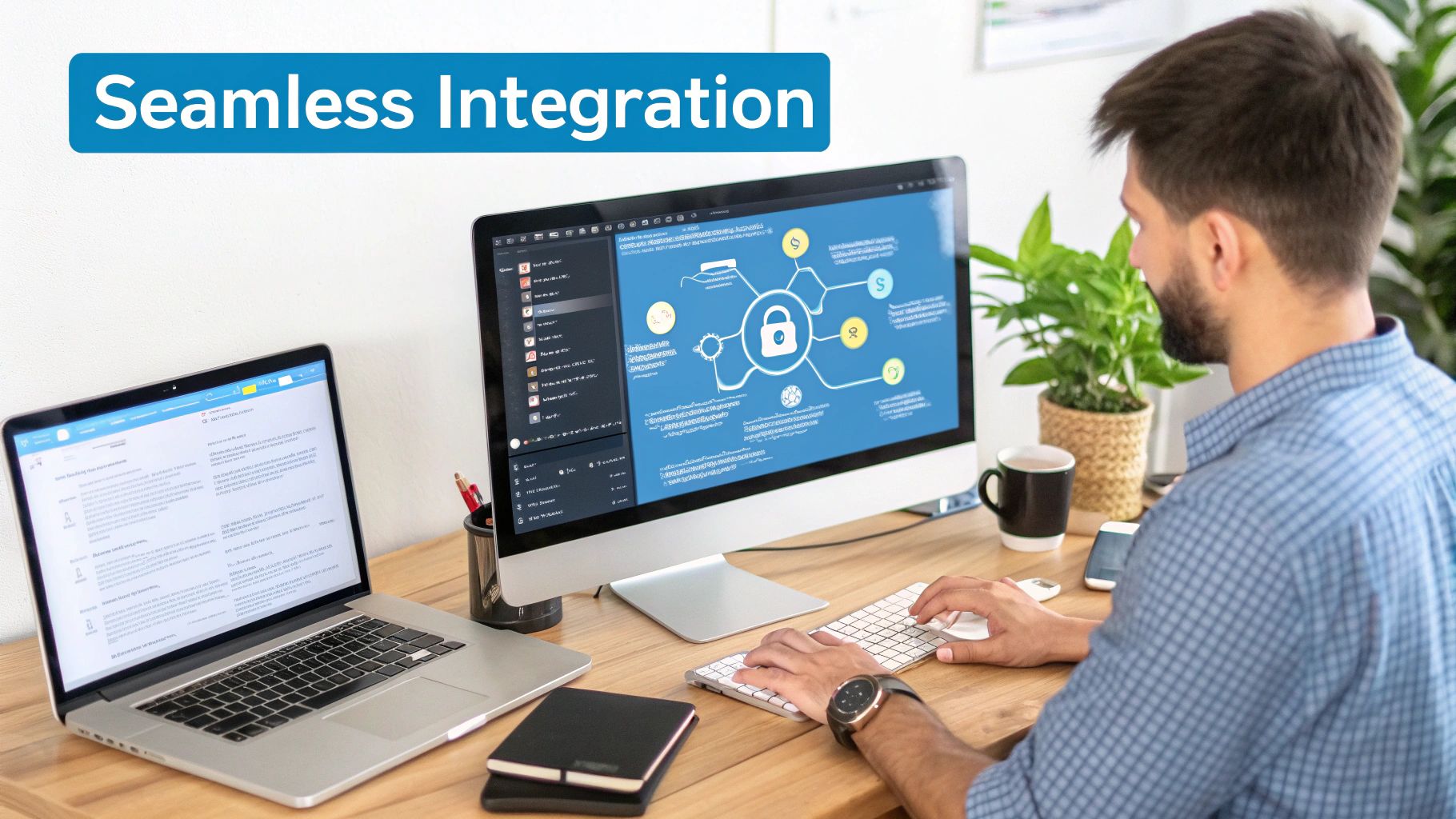
Deploying your VR application to your team is a major milestone, but the work is not over. The next phase involves ensuring the application is secure and, just as importantly, proving it delivers the value promised from the outset.
This final stage is about navigating your organization’s IT landscape and adopting a disciplined approach to tracking metrics to demonstrate a clear return on investment.
Choosing a Secure Deployment Model
Enterprise applications cannot simply be uploaded to a public store. Corporate environments require strict control and security, meaning your deployment model must align with your company's existing policies.
There are generally two main paths: a cloud-based Software-as-a-Service (SaaS) model or an on-premise installation. Each comes with its own set of security and management considerations.
- Cloud-Based (SaaS) Deployment: This approach offers excellent scalability and simplicity. The provider manages the infrastructure, pushing out updates and new content seamlessly. It is an ideal fit for organizations with geographically dispersed teams, ensuring everyone has the latest version without burdening the IT department.
- On-Premise Deployment: For companies with stringent data privacy requirements or facilities with limited internet connectivity, hosting the application on your own servers is the preferred solution. This gives your IT team complete control over data and infrastructure but also makes them responsible for all maintenance and updates.
Regardless of the path chosen, you will need a way to manage the headsets. A Mobile Device Management (MDM) solution is essential for this. An MDM allows your IT department to remotely install or update the VR application, enforce security policies, and lock or wipe a device if it is lost or stolen.
Fortifying Your Application Against Threats
When you develop a virtual reality application for enterprise use, security must be integrated from the start, not added as an afterthought. These applications often handle sensitive data, from 3D models of unreleased products to detailed employee performance analytics. Protecting this information is non-negotiable.
The first line of defense is robust user authentication, which should ideally integrate with your existing single sign-on (SSO) systems like Azure AD or Okta. This ensures only authorized personnel have access. Beyond that, data encryption is mandatory, both for data in transit and for data stored on the device.
To secure your application effectively, integrating rigorous secure code reviews into your development pipeline is a critical practice. It is a proactive method for finding and fixing potential security vulnerabilities before they can be exploited, protecting your intellectual property and your users.
Defining KPIs and Proving ROI
A successful VR project brings you full circle, back to the measurable business goals defined at the start. Now is the time to track those key performance indicators (KPIs) and calculate your return on investment. The metrics you choose must tie directly to the application's purpose.
For a training application, the focus is on people and performance.
- Skill Retention Rate: How well do employees remember what they learned a week or a month after VR training compared to traditional methods?
- Error Reduction: Did the hands-on practice in VR lead to fewer mistakes on the job? A reduction of 10-20% is a strong indicator of success.
- Time to Competency: How quickly are new hires becoming proficient? VR is known to significantly reduce this ramp-up time.
If you built a remote support tool, the KPIs are more focused on operational efficiency.
- Reduced Travel Costs: Calculate the savings from having experts guide technicians remotely instead of flying them to job sites. A 75% reduction in expert travel is a common and achievable target.
- Faster Resolution Times: Measure the average time to fix an issue using VR support compared to previous methods. Halving the service time is a powerful metric.
- Improved First-Time Fix Rate: Does remote guidance help junior technicians resolve issues correctly the first time, avoiding costly follow-up visits?
Gathering this data justifies the project and builds the case for future expansion. To translate these operational wins into the financial numbers that leadership values, using a specialized training ROI calculator can simplify the process.
Your VR Development Questions, Answered
Considering a custom virtual reality application is a significant step that naturally comes with many questions. From budget and technology stack to real-world challenges and rewards, clarity on these details is essential before committing.
Let’s address some of the most common questions from teams beginning their VR journey.
So, How Much Does a Custom VR App Actually Cost?
This is often the first question, and the honest answer is: it depends entirely on the project's scope. A simple proof-of-concept could be in the $25,000 range, while a complex, multi-user enterprise simulation can easily exceed $500,000.
The key cost drivers include:
- 3D Asset Creation: The level of realism required significantly impacts cost. Creating photorealistic machinery, environments, and avatars requires more time and skill than simpler, stylized assets.
- Interaction Complexity: A simple "look and click" experience is far less complex to develop than a simulation where users manipulate objects with intricate, physics-based controls.
- Backend Integrations: Connecting the VR app to your company’s Learning Management System (LMS) or enterprise resource planning (ERP) software adds a significant layer of complexity and cost.
This is precisely why a detailed scoping phase is not just beneficial—it is the only way to obtain a reliable cost estimate.
Unity or Unreal Engine: Which Is Better for an Enterprise App?
Both Unity and Unreal Engine are powerful platforms, but they are optimized for different priorities.
Unity is often favored for its flexibility and development speed. Its C# foundation and massive asset store enable rapid iteration and prototyping, making it an excellent choice for a wide range of business applications, especially those targeting standalone headsets.
Unreal Engine, on the other hand, is the leader in visual fidelity. If your project demands photorealism—such as architectural visualizations or high-end product showcases—Unreal is the clear choice. Its visual scripting system, Blueprints, enhances accessibility, while its C++ core provides immense power. The best choice ultimately depends on your team's skillset and whether performance or visual perfection is the top priority.
How Can We Measure the ROI of a VR Training App?
Measuring the return on a VR training investment requires looking beyond simple completion rates. Your metrics must be tied directly to tangible business outcomes.
A solid business case is built on quantifiable wins. When you can demonstrate a 20% reduction in on-the-job mistakes or prove that new hires achieve proficiency 50% faster, you provide concrete proof of the application’s financial impact.
Key metrics to track include:
- Faster Time-to-Competency: How quickly do new employees master skills in VR compared to traditional methods?
- Improved Skill Retention: Test employees a week or a month after training to see if they retain more information from the VR experience.
- Hard Cost Savings: Quantify the savings from reduced travel, physical materials, and equipment wear and tear.
What Are the Biggest Challenges in VR Development?
The single biggest challenge is performance. Dropped frames in a VR application are not just annoying; they can cause physical discomfort for users. Maintaining a high, stable frame rate is non-negotiable.
Another significant challenge is designing user interfaces and interactions that feel intuitive in a 3D space. The principles of 2D design do not apply, and it requires specialized expertise to get right.
Creating high-quality 3D assets that are also optimized to run smoothly on mobile hardware is a constant balancing act. Finally, for enterprise applications, secure integration with existing corporate systems can present significant hurdles related to IT protocols and security reviews that are not present in consumer app development.
Ready to transform your operations with immersive technology? AIDAR Solutions specializes in creating high-impact VR training and remote support applications that deliver measurable results. Discover how we can help you develop a virtual reality application that solves your biggest challenges.

