Augmented Reality in Construction: A Practical Guide to ROI and Safety
Augmented reality places digital plans directly onto the jobsite, guiding crews with millimeter precision. Visualize a foreman donning smart glasses, viewing piping layouts on a concrete slab, and identifying weld points before work begins. From the first day, this instant 3D insight enhances accuracy, safety, and teamwork.
How Augmented Reality Transforms Construction Sites
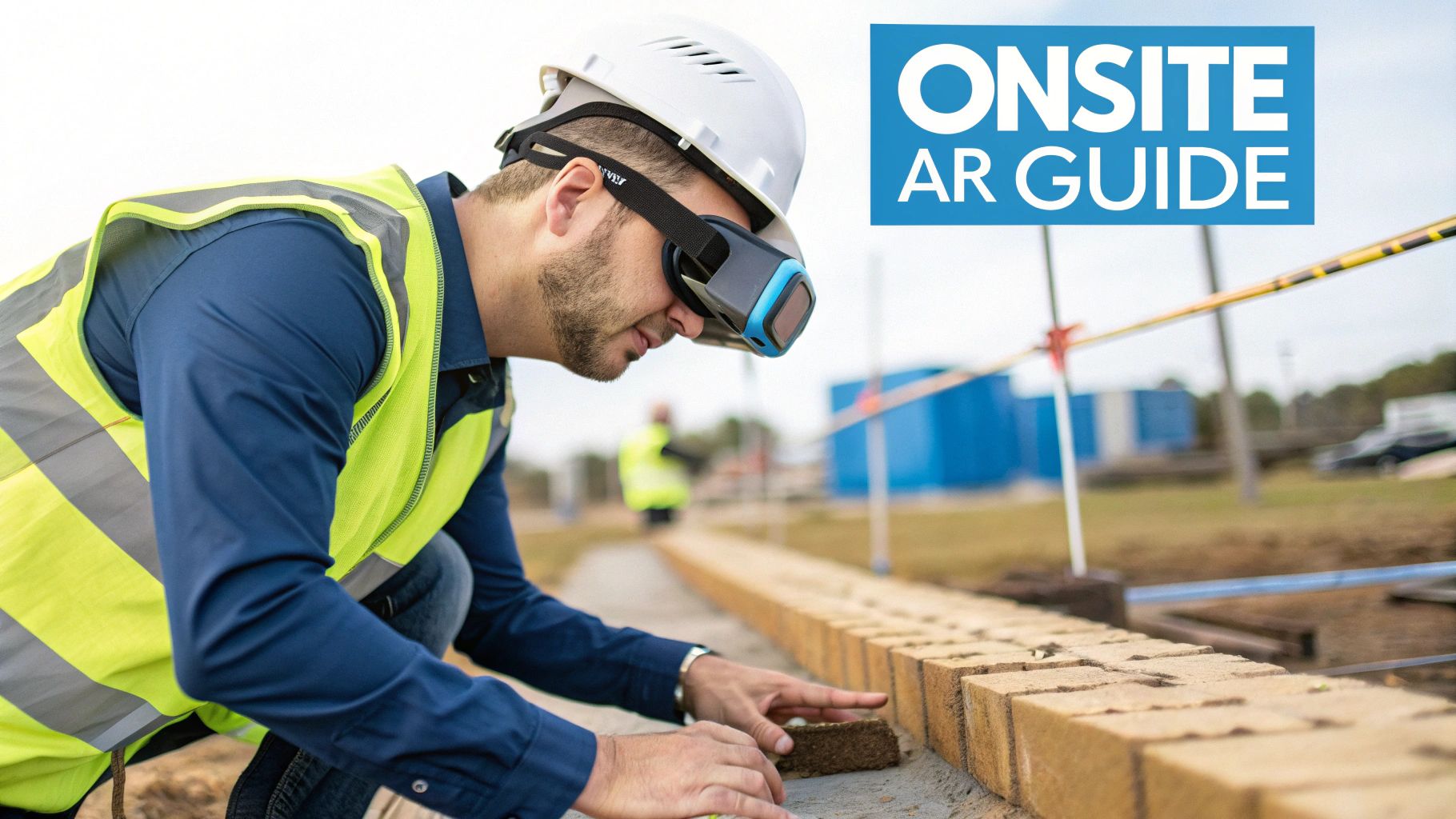
On a busy site, AR overlays design details onto the real world through headsets, tablets, or smart glasses.
- Eliminates clashes by comparing installed conditions with BIM data
- Streamlines team communication with shared, live views
- Boosts safety by flagging hazards before work begins
- Speeds approvals with instant design checks
This section outlines the core advantages and leads into real use cases, ROI insights, and an implementation roadmap. For a broader look at immersive tech, see our explainer on What Is Extended Reality.
Key Benefits Delivered On Site
Bringing virtual models into the field of view can drive error rates down by 90%, cutting rework and delays.
Crews also report 30% faster alignment checks when they switch from paper blueprints to AR overlays.
AR overlays function as a digital blueprint that can be walked around, rather than viewed only on a screen.
Summary Of Key AR Use Cases And Benefits
Here is a quick reference table listing major AR applications, primary benefits, and impact metrics to help identify the right fit for your project.
| Use Case | Benefit | Impact Metric |
|---|---|---|
| On-Site Visualization | Prevent pipe clashes | 90% error reduction |
| Assembly Guidance | Improve build accuracy | 30% faster assembly |
| Safety Training | Enhance hazard awareness | 25% fewer incidents |
| Remote Expert Support | Accelerate problem resolution | 40% downtime cut |
Use this snapshot to match objectives—whether reducing errors, speeding builds, or strengthening safety.
What to Explore Next
You will dive into:
- Detailed case studies with quantitative results
- ROI calculations demonstrating cost savings and productivity gains
- A step-by-step rollout plan covering pilots, hardware selection, software integration, and change management
- Best practices to follow and pitfalls to avoid
By the end of this guide, you will know exactly how to bring AR into your next construction project. Get started with AR today.
Understanding Key AR Concepts
Augmented reality transforms a static 3D model into a dynamic guide on the jobsite. Visualize standing on an empty foundation and watching digital piping, frames, and conduits appear exactly where they belong.
On the hardware front, three components work in concert:
- Cameras that capture live video of the surroundings
- Motion-Tracking Sensors that follow head or device movement
- Displays such as headsets, tablets, or smart glasses that project the overlay
Behind the scenes, AR software keeps every virtual element perfectly aligned:
- SLAM (Simultaneous Localization And Mapping) builds a real-time map of the site
- Image Registration matches camera views to BIM or CAD models
- Spatial Anchoring locks digital objects to fixed coordinates
Hardware Software Overview
A reliable AR setup hinges on smooth interplay between hardware, software, and data. If any link falters, holograms drift or disappear.
Before work commences, teams typically:
- Place survey flags or QR codes as physical anchors
- Calibrate devices by aligning those markers with the digital model
This alignment procedure ensures virtual ducts and beams remain fixed as crew members move.
SLAM Is The Workhorse That Keeps AR Overlays Anchored To Reality, even when personnel are walking or looking around.
Teams choose devices based on task requirements:
- Handheld tablets for fast spot checks
- Head-Mounted Displays (HMDs) for hands-free operation
- Smart Helmets that integrate sensors and displays in a single unit
Safety zones and task complexity determine the final selection.
Analogies And Examples
A site supervisor moves a tablet above a freshly poured slab. On the display, rebar outlines appear before the crew pours concrete—no guesswork, no rework.
Key AR layers at work:
- SLAM for constant alignment
- Image Registration linking camera frames to BIM coordinates
- Spatial Anchoring pinning tags to fixed points
- Cloud Services streaming model updates to every device
These components maintain a 3D duct hung precisely over its real-world slot—like an annotation that never shifts.
Basic setup steps:
- Mount reference markers at key points
- Upload BIM and CAD files to the AR platform
- Scan and calibrate by covering the intended area
- Cross-check overlays against physical benchmarks
Begin with a pilot zone to address issues early and build crew confidence.
The Extended Reality market in construction is estimated at US$23.59 billion in 2025 and projected to reach US$67.34 billion by 2030—reflecting a 23.34% CAGR. Dive deeper into these market trends on GlobeNewswire.
These components form the live, on-site blueprint. Next: real-world AR use cases in action.
Exploring AR Use Cases On Construction Sites
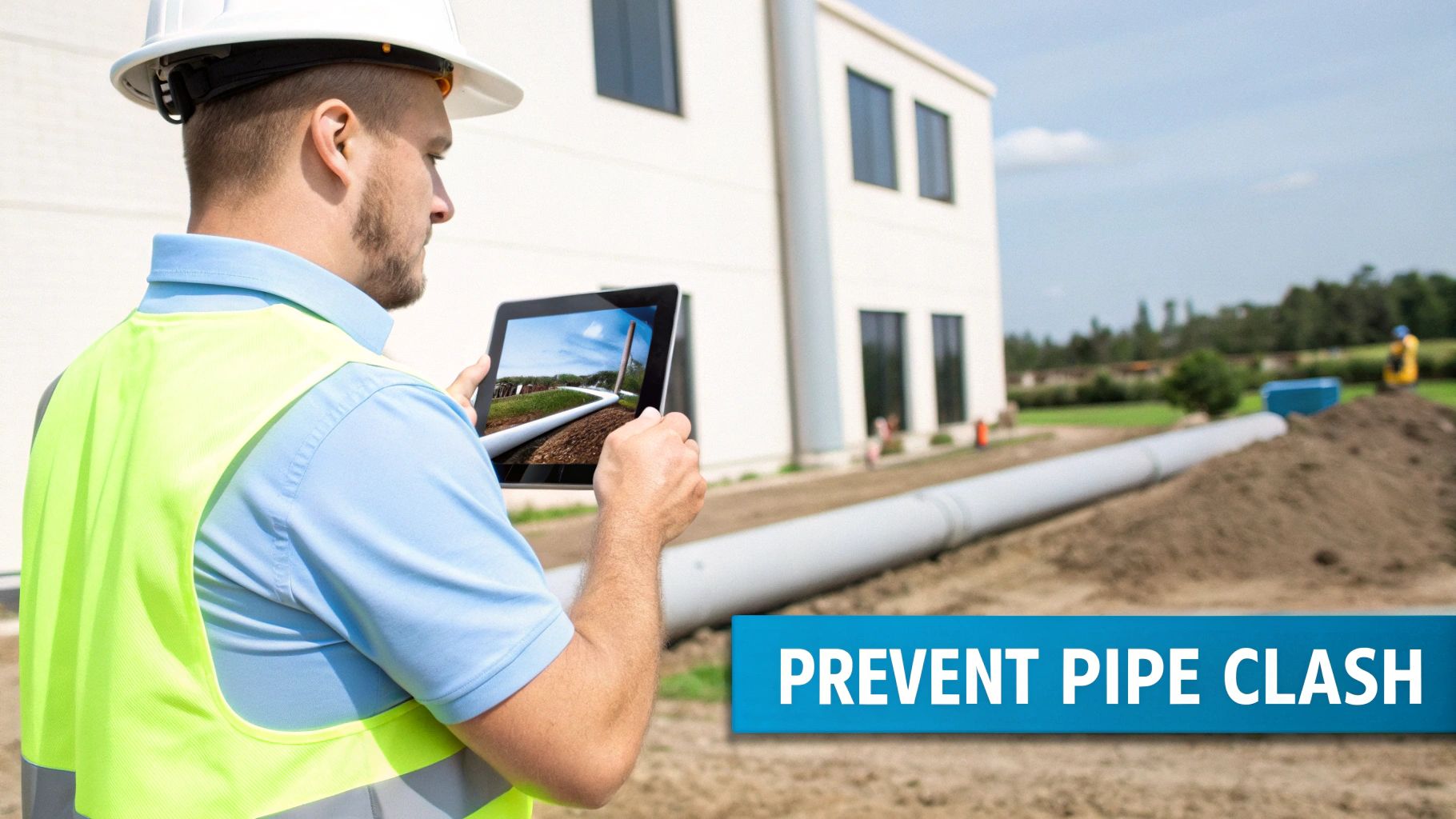
A field engineer scans a structure wearing a Microsoft HoloLens 2. One can observe digital blueprints aligned with real walls, enabling clash detection before tools are engaged.
Below are four concise examples: challenge, AR solution, and measurable results. Each story includes data on hours saved, error rate reductions, and confidence improvements.
On Site Visualization
A commercial project was delayed when hidden pipes collided with support beams. The conflict remained undetected until walls were opened.
AR overlays BIM data on a tablet, revealing clashes before cutting or welding begins.
- 90% fewer design clashes, reducing rework costs
- Alignment checks completed 35% faster, maintaining schedule fidelity
- Safety hazards identified in advance
For example, one contractor reclaimed 16 hours per week on clash resolution.
Assembly Guidance
Crews previously relied on paper manuals for complex steel frames, resulting in misalignments.
Smart glasses project holographic arrows for each bolt in real time.
- Scan the work area with AR glasses
- Select the frame model to display overlays
- Follow the holographic markers for precise alignment
A structural firm reduced assembly errors by 45%, accelerating beam installation.
Safety Training
Operators initially missed on-site risks until incidents occurred.
An AR drill recreates live scenarios so workers practice hazard recognition without actual danger.
- 25% decrease in incident rates after three training sessions
- Completion confidence reached 92%, with improved protocol recall
- Supervisors recorded a 50% boost in hazard identification accuracy
Remote Expert Support
Equipment failures previously required days for specialist travel to site.
AR-driven video calls allow experts to mark up live footage and guide teams step by step.
- Downtime reduced by 40%, accelerating repairs across projects
- Travel expenses lowered by 75%, as specialists remain remote
- Managers recorded an average of 2 issues resolved per shift
Learn more about field service AR in our detailed guide on augmented reality field service for practical strategies and best practices.
A London contractor reduced sheet metal installation time by 30% using AR visual overlays and guided assembly, demonstrating scalability.
Key Outcomes Across Use Cases
| Use Case | Outcome |
|---|---|
| On-Site Visualization | 90% fewer clashes |
| Assembly Guidance | 30% faster assembly |
| Safety Training | 25% fewer incidents |
| Remote Expert Support | 40% lower downtime |
Quick Tips For AR Adoption
- Ensure high-resolution site scans to maintain overlay accuracy
- Provide device handling training before full deployment
- Begin with small pilots to refine workflows and gather feedback
- Integrate AR outputs into BIM and project management platforms
“Augmented reality in construction turns plans into actionable views, reducing costs and boosting confidence.”
These examples demonstrate that AR delivers precision and speed across diverse trades.
Next, we will examine how to calculate ROI and define the metrics required to validate your investment.
Calculating ROI And Benefits Of AR
Every dollar invested in augmented reality on the jobsite requires measurable gains. Rather than abstract promises, this section presents hard figures showing how AR overlays and guidance translate into real-world savings.
When teams adopt AR, on-site errors decline sharply and schedules remain on track. Budgets previously consumed by rework become available for new project phases.
- Error Reduction up to 90% through precise visual overlays
- Labor-Hour Savings of 20–25% as alignment and inspections accelerate
- Material Waste Minimization of 15% driven by digital cutting guides
Key Metrics Breakdown
Contextualizing these numbers makes the ROI case unmistakable. Each percentage ties directly to time or cost savings.
A 90% drop in errors often equates to days saved on a typical build.
Guided inspections with AR accelerate routine tasks by 25%, freeing crews to handle higher-value work.
More precise layouts also reduce scrap by 15%, lowering material expenses and disposal fees.
90% fewer installation errors enabled one contractor to complete a critical phase weeks ahead of schedule.
Mini Case Study
A mid-sized general contractor piloted AR for steel beam installation. The trial recorded a 90% reduction in mistakes and a 30% boost in overall efficiency.
Rework expenses fell by 85%, schedules tightened, and crew morale increased.
Comparison of Traditional vs AR-Enhanced Workflows:
| Metric | Traditional Method | AR-Enhanced Method |
|---|---|---|
| Error Rate | 15% | 1.5% (90% reduction) |
| Task Completion Time | Baseline (100%) | 70% (30% faster) |
| Material Waste | 30% of materials | 15% of materials (50% reduction) |
These results illustrate why AR redirects dollars from rework into tangible progress.
To build an ROI forecast:
- Multiply labor-hour savings by average wage
- Multiply material waste reduction by unit costs
- Add the value of maintaining schedule
- Divide total savings by AR implementation costs
Accurate ROI projections accelerate stakeholder approvals.
Explore our interactive training ROI calculator for construction teams in our comprehensive guide to align projected savings with concrete figures.
Presenting ROI To Stakeholders
Clear visuals are essential. A side-by-side chart comparing baseline and AR-enhanced workflows conveys the impact instantly.
Combine pilot data with site-specific imagery. Highlight hours reclaimed, costs avoided, and increased crew confidence.
- Quantify time saved per crew member each week
- Map cost avoidance by linking rework reductions to dollar amounts
- Include before-and-after photos or AR overlay screenshots
- Plot a break-even timeline showing when benefits commence
Data backed by real project outcomes transforms budget discussions into swift approvals. Stakeholders respond to clear savings, not vague promises.
Building Your AR Implementation Roadmap
Launching AR is analogous to establishing a new worksite. First, prepare the foundation—define milestones and workflows—before distributing headsets.
Begin by selecting a pilot zone that balances challenge with quick wins.
- Moderate tasks enable crews to build proficiency without disrupting schedules
- Link the trial area to existing BIM or CAD models for seamless data flow
- Assemble a team of field leads, IT specialists, and safety officers from the outset
Choosing A Pilot Project
Maintain a sharp focus with measurable objectives.
- Define targets such as 10% faster inspections or 90% fewer errors
- Track KPIs like rework hours, inspection speed, and device adoption rates
- Assign clear roles so all participants understand responsibilities
This clarity prevents scope creep and keeps emphasis on real-world gains.
Defining Pilot Scope
A concise scope simplifies resource planning. Limit the pilot to a specific floor or system.
- Establish firm start and end dates for progress benchmarking
- Reserve headsets and network capacity exclusively for the pilot crew
- Leverage AIDAR.SERVICE remote support to address issues promptly
Selecting Hardware And Software
Align devices to task requirements. Headsets suit complex assembly; tablets enable rapid status checks.
| Device Type | Best Use Case | Integration Notes |
|---|---|---|
| Head-Mounted Display | Complex assembly tasks | Supports Revit BIM files |
| Tablet Or Mobile App | On-site visualization | Connects via AIDAR Solutions SDK |
| Smart Helmet | Safety-intensive zones | Includes built-in sensors and comms |
Integrate these tools with Navisworks or your CAD backbone so all stakeholders access the latest model.
Select a SaaS subscription or on-premise deployment based on security requirements and IT capacity.
AIDAR Solutions offers both deployment types and APIs to sync with ERP and project management platforms.
Assessing Network Infrastructure
Your network serves as the scaffolding for AR overlays. Allocate at least 20 Mbps dedicated bandwidth to ensure smooth visuals.
Deploy edge servers or local boosters near the work zone to reduce latency.
Secure design data with VPN tunnels and encryption. If Wi-Fi connectivity drops, automatic fallback to cellular maintains engagement.
Treat network setup as an integral component of your project plan to avoid hologram lag.
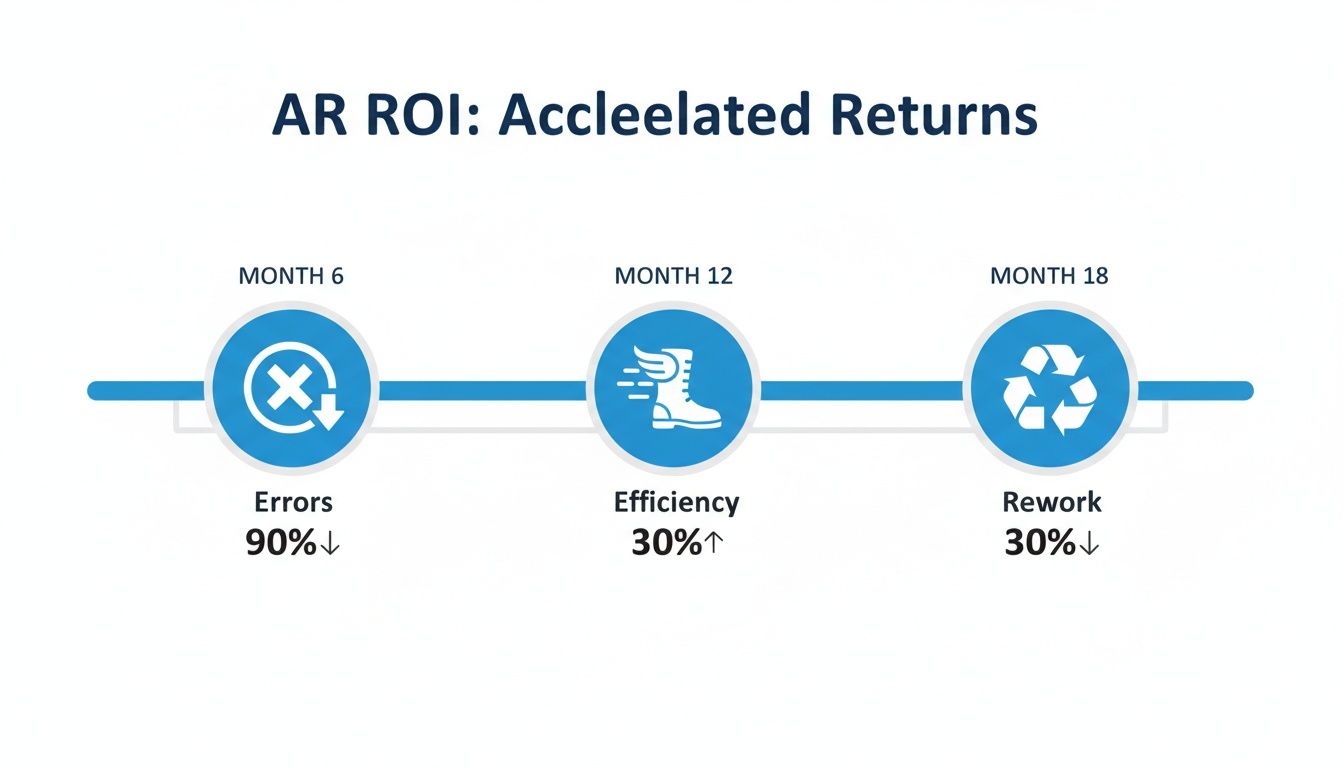
The timeline below highlights key ROI milestones for augmented reality in construction. It demonstrates that AR can cut errors by 90%, boost efficiency by 30%, and reduce rework by 30% over a typical project lifecycle.
Designing Training And Managing Change
Hands-on practice outperforms lectures. Conduct short sessions on device operation, safety protocols, and overlay interpretation.
- Use AIDAR.SKILLS virtual modules to accelerate learning by 75%
- Run live drills in a controlled setting before on-site deployment
- Collect participant feedback after each module to refine materials
Do not overlook the human side of change. Communicate benefits early and involve supervisors in pilot reviews.
- Appoint on-site AR champions to support their peers
- Provide quick-reference cards for daily tasks
- Offer refresher courses when major software updates are implemented
Scaling And Checkpoints
Roll out AR in defined phases, pausing at each checkpoint to validate progress.
- Review pilot KPIs before approving expansion
- Scale infrastructure and provision devices for additional crews
- Launch comprehensive training programs and establish a helpdesk
- Conduct quarterly audits to ensure performance continuity
Partnering with AIDAR Solutions provides expert guidance on hardware sourcing, platform optimization, and ongoing support.
With a structured roadmap, augmented reality becomes a reliable toolkit rather than a technical experiment.
Follow this guide to progress confidently from trials to full deployment. For hands-on assistance, reach out to AIDAR Solutions to co-create your custom AR roadmap and accelerate ROI.
Best Practices And Common Pitfalls In AR Adoption
Successful AR adoption on a construction site often depends on establishing a governance framework. Without defined policies, data silos and security gaps can emerge.
Reliable Wi-Fi is essential for real-time overlays. Intermittent connections lead to drifting holograms and reduced productivity.
Staying current with software updates prevents firmware mismatches and application failures. Outdated AR apps can hamper field operations.
- Standardize device access controls with role-based permissions to prevent unauthorized changes
- Define data management policies so every model version remains accurate and reliable
- Train a team of AR champions to troubleshoot daily issues
- Set clear KPIs—such as error reduction or inspection time improvements—to measure success
Treat governance policies like quality checks for each digital overlay. When a BIM update is released, implement it as a mandatory bulletin with approvals, signatures, and audit logs.
- Require two-step approvals for model uploads, with timestamps and reviewer notes
- Conduct monthly spot checks to verify overlay accuracy in the field
Display network coverage maps in site offices. Visible reference points expedite troubleshooting when signals weaken.
Implement daily device checklists to log battery levels and sensor calibration. These routines keep crews focused on tasks rather than equipment issues.
| Governance Aspect | Benefit |
|---|---|
| Version control | Consistent overlays |
| Approval workflow | Reduced deployment errors |
| Audit logs | Clear accountability |
“A strong network backbone is the unseen foundation for every stable AR session,” says AR site manager Kim Nguyen.
Avoiding Common AR Implementation Mistakes
Insufficient training often results in underutilized tools. Small frustrations can escalate if user feedback is ignored.
- Schedule dedicated hands-on training sessions before rollout
- Gather feedback weekly to identify and resolve issues promptly
- Limit custom features to a minimum viable product for the pilot
- Document change requests and revert unstable updates
- Celebrate quick wins—such as 25% faster inspections—to build confidence
Recognizing early victories fosters stakeholder support. This structured approach can yield 30% faster issue resolution and 50% lower downtime across teams.
In time, AR headsets become as essential on site as hard hats.
Partnering With AIDAR Solutions For AR Success
Integrating augmented reality into a construction site can resemble learning a new language. AIDAR Solutions provides hardware, tailored software, and on-the-ground expertise so crews adopt AR efficiently.
Our approach aligns with existing BIM and CAD workflows, reducing setup time and smoothing initial challenges.
- Hardware Procurement: Headsets, rugged tablets, and smart helmets built for rigorous jobsite use
- Custom Software Modules: Precise overlay designs and SLAM integration fine-tuned for your blueprints
- Expert Consulting: AR specialists on site during pilot phases and training sessions
- Integration And Training: Direct BIM connections and interactive workshops that reinforce best practices
- Post-Launch Support: Scheduled maintenance checks and performance updates to ensure reliability
Service Packages Overview
Start with a focused pilot, learn quickly, then expand at your own pace:
-
Pilot Kickoff
- Define clear objectives such as 50% faster onboarding or 90% error reduction
- Execute a proof-of-concept on a single building or discipline
-
Deployment Phase
- Distribute headsets across teams
- Calibrate spatial anchors for precise AR placement
- Integrate devices with network and BIM servers
-
Scale Up
- Increase device deployment across multiple crews
- Refine overlay graphics and workflows based on pilot feedback
To explore consulting options, refer to our augmented reality consulting guide.
Pilot Programs And Real Results
When a general contractor partnered with AIDAR, field engineers were operational in AR headsets within 2 weeks. The result was a 35% reduction in rework expenses.
“Collaborating with AIDAR’s AR specialists transformed a technology trial into tangible project value,” reports a site manager.
| Client Type | Onboarding Time | Error Reduction |
|---|---|---|
| Commercial Builder | 2 weeks | 35% |
| Infrastructure Team | 3 weeks | 40% |
| Plant Retrofit Crew | 1.5 weeks | 30% |
Partnership Model And Support
From project initiation, a dedicated lead coordinates each milestone. Weekly status meetings ensure alignment.
Training leverages AIDAR.SKILLS virtual modules, reducing ramp-up time by 75%. If issues arise, AIDAR.SERVICE remote support is available via video call.
Consider us an extension of your team—advisors rather than vendors. We conduct quarterly health checks, deploy software updates, and incorporate your feedback.
Once live, the AIDAR Insights portal serves as mission control. Monitor overlay usage, device uptime, and calibration drift before issues impact productivity.
- Usage Analytics: Identify the AR features with the highest engagement
- Performance Alerts: Receive notifications on network or device issues
Technology partners and systems integrators may join our partner network for co-marketing opportunities, early access to new features, and training materials.
Clients typically achieve ROI within 4 months, driven by faster approvals and fewer errors. This rapid payback demonstrates how AR becomes an integral tool rather than an add-on.
To transform your site with AR, contact AIDAR Solutions for a personalized roadmap to faster ROI and enhanced safety.