
A Practical Field Service Management Software Comparison
Choosing the right Field Service Management (FSM) software isn't just an IT upgrade; it's a make-or-break strategic decision that defines your operational efficiency and capacity for growth. This guide is a practical field service management software comparison, but we're going to skip the basic feature lists. Instead, we'll focus on what truly matters to industrial and manufacturing leaders.
It’s all about finding a platform that not only tightens up your current workflows but also gets you ready for the next wave of tech—think AI, IoT, and augmented reality.
Navigating the Modern Field Service Landscape
Investing in a new FSM platform has never been more critical. These systems have grown far beyond simple scheduling tools; they are now the central nervous system for field operations. For an industrial business, the right software is what drives profitability, enforces safety, and builds a real competitive edge. The trick is finding a solution that solves today’s problems without boxing you in tomorrow.
This massive shift is clearly reflected in the market’s explosive growth. Valued at roughly $4.0 billion in 2022, the global FSM market is on track to smash $10.62 billion by 2030, climbing at a compound annual growth rate of 13.3%. That’s not just a statistic; it’s proof that businesses are relying more heavily than ever on technology to tame complex field operations.
The goal isn't just to get rid of paperwork anymore. It's to build a connected ecosystem where real-time data from the field drives strategic decisions in the boardroom, directly boosting asset uptime and first-time fix rates.
Core Evaluation Pillars
To make a smart choice, you have to look past the shiny features on a sales page. A solid comparison should be built around a few key pillars that reveal the software’s true value and whether it will be a good long-term fit for your company.
- Feature Depth and Scalability: Can the core modules—like work order management and inventory control—actually handle the sheer complexity and scale of your industrial operations? Or will you outgrow it in a year?
- Deployment and Integration: Does a cloud-based SaaS model fit your security and compliance needs, or is an on-premise solution a better match for your existing IT infrastructure?
- Future Technology Readiness: How well does the platform play with new technologies? Specifically, look at its ability to integrate with AR and VR for remote expert assistance and hands-on training.
- Vendor Partnership and Support: You're not just buying software; you're choosing a partner. Look for a vendor with a proven track record in your industry and a transparent roadmap for innovation.
Focusing on these areas ensures your final choice aligns with both your immediate needs and your long-term vision. To build a stronger foundation for your evaluation, check out our guide on field service management best practices.
When you're comparing field service management software, it's easy to get lost in feature lists that all look the same. But the real difference between a system that just digitizes your paperwork and one that actually makes you more money is in the details—the depth of its core modules.
A basic FSM gets the job done. A more advanced, intelligent platform, however, actively improves how you do business. It drives the metrics that define success in this industry, like first-time fix rates, asset uptime, and technician productivity. It’s about how these modules talk to each other, turning isolated data points into a smooth flow of information from the office to the field.
The dashboard below isn't just a pretty picture; it shows the direct line you can draw between sophisticated FSM tools and real business growth.
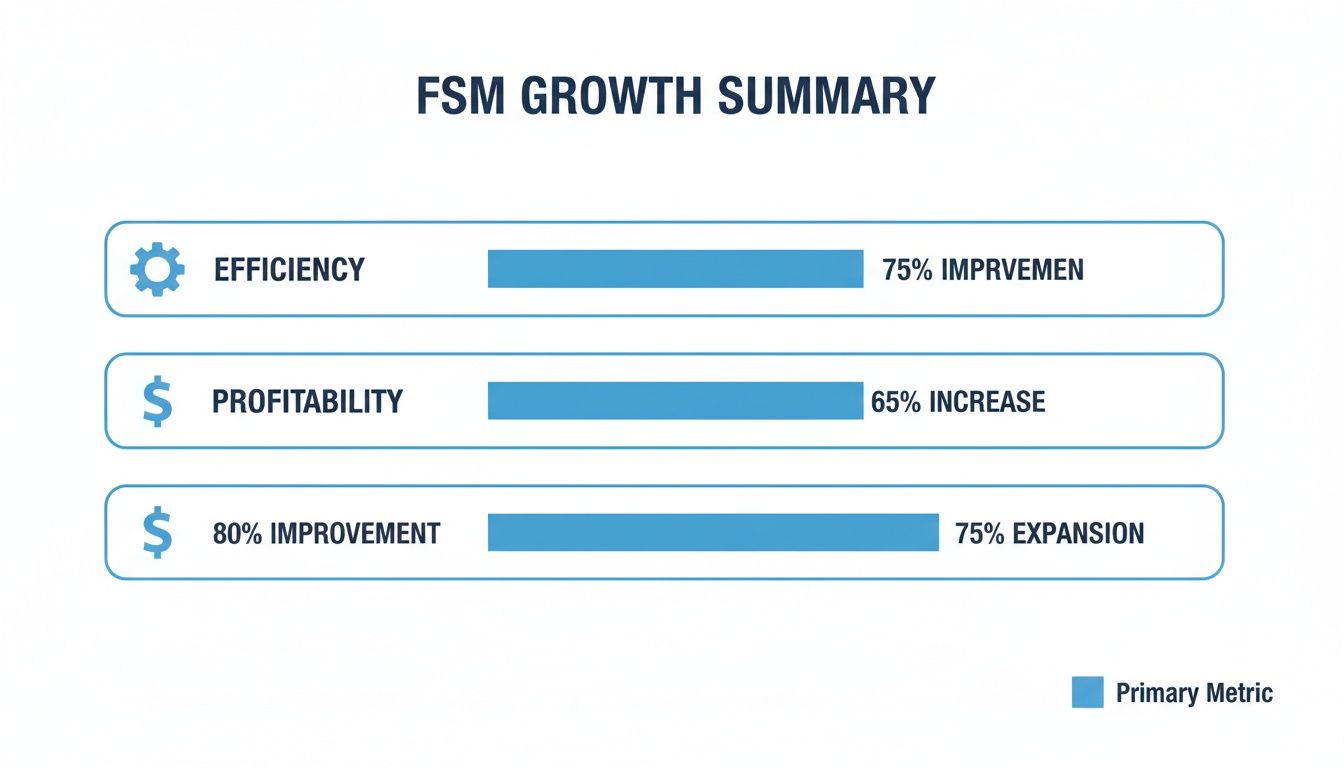
This is what it looks like when software doesn't just manage your operations—it optimizes them for efficiency and profitability.
To really get a feel for the difference, let’s look at how standard features evolve into strategic assets. The table below breaks down what you get with a basic FSM versus what a truly industrial-grade platform delivers.
FSM Software Feature Comparison Basic vs Advanced Capabilities
| FSM Module | Standard Capability | Advanced Capability (Industrial Focus) | Key Business Benefit |
|---|---|---|---|
| Work Order Management | Manual creation, basic status tracking, PDF attachments. | Automated generation from IoT alerts, pre-populated asset history, and dynamic safety checklists. | Increases first-time fix rates by ensuring technicians have complete context before arrival. |
| Scheduling & Dispatch | Manual drag-and-drop calendar based on geography. | AI-driven optimization considering skills, parts availability, and SLA commitments. | Maximizes technician utilization, cuts travel time, and guarantees SLA compliance. |
| Inventory Management | Simple parts list, manual stock updates. | Multi-location tracking (warehouse, van), automated reorder triggers, and parts forecasting. | Prevents return trips for missing parts, reducing vehicle wear and improving job profitability. |
| Mobile App | Clock in/out, job notes, and signature capture. | Offline access to schematics, integrated remote expert support (AR), and interactive checklists. | Empowers technicians to solve complex issues on the first visit and serves as an on-the-job training tool. |
As you can see, the gap between "standard" and "advanced" is huge. Advanced capabilities don’t just offer more features; they fundamentally change how work gets done, leading to tangible improvements in your bottom line.
Work Order Management Nuances
Sure, almost every FSM platform lets you create, assign, and close a work order. That’s table stakes. But an advanced system offers a far richer, more automated experience that catches errors before they happen.
Think about it this way: a standard system lets a dispatcher manually create a work order and attach a static PDF manual. An advanced platform, on the other hand, can automatically trigger a work order from an IoT sensor on a piece of production machinery. That order is instantly populated with the asset’s complete service history, mandatory safety protocols, and direct links to interactive 3D schematics. The technician shows up knowing exactly what they’re walking into, which is a game-changer for first-time fix rates.
Scheduling and Dispatch Intelligence
Basic scheduling is really just a digital whiteboard. A dispatcher drags and drops jobs onto calendars, relying almost entirely on their own memory and gut feelings. It’s a step up from paper, but it’s purely reactive and can’t keep up with the constant changes of a typical service day.
This is where AI-powered scheduling completely changes the game. A smart dispatch engine does way more than just find the closest tech. It crunches multiple variables at once to find the absolute best person for that specific job.
- Skill-Based Routing: The system automatically cross-references the job requirements with technician certifications. No more sending a junior tech to a job that needs a master-level expert.
- Parts Availability: It checks if the required parts are already in the assigned technician's van before the job is even dispatched.
- SLA Compliance: The algorithm constantly reprioritizes the schedule to make sure your most critical service level agreements are met without anyone having to manually track them.
This isn’t just about being a little faster. It’s about building an intelligent, self-optimizing system that cuts out human error and maximizes the productivity of your entire team.
The leap from manual to AI-assisted scheduling isn't just an efficiency gain; it's a fundamental shift from reacting to service calls to proactively managing service delivery based on data-driven decisions.
Inventory and Mobile Workforce Tools
In a basic FSM, "inventory management" might just be a glorified spreadsheet. A serious industrial platform gives you granular, multi-location inventory tracking. When a tech uses a part, it’s automatically deducted from their van’s stock, and a reorder alert is triggered when levels get low. This simple function alone can eliminate countless hours of wasted time and prevent the frustrating scenario of a tech arriving on-site empty-handed.
The mobile app is the other critical piece of the puzzle. A simple app is just for time tracking and notes. A powerful mobile FSM platform, however, is the technician's command center.
It provides offline access to massive technical manuals, complete asset histories, and guided, interactive checklists. Even better, it can integrate directly with remote expert tools. Imagine a newer tech facing a complex diagnostic. They can launch a video call, share their device’s camera view with a senior specialist back at the office, and get step-by-step augmented reality guidance to solve the problem. This not only gets the customer back up and running faster, but it also becomes an incredible on-the-job training tool.
Choosing a system with these deeper functionalities isn't an extravagance—it's a direct investment in a more capable, efficient, and profitable field service operation.
Integrating AR for Superior Field Service
While core FSM modules manage daily logistics, the decisive operational advantage for industrial firms often comes from integrating Augmented Reality (AR). This is not a futuristic concept; it's a practical tool addressing today's most pressing field service challenges, like skilled labor shortages and the high cost of equipment downtime. A thorough field service management software comparison must evaluate how effectively a platform integrates these immersive technologies.
The right integration transforms an FSM platform from a system of record into an interactive support and training hub. It empowers technicians to resolve complex issues faster, safer, and with greater precision, turning field service from a cost center into a strategic asset.

AR-Powered Remote Assistance
Remote expert assistance is the most immediate and impactful application of AR in field service. Consider a scenario where a junior technician is at a remote facility facing a complex equipment failure. Downtime is escalating, costing the business significantly with each passing minute.
Instead of waiting hours or days for a senior specialist to travel to the site, the technician can use an AR-enabled tablet or smart glasses to initiate a live video call directly from their FSM mobile app.
This capability effectively teleports your most experienced expert to any job site in the world, instantly. They see precisely what the on-site technician sees and can provide clear, contextual guidance.
Through this connection, the remote expert can:
- Annotate the technician's live view: They can draw circles, arrows, and instructions directly onto the live feed, which "stick" to the physical equipment, guiding the technician's hands.
- Overlay digital information: The expert can share schematics, diagrams, or step-by-step guides that appear as digital overlays in the technician's field of view.
- Confirm successful repairs: The expert can visually verify that the repair was completed correctly, ensuring quality control without leaving the office.
The business benefits are immediate and substantial. Travel costs for top experts can be dramatically reduced, while equipment downtime is significantly shortened. A situation that once caused a multi-day crisis can now be resolved in under an hour.
Immersive Training with AR and VR
Another transformative application is accelerating the onboarding of new technicians. Traditional methods like classroom sessions and job shadowing are often slow and may not adequately prepare technicians for the complexity of modern industrial equipment. AR and Virtual Reality (VR) simulations offer a more effective alternative.
With VR training modules, new hires can practice complex repair procedures on a "digital twin" of a machine in a completely safe, controlled environment. This allows them to make mistakes without real-world consequences, building muscle memory and confidence before working on actual equipment.
AR brings this training directly to the job site. A technician can point their device at a piece of equipment to see digital overlays identifying key components, displaying real-time performance data, or guiding them through a maintenance checklist. This creates a continuous learning environment that helps bridge the skills gap and increases the productivity of new technicians much faster. You can dive deeper into how augmented reality in field service is completely changing workforce development.
Adoption of these technologies is not uniform across all regions. In North America and Western Europe, industrial and manufacturing companies are often at the forefront of implementing AI-powered scheduling and AR-guided maintenance, as their customer base is more receptive to integrated FSM and immersive technology for remote support. In many emerging markets, the focus remains on foundational digitization.
When evaluating FSM software, it's crucial to ask not just if it "supports AR," but how seamless that integration is and what practical, industry-specific challenges it solves.
Choosing the Right Deployment Model
One of the first, and most critical, forks in the road when choosing a field service management software is the deployment model: cloud-based (SaaS) or on-premise. This isn't just an IT decision; it's a strategic one that will shape everything from your total cost of ownership and data security to how quickly you can scale your operations down the line.
For industrial and manufacturing companies, the stakes are even higher. On-premise systems used to be the default choice, offering unparalleled control over sensitive data and deep customization for unique, often rigid, workflows. But that control has always come with a hefty price tag—significant upfront capital for hardware and licenses, plus the ongoing cost of the IT team needed to maintain and secure it all.
Now, the Software-as-a-Service (SaaS) model has taken over, and for good reason. It flips the script to a subscription-based approach, wiping out those massive initial investments. With a SaaS FSM, the vendor handles all the heavy lifting on the back end—servers, security, updates, and uptime. This frees your internal IT crew from routine maintenance so they can focus on bigger things.
Scalability and Total Cost of Ownership
When you put the two side-by-side, scalability is where the differences really pop. SaaS platforms are built for change. Need to add a dozen new techs, expand into a new region, or turn on a new feature? It’s usually a quick, straightforward process managed entirely by your provider. That kind of agility is a massive win for service teams that need to react to market changes without a six-month IT project.
Scaling an on-premise solution is a different beast altogether. It's a manual, expensive, and slow process. You're often looking at buying new server hardware, expanding storage, and navigating complex software updates that can lead to downtime and a project management headache.
It really boils down to a trade-off: Do you want the deep, granular control of an on-premise system, or the operational agility and lower upfront cost of a cloud platform? For most modern industrial operations, the flexibility of SaaS is simply the smarter long-term bet.
The money backs this up. Market data shows a clear trend, with cloud-based FSM platforms growing at a 14.2% CAGR. That’s far outpacing the overall market, signaling a fundamental shift away from legacy on-premise systems. In 2024, core modules like dispatch and work order management drove 61% of FSM revenue, while the services needed to integrate them grew even faster. It's essential to discover more insights about this FSM market trend when you're thinking about where to put your budget, especially if you're exploring advanced tools like AR/VR for remote service.
Security and Customization Considerations
Security is non-negotiable in any industrial setting. While hosting on-premise gives you direct physical control over your servers, it also means your team is 100% responsible for everything. That includes firewalls, patch management, threat detection, and compliance—a massive burden that requires highly specialized expertise.
In contrast, top-tier SaaS providers make massive investments in enterprise-grade security, often far beyond what a single company could justify. They have dedicated security teams working around the clock and maintain certifications for standards like SOC 2 and ISO 27001, baking robust protection right into your subscription.
Customization is the final piece of the puzzle. On-premise systems traditionally offered near-limitless customization because you could modify the source code. The catch? Those deep modifications can make future upgrades a nightmare, effectively locking you into an outdated version of the software. Modern SaaS platforms have solved this with powerful APIs and highly configurable workflows, giving you tons of flexibility without breaking the core product or preventing you from getting automatic updates.
How to Evaluate FSM Software Vendors
Choosing the right FSM software is less about a feature-for-feature bake-off and more about finding a long-term partner. You need someone whose technology and vision actually line up with your operational goals. A truly thorough vendor evaluation goes way beyond the sales pitch to dig into the foundational pieces that make or break a partnership, especially in a demanding industrial environment.
This framework will help you ask the right questions and spot the critical signs that a vendor is the real deal. It all boils down to four key areas: their technical chops, their actual industry-specific expertise, how they handle support and implementation, and whether they're serious about future tech like AI and AR.

Assessing Technical Capabilities
Let's be blunt: the software's underlying technology dictates its reliability and flexibility. You have to look past the slick UI and investigate the system’s architecture. Make sure it can handle the tough realities of your field operations without creating new headaches.
Here are the technical criteria you absolutely need to evaluate:
- API Robustness: A solid, well-documented API is non-negotiable for connecting the FSM platform with your existing ERP, CRM, and asset management systems. Insist on seeing the documentation and ask for real-world examples of successful integrations with systems like yours.
- Mobile OS Support: Check that the mobile app is a native, full-featured experience on the operating systems your technicians actually use (iOS and Android). A clunky, web-based app or one with limited features will kill field productivity.
- Offline Functionality: Your techs will work in dead zones. It’s a fact of life. The mobile app must have rock-solid offline capabilities, letting them access work orders, pull up schematics, and log data that syncs up automatically the second they get a signal again.
The quality of a vendor's mobile app—especially its offline mode—tells you everything you need to know about their understanding of real-world field conditions. If the app crumbles without a signal, the whole system is a liability, not an asset.
Verifying Vendor Expertise and Vision
A software vendor should be more than just a code shop; they need to be an industry expert who gets your specific challenges. You'll see this expertise reflected in their product roadmap, case studies, and their commitment to genuine innovation.
You need a partner who isn't just solving today's problems but is actively building the tools you'll need three years from now. That forward-looking approach is what keeps you competitive. To see how you're tracking, it helps to understand key operational efficiency metrics that the right software should move the needle on.
Implementation and Ongoing Support
Even the best platform on earth will fail if the implementation is a mess and the support is nonexistent. The vendor’s onboarding process should be a clear, structured partnership. It should be designed to get your team up and running fast while causing minimal disruption to your daily operations.
Before you even think about signing a contract, get straight answers to these questions:
- Onboarding and Training: What, exactly, does the implementation process look like? Who’s handling the data migration, and what training resources are available for both the back-office admins and the technicians in the field?
- Customer Support: What are the standard support hours and channels? More importantly, what are their guaranteed response times for mission-critical issues, and will you have a dedicated account manager to call?
Building an Evaluation Checklist
To bring some structure to your field service management software comparison, use a checklist to score potential vendors against each other. This keeps things objective and ensures you’re making a decision based on data, not just a flashy product demo.
The table below is a solid starting point for creating your own internal evaluation scorecard. It's designed to help you methodically compare vendors on the criteria that truly count for industrial and manufacturing teams.
Industrial FSM Vendor Evaluation Checklist
| Evaluation Category | Key Question to Ask | Why It Matters for Industrial Operations |
|---|---|---|
| Industry Experience | Can you provide case studies from manufacturing or industrial clients with similar challenges to ours? | Confirms they understand complex asset hierarchies, safety compliance, and multi-day work orders. |
| Future Roadmap | What are your R&D priorities for the next 18-24 months, especially regarding AI, IoT, and AR? | Ensures the platform will evolve to support predictive maintenance and connected worker technologies. |
| Data Security | How do you handle data encryption, and what security certifications (e.g., SOC 2, ISO 27001) do you hold? | Protects sensitive customer and asset data, which is critical for maintaining client trust and compliance. |
Using a consistent checklist like this helps you cut through the marketing fluff and focus on what will deliver tangible results for your team. It forces a disciplined comparison, ensuring your final choice is a strategic fit for the long haul.
Making the Right Call for Your Future Operations
Comparing field service management software isn't just a technical box-ticking exercise. It's a strategic move that will define your company's operational health for years to come. That’s why this guide has gone beyond surface-level feature lists, focusing instead on what really matters for industrial businesses: the depth of core features, AR integration readiness, the right deployment model, and finding a true partner in your provider.
This decision is a cornerstone of any real operational overhaul. For a deeper dive into the broader strategy, you should explore our complete digital transformation strategy framework.
Look Beyond the Quick Fix
Your final choice has to do more than just solve today’s scheduling headaches. You need a platform with the architectural legs to grow with you and embrace the connected worker technologies that are just around the corner.
Many forward-thinking companies have found success with specialized, built-for-purpose technology, like the custom software solutions for trades and service businesses that experts often point to. The right FSM software isn't just another tool; it's the foundation for your future innovation.
Picking an FSM platform is, at its heart, an investment in your operational future. The goal is to find a system that not only fixes today’s problems but also gives your team the advanced tools they'll need to win tomorrow.
Thinking this way turns your field service operations from a cost center into a genuine competitive advantage. When you prioritize scalability, integration, and a vendor committed to progress, you’re setting your organization up to meet future demands head-on.
The next logical step? Seeing how solutions like Augmented Reality can build on these new capabilities, cementing your path toward long-term operational excellence.
Common Questions Answered
When you're comparing field service management software, a few critical questions always come up. Getting straight, honest answers is the only way to make a decision that will actually help your business grow, not hold it back. Here are some of the most common questions we hear from industrial leaders.
What Is the Biggest Mistake When Choosing FSM Software?
The single biggest pitfall is chasing a low upfront price tag instead of investing in long-term value. While budget is always a reality, a decision based purely on the initial sticker price can cost you a fortune down the road.
Too many organizations get tunnel vision and forget to plan for the future. They overlook crucial needs like scalability or integrations with technologies like augmented reality. That kind of short-sightedness leads to massive operational headaches and often forces a complete (and costly) replacement within just a few years. Always look at the total cost of ownership—it's the only number that really matters.
How Long Does a Typical FSM Implementation Take?
There's no single answer here. The timeline depends entirely on the complexity of your workflows, how much data you need to migrate (and how clean it is), and the number of other systems you need to connect to.
We almost always recommend a phased rollout. It lets your teams get comfortable with the core features first, which makes for a much smoother transition and gets you some early wins. Once everyone is on board, you can start introducing the more advanced stuff. This approach minimizes disruption and builds momentum for the whole project.
As a rough guide, a standard cloud-based FSM system can be up and running in a few months. On the other hand, a heavily customized on-premise installation with a complex data migration could easily take over a year. The most critical factor for success isn't the timeline itself, but having a clear, well-documented implementation plan that you build with your vendor.
Can New AR Tools Integrate with My Existing FSM Software?
Yes, most of the time. The leading augmented reality solutions for remote support and training are built specifically to play well with others. They come with robust APIs (Application Programming Interfaces) designed to connect seamlessly with the enterprise systems you already have.
This isn't just limited to FSM platforms; they can also plug into your ERP and asset management software. The real beauty of this is that you can add powerful new capabilities to your existing tech stack without having to rip everything out and start over. You can drop in high-impact AR features—like giving your techs instant access to a remote expert—right into the tools they already use every day. This is the fastest way to see a real ROI and immediately improve metrics like your first-time fix rates.
Ready to see how AR can add a whole new dimension to your field service operations? AIDAR Solutions builds immersive AR and VR applications that cut service times, slash expert travel costs, and get new technicians up to speed faster. Explore our solutions to see how you can transform your operations today.