Mixed Reality vs AR: Your Industrial Decision Guide
When discussing mixed reality vs AR, the primary difference comes down to one word: interaction.
Augmented Reality (AR) overlays digital information onto your view of the world, typically through a smartphone screen or smart glasses. It acts as a helpful, transparent layer of data. Mixed Reality (MR), however, takes a significant step further by anchoring interactive 3D objects into your physical space, allowing you to walk around and manipulate them as if they were physically present.
Understanding the Core Differences Between AR and MR
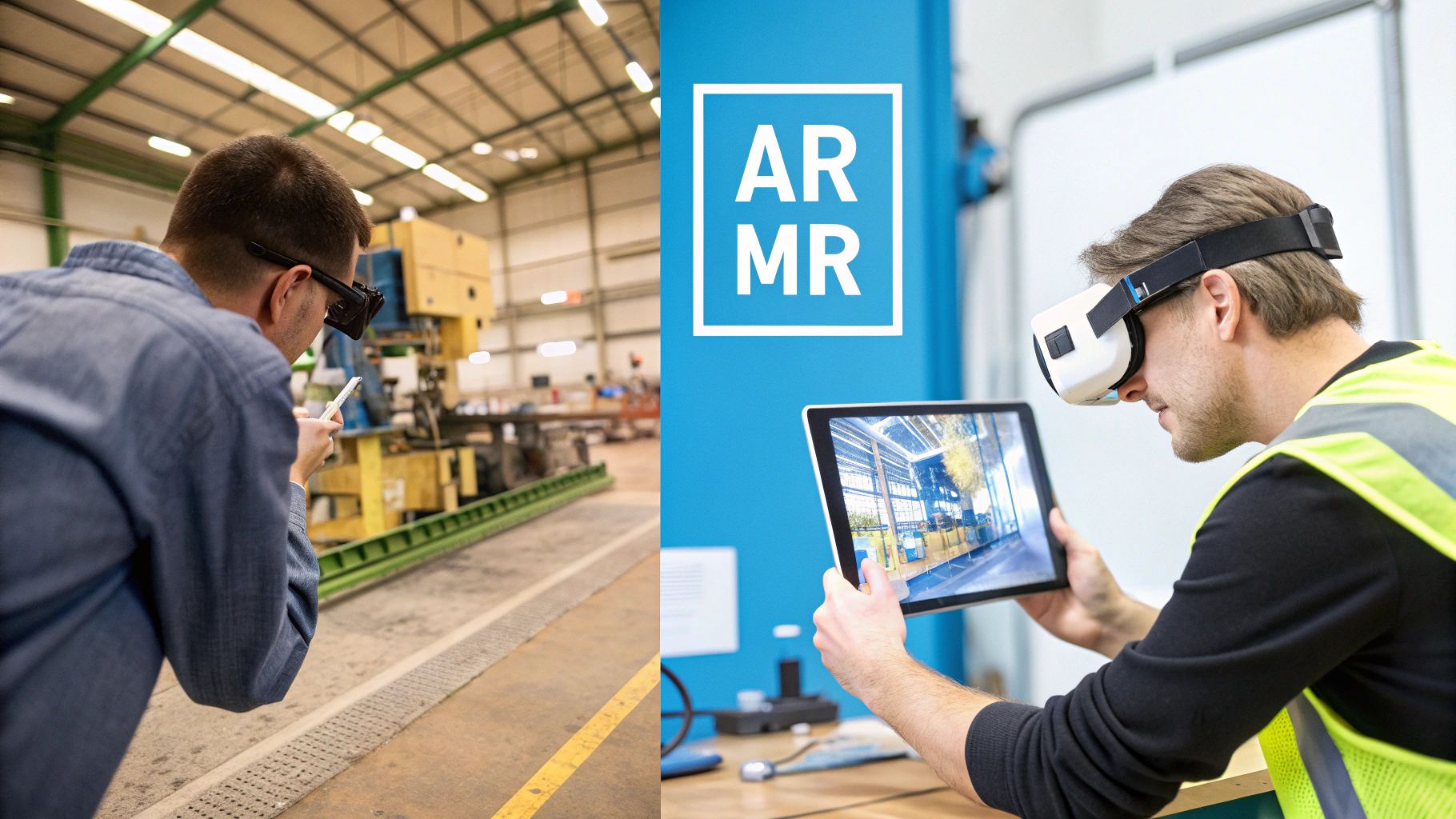
While the terms are often used interchangeably, AR and MR are distinct technologies. They both exist on a spectrum that stretches from our physical world to a completely digital one. This entire spectrum is known as Extended Reality (XR).
For a deeper exploration of this concept, see our guide explaining what Extended Reality is.
Augmented Reality is the more familiar technology. It enhances what you’re already seeing by adding computer-generated text, graphics, or data into a live camera feed on a phone or tablet. It’s a digital layer that adds context but does not deeply interact with the surrounding world.
Mixed Reality delivers a truly immersive experience. MR headsets use sophisticated sensors and cameras to map your physical environment in real time. This allows digital objects—or holograms—to not only appear in your room but to behave as if they are physically there. You can walk around a holographic engine, inspect it from all angles, and watch it react to your hand gestures.
Quick Comparison: AR vs MR at a Glance
For a straightforward breakdown, here’s a look at how AR and MR compare across key areas.
| Feature | Augmented Reality (AR) | Mixed Reality (MR) |
|---|---|---|
| Primary Function | Overlays digital information onto the real world. | Anchors interactive digital objects within the real world. |
| Interaction Level | Primarily view-only, with limited screen interaction. | Fully interactive with gesture and voice controls. |
| Hardware | Smartphones, tablets, smart glasses. | Specialized headsets with advanced sensors. |
| Immersion | Low to moderate; user is aware of the digital overlay. | High; digital and physical objects appear to coexist. |
| World Awareness | Basic environmental recognition. | Advanced spatial mapping and object occlusion. |
This table shows that while both technologies blend digital and physical realities, their capabilities and the experiences they create are fundamentally different.
The key distinction is that MR understands your environment, allowing digital objects to behave as if they are physically present. AR, on the other hand, simply places information in your line of sight.
The market size for each technology reflects its current maturity and accessibility. AR has a significant head start, primarily because it runs on the billions of smartphones already in use. The global AR market is expected to reach approximately $149.57 billion in 2025, while the MR market is projected to be around $112 billion. AR’s larger current footprint is due to its widespread availability, but MR's rapid growth indicates the future direction of the industry.
A Look Under the Hood: Technical Capabilities and User Interaction
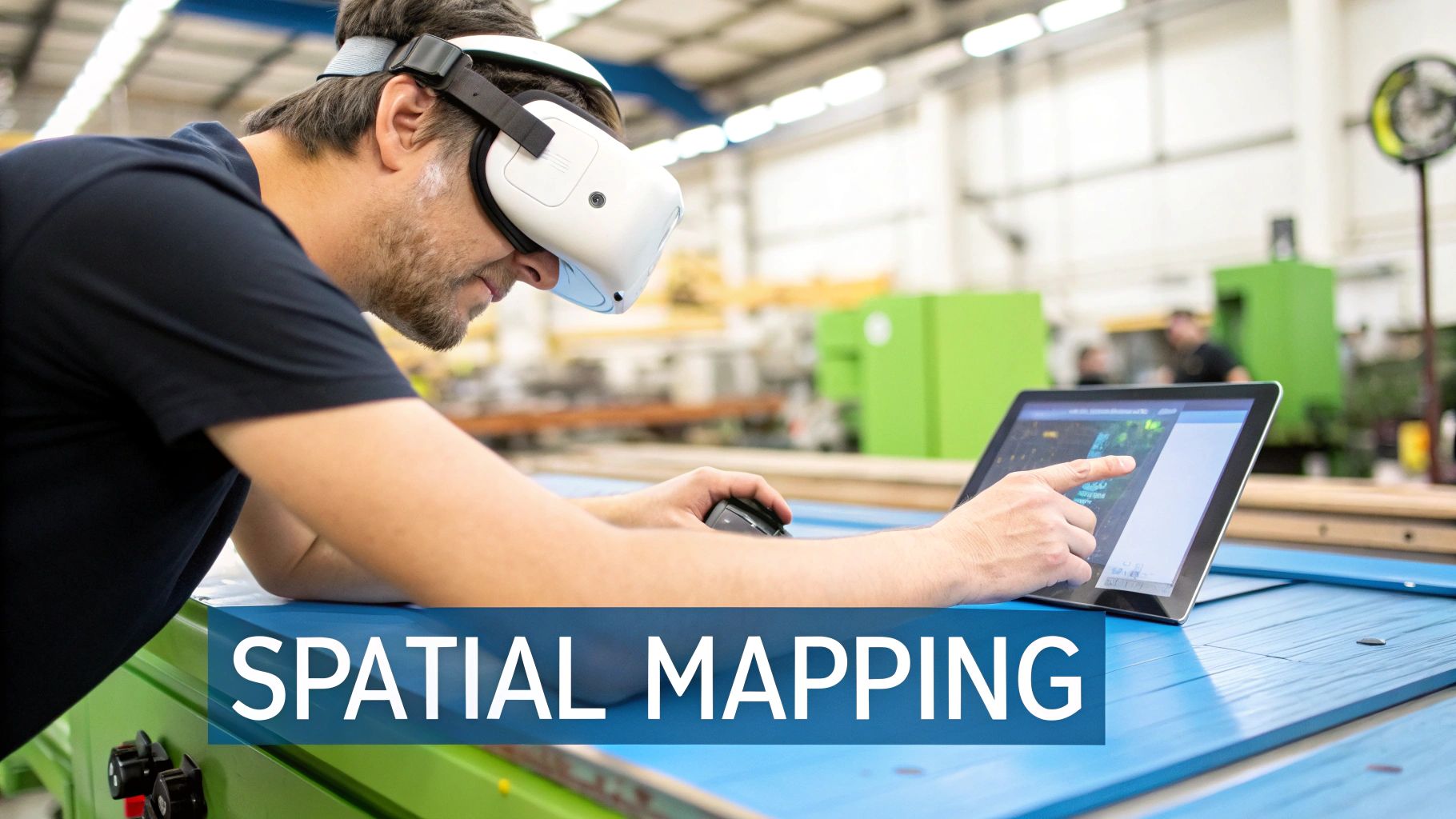
To truly understand what separates mixed reality from AR, one must look beyond surface-level definitions to the underlying technology. The real distinction isn't just about what you see; it's about how the digital content understands and interacts with the world around you. This technical foundation dictates everything from the required hardware to the complexity of the tasks you can address.
Augmented reality runs on devices most companies already possess—smartphones and tablets. Its primary function is to overlay a digital layer onto a live camera feed. This approach makes AR incredibly accessible and easy to deploy for tasks that require quick, contextual information without complex environmental interactions.
Mixed reality, conversely, demands more specialized equipment. MR headsets are powerful, self-contained computers packed with sensors, cameras, and processors. This hardware serves one critical purpose: to build a real-time, 3D map of the surrounding space.
Spatial Mapping and Occlusion
If one technical feature draws a sharp line between AR and MR, it is spatial mapping. AR has a basic awareness of its environment, often just enough to identify a flat surface like a floor or tabletop to place a digital object. It doesn't truly grasp the room's geometry.
Mixed reality, in contrast, constantly builds a detailed digital twin of the physical world. This ongoing scanning process allows it to understand the precise location of walls, machinery, and furniture.
This sophisticated environmental awareness unlocks a critical MR feature called occlusion. Occlusion is the ability for a digital object to be realistically hidden by a real-world object.
- In an AR app: If you place a digital model on a desk and walk behind a real pillar, the model will likely continue to float in your view, breaking the illusion.
- With an MR headset: That same digital model would disappear behind the pillar as you move past it, behaving just as a real object would.
This one capability—occlusion—is what makes mixed reality feel so grounded and believable. It elevates digital content from a simple overlay into a convincing part of your physical space, which is vital for complex, hands-on industrial work.
This level of realism is a significant advantage. An engineer can inspect a holographic piping system and see it correctly snake behind existing equipment, offering a true-to-life preview before any physical work begins. You can see more examples of how this is applied in our guide to augmented reality industrial applications.
How You Interact and Control the Experience
The way each technology perceives the world directly dictates user interaction. The control method is a defining factor in the practical application of the solution for a specific job. AR and MR offer two completely different operational methods.
With AR, interaction is almost always through a screen. You use familiar gestures—tapping, pinching, and swiping—on your phone or tablet to manipulate digital content. This is intuitive for anyone with a smartphone but is not a hands-free experience.
Mixed reality, however, allows for direct interaction. Because the headset knows the exact position of your hands, you can reach out and "grab," move, or resize digital objects with natural gestures. This hands-free control is essential for any technician who needs to use physical tools while following digital instructions.
This table breaks down the practical differences in how you control each technology and connects it to the appropriate industrial context.
| Interaction Feature | Augmented Reality (AR) | Mixed Reality (MR) |
|---|---|---|
| Primary Control | Touchscreen gestures (tap, swipe, pinch-to-zoom). | Direct hand tracking, gestures, and voice commands. |
| Hands-Free Operation | Limited; the user must hold a device. | Fully hands-free, enabling simultaneous physical work. |
| User Experience | Indirectly manipulating content through a screen. | Directly and intuitively manipulating digital objects. |
| Best For | Quick information lookups, digital checklists, and remote support calls. | Complex assembly, hands-on training, and design visualization. |
Ultimately, AR's screen-based controls are ideal for delivering information quickly to a large workforce. However, for complex procedures where precision and hands-on work are critical, MR's spatial mapping and direct interaction are indispensable.
Mapping the Right Technology to Industrial Tasks
Choosing between mixed reality and augmented reality is a strategic decision that depends on the specific job to be done. Each technology offers a unique way to solve critical industrial challenges, from workforce training to field service support. The right choice depends on task complexity, the level of interaction required, and the desired business outcome.
When you analyze the practical aspects of the mixed reality vs AR debate, the conversation shifts from technical specifications to operational impact. Does your team benefit more from quick, contextual information overlaid on equipment? Or do they need a fully interactive, hands-on simulation to build procedural memory? The answer to that question points directly to the technology that will deliver the best results and the strongest ROI.
Enhancing Industrial Training and Skill Development
Effective training is the foundation of any successful industrial operation, directly impacting safety, quality, and efficiency. Both AR and MR are powerful tools for accelerating skill acquisition, but they achieve this in fundamentally different ways.
Augmented Reality excels at delivering on-the-spot procedural guidance. A new technician performing routine maintenance can use a tablet or smart glasses to see digital checklists, diagrams, and instructions layered directly onto the machine they are working on. This provides information exactly when and where it is needed.
- AR Approach: Provides contextual, just-in-time information to guide users through real-world tasks.
- Key Benefit: Reduces the need for paper manuals and the cognitive load of memorizing complex steps, leading to fewer errors.
- Ideal Scenario: Standard, repeatable tasks like inspections, lock-out/tag-out procedures, or simple component replacements where real-time reference is crucial.
Mixed Reality, on the other hand, enables fully immersive, hands-on simulations. It creates a safe, controlled environment where trainees can practice high-stakes tasks without risk of injury or damage to expensive equipment. An MR headset can project a photorealistic, interactive hologram of a complex engine, allowing a user to disassemble and reassemble it with their own hands.
The true power of MR in training is its ability to build practical skills and muscle memory in a virtual setting. Trainees can fail, learn, and repeat complex actions until mastery is second nature—something that's often too costly or dangerous to attempt on live machinery.
This is especially vital in sectors like manufacturing, where precise, hands-on skills are paramount. You can learn more about this application in our guide on augmented reality for manufacturing. This approach not only shortens the learning curve but also builds confidence and improves knowledge retention.
Transforming Remote Support and Field Service
When equipment fails, every minute of downtime costs money. Remote support tools are essential for connecting frontline technicians with off-site experts to resolve problems quickly. Here again, AR and MR offer distinct levels of support.
AR is a perfect fit for "see-what-I-see" remote assistance. A technician on-site can stream live video from their smartphone to a remote expert. The expert can then draw annotations that appear directly on the technician's screen, pointing to the exact bolt that needs tightening or the component to inspect. This is a simple but highly effective way to reduce travel costs and resolve issues faster.
Mixed Reality elevates remote support to a new level of precision. Instead of just drawing 2D lines on a screen, an expert using an MR-powered system can place persistent 3D digital objects directly into the technician’s view of the machinery.
- MR Approach: Lets a remote expert anchor 3D arrows, diagrams, or even holographic parts onto the physical equipment.
- Key Benefit: These digital objects are spatially aware. The technician can walk around the machine and see the instructions from any angle, as if the expert were standing right there with them.
- Ideal Scenario: Tackling complex, non-routine equipment failures that demand intricate, multi-step guidance and a deep spatial understanding of the problem.
Let's break down how these two technologies compare for core industrial tasks.
AR vs MR for Key Industrial Tasks
| Industrial Task | Augmented Reality (AR) Approach | Mixed Reality (MR) Approach | Best For |
|---|---|---|---|
| On-the-Job Training | Overlays step-by-step instructions, checklists, and diagrams onto real equipment. | Creates fully interactive, 3D holographic simulations of equipment for hands-on practice. | AR: Standard procedures & routine maintenance. MR: Complex assembly & high-risk operations. |
| New Hire Onboarding | Provides guided tours and location-based information within a facility. | Offers realistic, repeatable virtual scenarios to build foundational skills and confidence. | AR: Facility familiarization. MR: Core skill development before touching real machines. |
| Remote Assistance | "See-what-I-see" video calls with 2D annotations on a live feed. | Experts place persistent 3D holograms and instructions into the technician's real-world view. | AR: Quick troubleshooting & simple guidance. MR: Complex repairs requiring spatial context. |
| Quality Control | Displays digital templates or measurements over a physical product for comparison. | Allows inspectors to interact with a digital twin overlaid on the physical part to find deviations. | AR: Visual inspection against a standard. MR: In-depth analysis of complex geometries. |
Ultimately, AR is an incredibly accessible solution for getting the right information to the right person at the right time. MR offers an unmatched tool for deep, interactive engagement with complex systems.
Adoption rates reflect this distinction. The number of AR users is in the hundreds of millions worldwide, largely because it works on existing smartphones. The MR user base is smaller but is growing rapidly in specialized fields; the healthcare market alone is expected to grow from 0.8 million users in 2022 to 3.4 million by 2025. As you map out your strategy, it is also beneficial to monitor the top construction technology trends, which often feature significant advancements in both AR and MR.
Navigating Deployment and Integration Challenges
Choosing between AR and MR is the first step. The real work begins when moving from a pilot to a full-scale rollout. This requires a clear strategy for deployment, integration, and, most importantly, operational safety.
The first major decision is the deployment model: a cloud-based solution (SaaS) or one hosted on your own servers (on-premise). Each path has trade-offs that will shape your IT infrastructure, data governance, and scalability.
A SaaS model allows for rapid implementation with lower upfront costs. It removes the burden of server management, as updates and maintenance are handled by the provider. This makes it an excellent choice for companies that want to demonstrate value quickly and need the flexibility to scale services as demand changes.
Conversely, an on-premise deployment gives you complete control over your data. For organizations in heavily regulated industries like defense or pharmaceuticals, keeping sensitive information behind the corporate firewall is a requirement. This route demands a larger initial investment in hardware and IT personnel but delivers maximum security and customization.
The choice between SaaS and on-premise is a strategic decision balancing data control against operational agility. SaaS offers speed and scalability, while on-premise provides security and control.
Once you’ve settled on the deployment model, you must address the practical, on-the-ground realities of a rollout.
Ensuring Operational Safety and Awareness
Introducing any new technology into an active industrial environment requires a primary focus on safety. Both AR and MR devices can alter a user's perception, making situational awareness the top priority. While MR headsets create highly immersive experiences, they can also narrow a user's peripheral vision.
Clear protocols for use are essential, including:
- Designated Safe Zones: Clearly marking areas where immersive technology can be used without risk of collision with moving machinery or personnel.
- Usage Time Limits: Setting guidelines to prevent user fatigue or eye strain, especially during extended sessions.
- Comprehensive Onboarding: Training must go beyond device operation to teach employees how to remain fully aware of their physical surroundings while using the technology.
This is non-negotiable when people are working around complex machinery. For a closer look at applying this technology safely, you can explore insights on maintenance augmented reality. When managed properly, these tools enhance workplace safety by putting critical information directly in a technician's line of sight, but that benefit is only realized if operational protocols are robust.
Managing Data and System Integration
The true value of AR and MR is unlocked when they are integrated with existing enterprise systems. This transforms them from standalone gadgets into a seamless part of your workflow. However, this also raises important questions about data governance.
Integrating with systems like your Enterprise Resource Planning (ERP) or Learning Management System (LMS) allows you to pull real-time data and push back completion records. For example, an AR work instruction tool can pull the latest schematic directly from your ERP, ensuring the technician is always working with the correct version.
This level of connectivity demands a robust data governance framework. Key questions to address include:
- Who owns the data generated during AR/MR sessions?
- How will you protect sensitive intellectual property displayed on the devices?
- What security measures are in place to prevent unauthorized access to connected systems?
Ultimately, a successful deployment roadmap accounts for these challenges from the outset. It balances the potential of AR and MR with the practical needs of security, safety, and smooth integration, ensuring the solution not only functions but thrives in your unique operational environment.
A Practical Framework for Choosing Your Solution
How do you decide between mixed reality and augmented reality? The key is to shift focus from the technology itself to the problem you need to solve. It’s not about picking the “better” technology; it’s about matching the right tool to the right job. A structured approach ensures you invest in a solution that aligns with your operational goals, team skills, and desired business outcomes.
To begin, ask a few key questions. The answers will almost always lead you to the most logical choice for your situation.
Key Questions to Guide Your Decision
First, analyze the core task at the center of your project. This will quickly reveal which technology is the natural fit.
- What’s the primary goal? Are you trying to deliver information quickly and efficiently, or are you building hands-on skills? Information delivery is a classic AR use case. Skill-building is where MR excels.
- How much immersion is needed? If your team needs to see data overlays while remaining fully aware of their physical surroundings, AR is the appropriate choice. If they need to believe a digital object is physically present to practice a complex procedure, MR is necessary.
- Is hands-free operation a must? For jobs where a technician needs both hands to use tools or handle equipment, the gesture controls in MR are indispensable. If holding a tablet or smartphone is acceptable, then AR is a highly accessible option.
- Can you work with existing hardware? To roll out a solution to a large, distributed workforce without a significant hardware investment, AR is the clear winner. Its ability to run on standard mobile devices is a major advantage.
Answering these questions provides a solid foundation. If your priority is scaling procedural guides across hundreds of employees, a mobile-first AR solution is your most direct path to value. On the other hand, if you need your team to master complex, high-risk assembly tasks in a safe, repeatable setting, an immersive MR training platform is the optimal choice.
Choosing a Deployment Model
Your deployment strategy is just as important as the technology itself. It affects everything from data security to your ability to scale in the future. This decision tree outlines the two main paths: SaaS for flexibility and on-premise for maximum security.
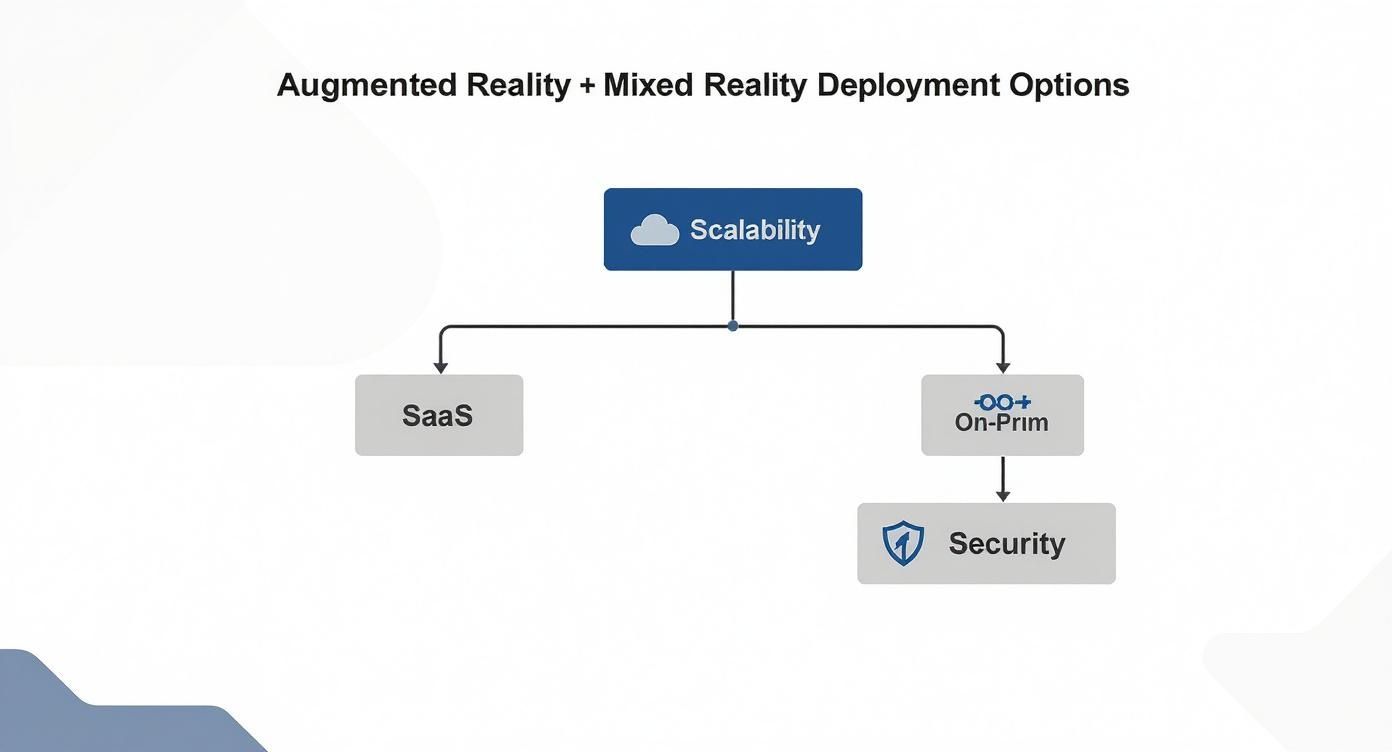
As the flowchart shows, a SaaS model is built for agility and easy scaling. An on-premise solution gives you total control over sensitive data. Your company’s security protocols and IT infrastructure will be the deciding factors here.
A Hybrid Strategy for Diverse Needs
For many large organizations, the best approach is not an "either/or" choice. A hybrid strategy that uses a single, unified platform to support both AR and MR offers far more flexibility and a better return on investment. This allows you to deploy the right tool for each specific job across the entire organization.
A hybrid model recognizes that a single organization has diverse needs. Your field service team might require scalable AR for remote support, while your training department needs immersive MR for onboarding new technicians. A unified platform makes both possible.
For example, a new technician could start with an MR headset for deep, hands-on training on critical machinery. Once in the field, they could switch to an AR-enabled tablet to get real-time remote assistance with a specific repair. This blended approach ensures the technology always fits the context and complexity of the task.
A unified platform can support this hybrid model, allowing a seamless flow between AR and MR applications. This ensures that as your organization’s needs evolve, your technology platform can adapt without requiring a complete overhaul.
Global market trends show this diversification is widespread. North America has historically led the AR market, but Europe is where the mixed reality market is growing fastest, driven by heavy investment in industrial and healthcare applications. Meanwhile, the Asia Pacific region is a center for both, with its MR market projected to grow at a CAGR of around 51.7% between 2024 and 2031. You can learn more about these global market trends. This data confirms that different regions are prioritizing different use cases, reinforcing the need for a flexible, needs-based strategy.
Frequently Asked Questions About AR and MR
Even with a clear grasp of the technical details and use cases, a few practical questions often arise when choosing between mixed reality and augmented reality. Addressing these questions helps sharpen the final decision and facilitates a smoother rollout.
Here, we tackle the real-world questions that teams face when moving from technology evaluation to implementation.
Which Technology Offers a Better Return on Investment?
There is no single answer—the ROI in the mixed reality vs AR debate depends entirely on the business problem you are solving. Each technology creates value in its own way.
AR tends to deliver a faster, more immediate return because it runs on smartphones and tablets your team already possesses, keeping the initial investment low. For applications like remote assistance, AR can reduce expert travel costs by 75% or more and drastically cut equipment downtime, leading to measurable savings in just a few months.
Mixed reality, on the other hand, typically brings a higher long-term ROI, especially for complex, high-stakes tasks. Hands-on training simulations in MR can dramatically reduce costly mistakes on live equipment, saving significantly on wasted materials and repairs. While the upfront hardware cost is higher, the long-term gains in skill, safety, and operational excellence are substantial.
The best approach is to focus on a specific workflow. Calculate potential savings from reducing travel, speeding up repairs, or minimizing training errors. The data will reveal which technology builds the most compelling financial case for your specific situation.
Can Our Company Start with AR and Later Transition to MR?
Absolutely. A phased approach is not just possible—it's often the most strategic path for many organizations. Starting with AR allows you to introduce spatial computing to your team with minimal friction and low upfront cost.
You could begin by deploying an AR solution on your existing devices. This is an effective way to prove value quickly, build internal buy-in, and familiarize your workforce with the core concepts of the technology.
Once your team is comfortable and you have identified more advanced needs, you can introduce MR for specialized use cases. For a broader look at how emerging technologies are being applied across different sectors, exploring additional industry insights can be valuable. A scalable platform is key here, as it allows you to manage both AR and MR content from a single system, making the transition seamless.
What Are the Biggest Implementation Challenges in an Industrial Setting?
The benefits of these technologies are significant, but deploying MR in an industrial setting presents challenges that require careful planning. Addressing these issues during a pilot phase is crucial for a successful launch.
The three main hurdles to anticipate are:
- Hardware and Infrastructure: MR headsets represent a more significant investment than mobile devices and may require a more robust IT backbone for proper support.
- User Adoption and Safety: Ensuring user comfort, especially during long sessions, is critical. You must establish clear safety protocols to maintain situational awareness on a busy factory floor.
- Environmental Conditions: An MR headset's spatial tracking can be sensitive to environmental factors. Poor lighting, highly reflective surfaces, or large, featureless spaces can sometimes interfere with its performance.
A well-designed pilot program is essential. It provides an opportunity to test the technology in your actual work environment, gather honest feedback from users, and resolve any issues before committing to a full-scale rollout.
Ready to map the right immersive technology to your business needs? AIDAR Solutions provides expert guidance and a unified platform to support both AR and MR, ensuring you get a solution that delivers measurable results. Visit https://aidarsolutions.com to start your journey.