Top 8 Augmented Reality Education Examples in 2025
The traditional classroom is undergoing a seismic shift, moving from static pages to dynamic, interactive environments. At the forefront of this evolution is Augmented Reality (AR), a technology that overlays digital information onto the physical world to create powerful new learning opportunities. As a key component of the broader digital transformation in education, AR offers tangible benefits for students and instructors alike.
This article moves beyond theory to provide a strategic breakdown of concrete augmented reality education examples being implemented today. We will analyze what makes these applications effective, focusing on replicable strategies and actionable takeaways. You will learn how these tools are not just novelties, but strategic assets that increase learner engagement, simplify complex subjects, and make training more accessible and memorable.
From visualizing intricate machinery for workforce training to exploring human anatomy without a physical model, discover the practical applications that are preparing learners for the future. We will explore how immersive technology is becoming an indispensable part of modern corporate and academic toolkits, offering insights for integrating AR into any learning environment.
1. Google Expeditions AR (Now Google for Education)
Google Expeditions AR, now integrated into the broader Google for Education ecosystem, brought the world into the classroom by overlaying digital 3D objects onto the physical environment. Using a smartphone or tablet, teachers could guide students on virtual "expeditions," allowing them to get up close with everything from a strand of DNA to the surface of Mars. This tool effectively democratized access to immersive learning experiences, making abstract or inaccessible subjects tangible and interactive.
The platform's design focused on guided exploration. A teacher acted as the "guide," selecting points of interest and directing student focus, while students used their devices as a magic window to view the augmented content. This structure ensured lessons remained focused and aligned with curriculum goals, preventing the technology from becoming a mere distraction.
Strategic Analysis
The core strategy behind Expeditions AR was to make complex subjects visually accessible and engaging. Instead of just reading about the human circulatory system, students could see a 3D heart beating in front of them. This approach is particularly effective for visual and kinesthetic learners who benefit from seeing and interacting with subject matter. The guided tour format also empowered educators, giving them control over the learning journey while still allowing for student-led discovery.
Key Takeaway: The power of Expeditions AR lies in its ability to transform abstract concepts into concrete, interactive 3D models. This bridges the gap between theoretical knowledge and practical understanding, significantly boosting student engagement and knowledge retention.
Actionable Takeaways for Educators
For institutions looking to replicate this success, the focus should be on integrating AR as a supplemental tool rather than a replacement.
- Pre-Lesson Prep: Always test devices and network connectivity before class to avoid technical disruptions.
- Structured Exploration: Use AR to introduce a topic or reinforce a complex concept, followed by group discussion or hands-on activities to solidify learning. For example, after a virtual tour of Machu Picchu, have students write a reflective journal entry or build a physical model.
- Curriculum Integration: Select AR experiences that directly align with specific learning objectives. The goal is to enhance the existing curriculum, not to add disconnected "fun" activities.
The following infographic summarizes the key features that made Google Expeditions AR a powerful and accessible educational tool.
This summary highlights the platform's extensive content library and broad device compatibility, which were crucial for its widespread adoption in schools. By leveraging existing technology like smartphones and tablets, Google made immersive education more attainable. You can learn more about how augmented reality changes education by exploring its impact on learning models.
2. Merge Cube
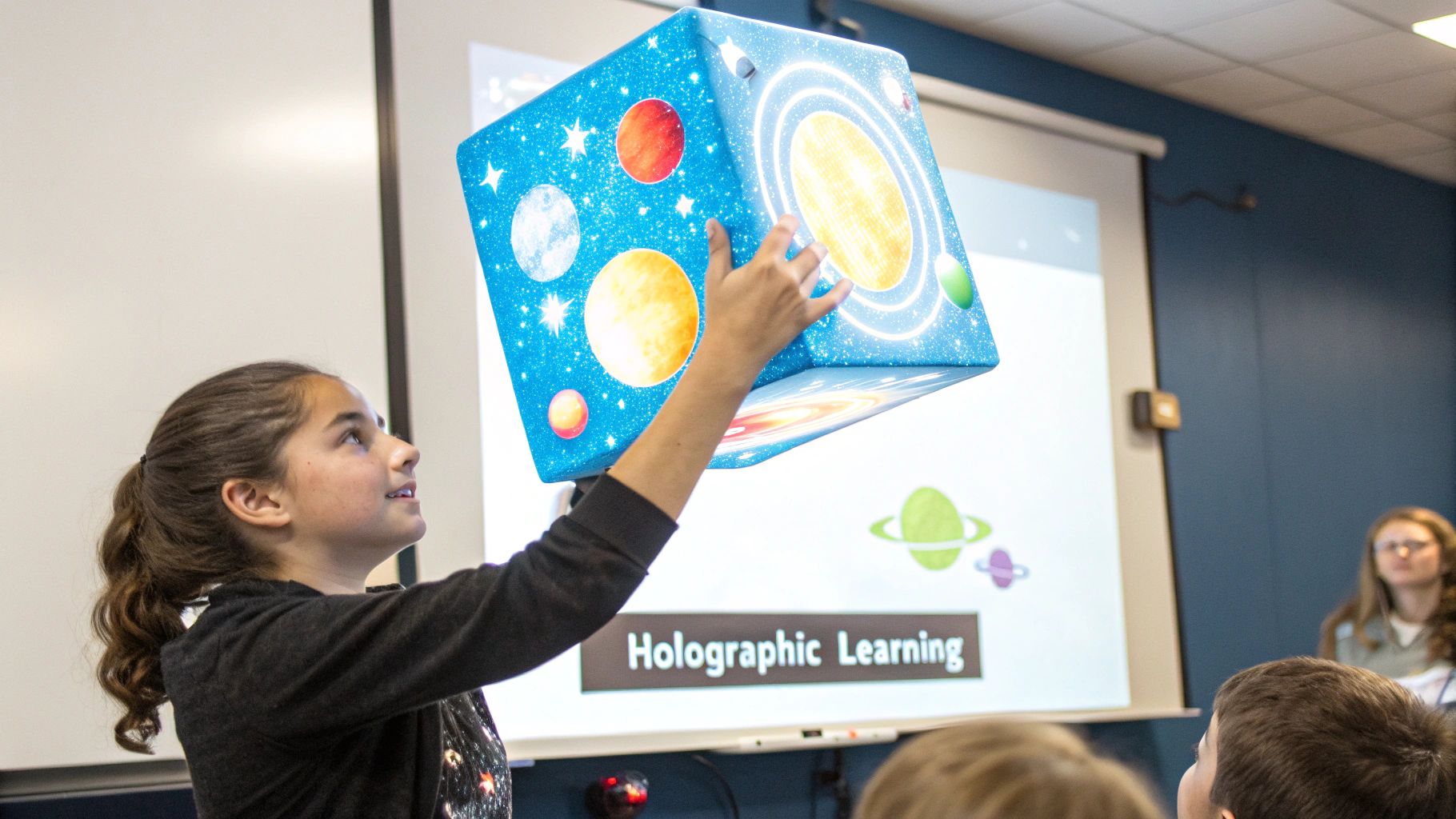
The Merge Cube is a deceptively simple foam cube that, when viewed through a smartphone or tablet's camera, transforms into a tangible, interactive holographic object. This innovative tool bridges the gap between the digital and physical worlds, allowing students to hold and manipulate 3D models in their own hands. From dissecting a virtual frog to exploring the solar system, the Merge Cube makes complex subjects tactile and engaging.
This approach provides a unique kinesthetic learning experience that is often missing from digital education. Students don't just see a 3D model on a screen; they can physically hold, turn, and examine it from every angle, creating a much deeper and more intuitive connection with the subject matter. This has proven effective in diverse subjects, including biology, chemistry, and geography.
Strategic Analysis
The core strategy of the Merge Cube is to add a crucial tactile element to augmented reality, turning passive viewing into active, hands-on exploration. By giving a digital object a physical anchor, it enhances spatial understanding and muscle memory, which are critical for retaining complex structural information. This makes it an exceptional tool for subjects that require visualizing three-dimensional objects, like molecular structures or human anatomy.
The platform also provides educators with a pre-made ecosystem of apps and content, lowering the barrier to entry for AR integration. Instead of developing content from scratch, teachers can leverage existing resources that are already aligned with educational standards.
Key Takeaway: The Merge Cube's strength lies in its ability to combine tactile and digital learning. This hands-on interaction with virtual objects significantly improves spatial reasoning and makes abstract scientific and historical concepts concrete and memorable.
Actionable Takeaways for Educators
Institutions can leverage the Merge Cube's unique format to create highly immersive and resource-efficient learning stations.
- Scaffolded Activities: Start with simple, introductory applications to familiarize students with the technology before moving on to more complex simulations or dissections.
- Resource Management: In classrooms with limited devices or cubes, set up learning stations and rotate student groups to ensure everyone gets hands-on time.
- Integrated Lessons: Pair Merge Cube activities with traditional worksheets, lab reports, or group discussions. For example, after examining a virtual artifact, have students write about its historical context.
- Track Progress: Utilize the Merge EDU dashboard to monitor student engagement and assess their understanding of the concepts presented through the AR experiences.
By viewing XR as a strategic enabler, educators can transform traditional lesson plans into dynamic, interactive sessions. You can learn more about how the Merge Cube fits into a broader XR strategy by exploring its role in gaining a competitive edge in education.
3. Elements 4D
Elements 4D transformed chemistry education by turning abstract chemical symbols into interactive, 3D building blocks. This AR application uses simple, printable paper cubes that correspond to different elements from the periodic table. When viewed through a smartphone or tablet, these blocks come to life as virtual elements. Students can physically bring two blocks together to see how they react, observing dynamic, animated chemical reactions in real-time.
This hands-on approach makes complex concepts like molecular bonding and chemical reactions accessible and engaging. Instead of just memorizing formulas from a textbook, students in a high school chemistry class can virtually combine Sodium (Na) and Chlorine (Cl) to see the formation of salt. The app provides information about each element and the resulting compound, creating a multi-sensory learning experience that is both safe and intuitive.
Strategic Analysis
The core strategy behind Elements 4D is to gamify and simplify the visualization of chemistry. It removes the danger and cost associated with physical chemistry labs, allowing for unlimited experimentation. By using tactile paper blocks, it connects a physical action (combining blocks) with a digital outcome (a chemical reaction), reinforcing learning through kinesthetic engagement. This makes it one of the most effective augmented reality education examples for STEM subjects.
Key Takeaway: Elements 4D excels by making the invisible visible. It demystifies abstract chemical processes by providing immediate, visual feedback for physical actions, fostering curiosity and a deeper conceptual understanding of how elements interact.
Actionable Takeaways for Educators
To leverage this tool effectively, educators should integrate it as a bridge between theoretical lessons and physical lab work.
- Durable Materials: Print the element blocks on sturdy cardstock or laminate them to ensure they withstand repeated use in the classroom.
- Predictive Learning: Before students combine two elements, ask them to form a hypothesis about the potential reaction. This encourages critical thinking and makes the AR reveal more impactful.
- Concept Introduction: Use Elements 4D to introduce new topics like covalent or ionic bonds. The visual demonstration provides a strong foundation before delving into more complex theories.
- Connect to Reality: After observing a virtual reaction, task students with researching real-world applications of the resulting compound, connecting the AR experience to practical knowledge.
4. AR Flashcards
AR Flashcards revitalize a classic educational tool by embedding interactive, 3D experiences into traditional cards. When a student points a smartphone or tablet at a flashcard, the device's camera recognizes the image and overlays an animated 3D model on the screen. This transforms a static picture of an animal, letter, or planet into a dynamic object that students can explore from all angles, complete with sounds and interactive elements.
This technology is exceptionally versatile, with applications ranging from preschool alphabet learning where letters come to life, to elementary science lessons where the solar system can be laid out on a classroom floor. The multisensory experience, combining visual, auditory, and kinesthetic engagement, makes abstract concepts more concrete and memorable for learners of all ages, including those in special education programs.
Strategic Analysis
The core strategy of AR Flashcards is to leverage familiarity and accessibility to lower the barrier to entry for AR in the classroom. By building upon the universally understood concept of flashcards, this approach makes the technology feel intuitive for both educators and young students. The method capitalizes on the "wow" factor of AR to capture attention and uses that engagement to reinforce foundational knowledge.
This method enhances memory encoding by creating strong visual and auditory associations with a concept. Instead of just seeing the word "dinosaur," a child can see a 3D T-Rex roar and walk on their desk, forging a much deeper cognitive link. This makes it a powerful tool for vocabulary building, language acquisition, and introducing complex scientific ideas in a simplified, interactive format.
Key Takeaway: AR Flashcards excel by merging a traditional, proven learning tool with immersive technology. This blend makes learning more tangible and exciting, dramatically improving information retention and student motivation, especially for foundational subjects.
Actionable Takeaways for Educators
For educators seeking to integrate this type of technology, the focus should be on using the flashcards to spark curiosity and reinforce concepts, rather than as a standalone lesson.
- Durability is Key: Laminate the flashcards to protect them from wear and tear, ensuring they can be used repeatedly in a classroom setting.
- Create Learning Stations: Set up different AR flashcard stations around the room, each focusing on a different topic (e.g., animals, space, letters), and have students rotate through them for a dynamic and interactive session.
- Blended Learning Approach: Use the AR flashcards as a hook to introduce a new topic. Follow up the AR experience with traditional activities, like drawing the animated animal or writing a story about it, to solidify learning.
By integrating these interactive cards, educators can provide a rich, multisensory experience that supports a wide range of learning styles. The application of augmented reality for training in this context is both simple and highly effective. You can discover more about how augmented reality supports training initiatives and enhances knowledge transfer.
5. JigSpace
JigSpace is a powerful platform that transforms how complex subjects are taught by presenting them as interactive, 3D augmented reality presentations called "Jigs." This tool allows users to deconstruct and explore multi-part objects and intricate processes in a step-by-step, animated format. By using a smartphone or tablet, students can virtually disassemble a car engine, observe the stages of cellular mitosis, or visualize abstract physics concepts, making it one of the most versatile augmented reality education examples.
The platform is designed for intuitive interaction. Students can manipulate, rotate, and zoom in on 3D models overlaid in their physical environment, gaining a spatial understanding that is impossible with 2D diagrams. This hands-on approach is particularly effective for STEM subjects, where understanding the relationship between components is critical. For instance, engineering students can see exactly how an internal combustion engine works, part by part.
Strategic Analysis
The core strategy of JigSpace is to provide "knowledge at a glance" by simplifying complexity through 3D visualization and sequential storytelling. Instead of passive observation, the platform promotes active learning by letting students control the pace of exploration. This method empowers learners to dissect information, replay difficult steps, and build a foundational understanding from the ground up. The ability for users to also create their own Jigs democratizes content creation, turning students from consumers into producers of educational material.
Key Takeaway: JigSpace excels at making the invisible visible and the complex simple. By breaking down intricate systems into manageable, interactive 3D steps, it caters directly to visual and kinesthetic learners, dramatically improving comprehension and retention of complex technical and scientific knowledge.
Actionable Takeaways for Educators
For educators and institutions wanting to leverage this model, the key is to integrate Jigs as dynamic, interactive learning aids that encourage curiosity and deep exploration.
- Guided Inquiry: Use a Jig to introduce a complex system, pausing at key steps to ask guiding questions and foster classroom discussion.
- Student Creation Projects: Challenge students to create their own Jigs to explain a concept they've learned. This reinforces their understanding and develops digital literacy skills.
- Flipped Classroom Model: Assign a Jig for students to explore as homework. This allows class time to be used for higher-order thinking activities, problem-solving, and hands-on experiments related to the topic.
The following video demonstrates how JigSpace brings complex knowledge to life through immersive 3D presentations.
This approach not only enhances understanding but also prepares students for future technical careers by familiarizing them with the type of spatial visualization tools used in modern engineering, manufacturing, and design industries. You can learn more about JigSpace and explore its extensive library of educational content.
6. Mondly AR
Mondly AR revolutionizes language learning by bringing an AI-powered virtual language tutor directly into the user's physical space. Using a smartphone or tablet, the application overlays a lifelike avatar that initiates conversations, introduces new vocabulary through 3D objects, and provides real-time feedback on pronunciation. This creates an immersive, pressure-free environment for learners to practice speaking and listening skills.
The platform is designed to simulate realistic conversational scenarios. For instance, a high school Spanish student can practice ordering food in a restaurant, or a business professional can rehearse common phrases for a meeting in Mandarin. The AR experience makes vocabulary acquisition contextual, helping learners associate words with virtual objects they can see and interact with in their own room.
Strategic Analysis
Mondly AR's core strategy is to solve the "confidence gap" in language learning by providing a safe space for conversational practice. Many learners understand grammar and vocabulary but are hesitant to speak for fear of making mistakes. The AI avatar offers a non-judgmental partner for dialogue, encouraging users to speak freely and build fluency through repetition. This approach makes it one of the more powerful augmented reality education examples for practical skill development.
Key Takeaway: The strength of Mondly AR lies in its ability to combine contextual vocabulary learning with interactive conversational practice. By creating immersive and responsive scenarios, it bridges the gap between passive knowledge and active language use, accelerating the development of real-world communication skills.
Actionable Takeaways for Educators
For educators and learners looking to leverage this technology, the focus should be on consistent, short-term practice to build conversational muscle memory.
- Create a Conducive Environment: Practice in a quiet space to ensure the speech recognition technology can accurately understand and provide feedback.
- Integrate, Don't Isolate: Use Mondly AR as a powerful supplement to traditional instruction. For example, use the app to practice vocabulary learned in class or to prepare for a role-playing activity with a human partner.
- Encourage Daily Habits: Recommend short, daily sessions of 10-15 minutes rather than infrequent, long study periods. This consistency is more effective for language retention and confidence building.
7. WWF Free Rivers AR
Developed by the World Wildlife Fund, Free Rivers AR transforms any flat surface into a dynamic, flowing river ecosystem. Using a smartphone or tablet, students can place a virtual landscape in their classroom and interact with it to understand the complex relationship between nature, wildlife, and human development. This powerful app visualizes how dam construction impacts river flow, displaces animal populations, and affects communities that depend on the river.
The experience is designed as an interactive narrative where students witness the cause-and-effect of environmental changes firsthand. By tapping on different elements, they can trigger animations, access information, and see how their decisions alter the ecosystem. This hands-on approach makes abstract environmental science concepts, such as watershed management and habitat fragmentation, immediately understandable and compelling for learners of all ages.
Strategic Analysis
The core strategy behind Free Rivers AR is to foster environmental empathy through direct visualization and interaction. Instead of simply reading statistics about a dam's impact, students can build one virtually and watch the consequences unfold in front of them. This turns a complex, large-scale environmental issue into a personal, observable, and memorable experience, creating a much deeper connection to the subject matter. The app effectively gamifies ecological education, encouraging exploration and critical thinking about conservation challenges.
Key Takeaway: Free Rivers AR excels by using interactive storytelling to connect students emotionally to environmental science. It translates complex ecological data into a tangible, visual narrative, making the consequences of human actions on ecosystems clear and impactful.
Actionable Takeaways for Educators
Institutions can leverage this approach by using AR to connect global issues to local contexts, empowering students to become proactive environmental stewards.
- Provide Context: Before using the app, introduce core concepts like ecosystems, watersheds, and biodiversity to give students the foundational knowledge needed to fully appreciate the simulation.
- Bridge to Local Issues: After the AR experience, task students with researching a local river or environmental issue. This connects the virtual lesson to their immediate community, making the topic more relevant.
- Foster Action Projects: Use the app as a springboard for project-based learning. Encourage students to design solutions, create presentations, or launch awareness campaigns based on the problems they witnessed in the virtual ecosystem.
You can learn more about Free Rivers AR and download the app to bring this powerful environmental education tool into your classroom.
8. Anatomy 4D
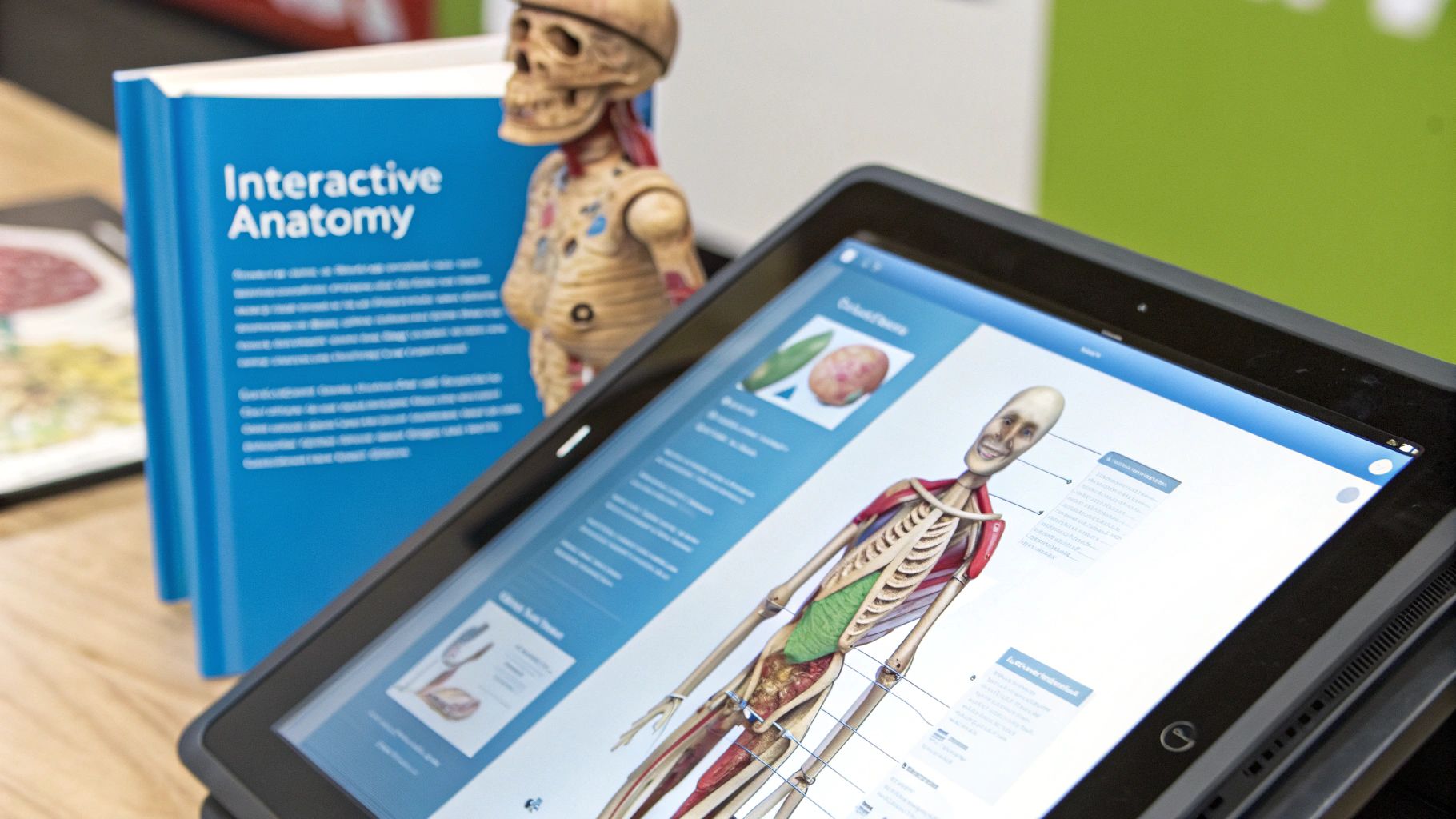
Anatomy 4D brings the complexity of human biology to life by allowing students to interact with detailed, 3D anatomical models through augmented reality. Using a smartphone or tablet and a printed target image, users can visualize the human body, peel back layers of tissue, and isolate specific organ systems. This approach transforms static textbook diagrams into dynamic, explorable experiences, making it one of the most compelling augmented reality education examples for STEM fields.
The application allows medical, nursing, and biology students to see physiological processes in motion. For example, a student can observe a 3D heart beating in real time right on their desk. This immediate, interactive visualization is invaluable in subjects where spatial understanding is critical, such as in high school AP Biology, first-year medical school courses, or physical therapy programs studying musculoskeletal systems.
Strategic Analysis
The core strategy of Anatomy 4D is to make the invisible visible, democratizing access to complex anatomical study without the need for expensive lab equipment or cadavers. It breaks down the barriers of traditional learning by providing an interactive, multi-layered view of the human body. By allowing students to manipulate and explore systems at their own pace, the tool caters to individual learning styles and enhances spatial reasoning skills.
Key Takeaway: Anatomy 4D’s strength is its ability to deconstruct complexity. By enabling students to isolate and examine individual biological systems in 3D, it deepens comprehension and memory retention far more effectively than 2D diagrams.
Actionable Takeaways for Educators
For educators in medical or life sciences, integrating Anatomy 4D can bridge the gap between theory and practical application.
- Scaffold Learning: Use the AR models as an introductory tool before students engage with more complex resources like cadavers or advanced simulators.
- Comparative Analysis: Instruct students to compare the interactive 3D models with illustrations in their textbooks, noting differences in detail and perspective to build critical thinking.
- Guided Activities: Design worksheets or guided activities that require students to find specific organs, trace a system's path, or switch between views (e.g., male and female anatomy) to achieve specific learning objectives.
- Integrate Case Studies: Combine the AR exploration with clinical case studies, asking students to identify the anatomical structures related to a specific condition.
This hands-on approach transforms passive learning into an active investigation, a principle increasingly adopted across various fields. You can explore how XR is transforming industrial education to see similar applications of this technology in workforce training.
Augmented Reality Education Tools Comparison
| AR Tool / Platform | Implementation Complexity 🔄 | Resource Requirements ⚡ | Expected Outcomes ⭐📊 | Ideal Use Cases 💡 | Key Advantages ⭐ |
|---|---|---|---|---|---|
| Google Expeditions AR | Moderate: setup with compatible devices, simple classroom management | Smartphones/tablets with ARCore or ARKit; offline support | Engages students with immersive AR field trips; supports collaboration | K-12 subjects, virtual field trips, cross-curricular experiences | Cost-effective, easy setup, multi-language, offline capable |
| Merge Cube | Moderate: requires physical cubes and app setup | Physical foam cubes per student, subscription for full content | Combines tactile and AR learning; encourages kinesthetic engagement | STEM, history, interactive 3D object exploration | Tactile-haptic learning, durable cubes, teacher dashboard |
| Elements 4D | Moderate: requires printed element blocks and device app | Print blocks on cardstock, AR-capable device | Visualizes chemistry reactions safely; enhances molecular understanding | Chemistry education (middle school to college) | Safe virtual experiments, real-time reactions, collaborative use |
| AR Flashcards | Low: simple app and printable cards | Mobile device; printable flashcards | Improves memory retention; supports multiple subjects and ages | Early childhood education, ESL, special ed, vocabulary | Cost-effective, easy use, combines traditional/digital methods |
| JigSpace | Moderate to high: AR app with 3D presentation building | Newer mobile devices or web; internet for content | Breaks down complex processes into explorable 3D models | Engineering, biology, physics, architecture education | Extensive free content, high-quality 3D, user-generated Jigs |
| Mondly AR | Moderate: app subscription and AR interaction | Smartphone/tablet, subscription | Improves speaking confidence with AI chatbots; cultural immersion | Language learning from beginner to professional | AI feedback, gamified lessons, multi-language support |
| WWF Free Rivers AR | Moderate: AR app with environmental data integration | Mobile devices; internet connection | Teaches river ecosystems and conservation; connects local/global issues | Environmental science classes, nature centers | Scientific accuracy, free access, environmental stewardship |
| Anatomy 4D | Moderate to high: layered anatomical AR required | High-performance device, AR markers | Detailed anatomy exploration enhancing spatial understanding | Medical, nursing, biology education | High-resolution models, interactive layers, reduces cost of physical models |
From Example to Execution: Integrating AR into Your Educational Strategy
The augmented reality education examples we've explored, from Anatomy 4D's intricate biological models to JigSpace's interactive mechanical instructions, illustrate a fundamental shift in pedagogy. These are not futuristic novelties; they are powerful, practical tools actively reshaping how information is absorbed and applied. They prove that AR’s greatest strength is its ability to bridge the gap between abstract concepts and tangible understanding, making complex subjects accessible and engaging.
The core lesson from these successful implementations is clear: strategic integration trumps technological novelty. The most effective AR applications are not deployed simply because the technology is available, but because they solve a specific educational challenge that traditional methods struggle to address. They transform passive observation into active participation, a critical factor for knowledge retention and skill development.
Synthesizing the Core Strategies
Across the diverse examples, several key themes emerge as crucial for successful AR integration:
- Objective-First Approach: Start by identifying a learning objective that is difficult to visualize or practice. Is it understanding the spatial relationships in a molecule? Visualizing planetary orbits? Safely learning to operate complex machinery? AR is the solution, not the starting point.
- Lowering the Barrier to Entry: The most widely adopted tools, like Merge Cube and AR Flashcards, succeed because they are accessible. They leverage common devices like smartphones and tablets, minimizing the need for expensive, specialized hardware and making scalable deployment feasible for schools and businesses.
- Focus on Interactivity: Static 3D models are interesting, but true learning happens through interaction. The ability to manipulate, dissect, and explore digital objects, as seen with Elements 4D and JigSpace, empowers learners to discover concepts at their own pace and from their own perspective.
Actionable Next Steps for Implementation
Moving from inspiration to implementation requires a deliberate, structured approach. For educators, trainers, and L&D managers, the path forward involves a few key actions. First, audit your existing curriculum or training programs to pinpoint areas where visualization and hands-on practice are lacking or present safety risks.
Next, pilot a small-scale project using an accessible, content-rich platform to test its impact on a specific learning module. This allows you to gather data and build a business case for wider adoption. To effectively integrate AR into their curriculum, educators can explore methodologies like design thinking, which fosters innovation and problem-solving to create engaging learning experiences.
Ultimately, the power of these augmented reality education examples lies in their ability to create "aha" moments that solidify understanding and inspire curiosity. By focusing on solving real-world pedagogical problems, organizations can harness AR to not only enhance engagement but to build a more competent, confident, and future-ready workforce and student body. The journey begins with a single, well-defined problem and a clear vision for a more immersive learning future.
Ready to move beyond examples and build your own custom augmented reality training solutions? AIDAR Solutions specializes in developing bespoke AR applications that solve complex industrial and educational challenges, from interactive product manuals to advanced workforce training simulations. Visit AIDAR Solutions to see how we can help you create immersive learning experiences tailored to your specific needs.