
The Architecture of Augmented Reality Explained
The architecture of augmented reality is the blueprint that brings together hardware, intelligent software, and network connectivity to seamlessly overlay digital information onto your view of the real world. For any business serious about AR, getting a grip on this architecture is the essential first step toward a successful rollout.
Unpacking the Core Layers of AR
Think of an AR system less like a single gadget and more like a carefully engineered structure. It needs a solid foundation (hardware), a smart and responsive interior (software), and robust utilities to power it all (cloud and networking). Each layer is completely dependent on the others, and the quality of the whole system dictates how effective—and reliable—the final AR experience will be.
For enterprises, this isn't just theory; it’s a practical roadmap. A well-designed architecture of augmented reality is what allows a field technician to get hands-free, interactive instructions beamed into their glasses. It’s what enables an assembly line worker to go through realistic, on-the-job training without any actual risk. The stability of that digital overlay and the speed of real-time collaboration depend entirely on how these layers work together.
The Three Foundational Pillars
At its core, the entire system can be broken down into three main pillars, each playing a critical part in making the AR experience happen:
- Hardware: This is the physical layer—the tangible "eyes and ears" of the system. It includes the sensors that perceive the world, the processors that do the thinking, and the displays that present the final, blended reality to the user.
- Software: This is the intelligence. It's where algorithms make sense of real-world data and decide how and where to render digital objects. It acts as the brain, processing all the information captured by the hardware.
- Cloud and Edge: This is the connectivity layer, providing the heavy lifting for intense computation, data storage, and collaboration between multiple users. It dramatically expands what the on-device hardware and software can do on their own.
The diagram below shows how these three core layers stack up to form a complete AR system.
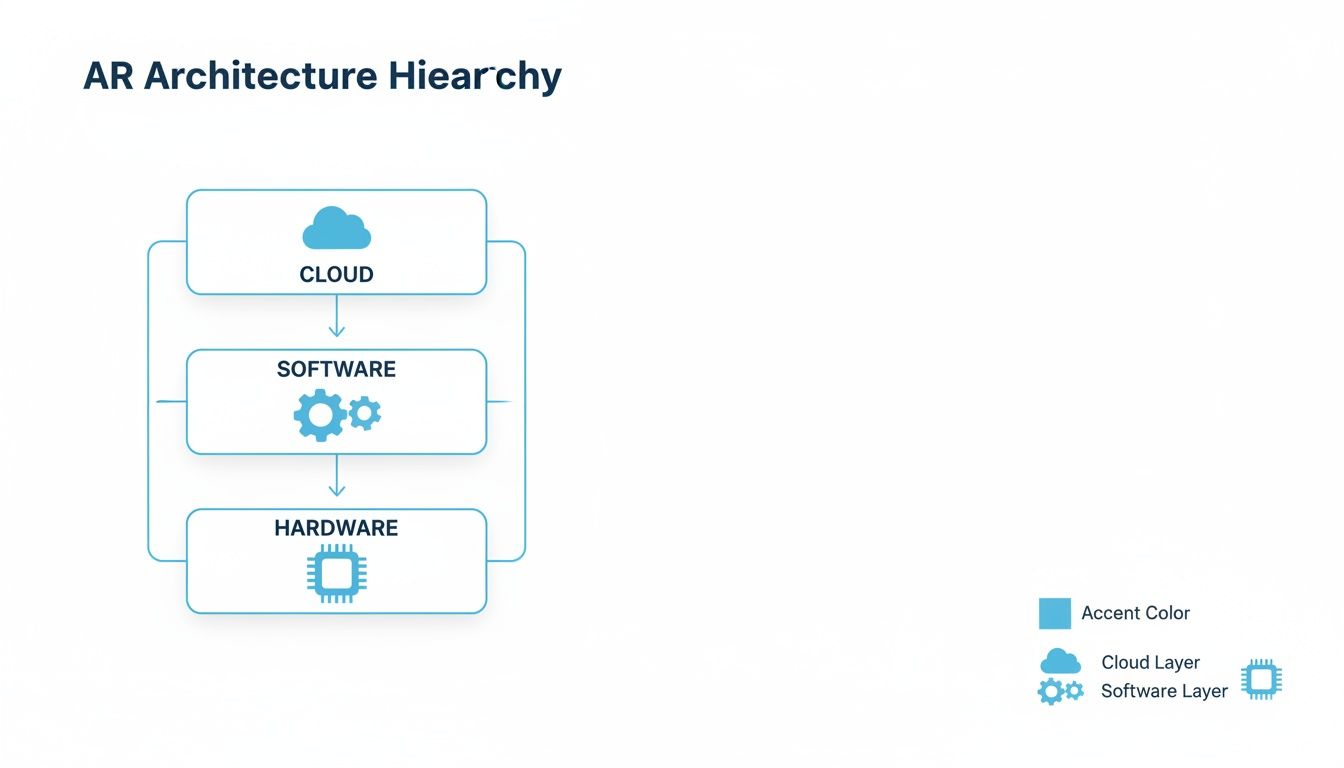
This hierarchy makes it clear that a powerful AR application isn't just about the headset. It’s about the entire ecosystem supporting it, from the tiny chip in a pair of smart glasses all the way to the remote server processing the data.
The Hardware Foundation of AR Systems
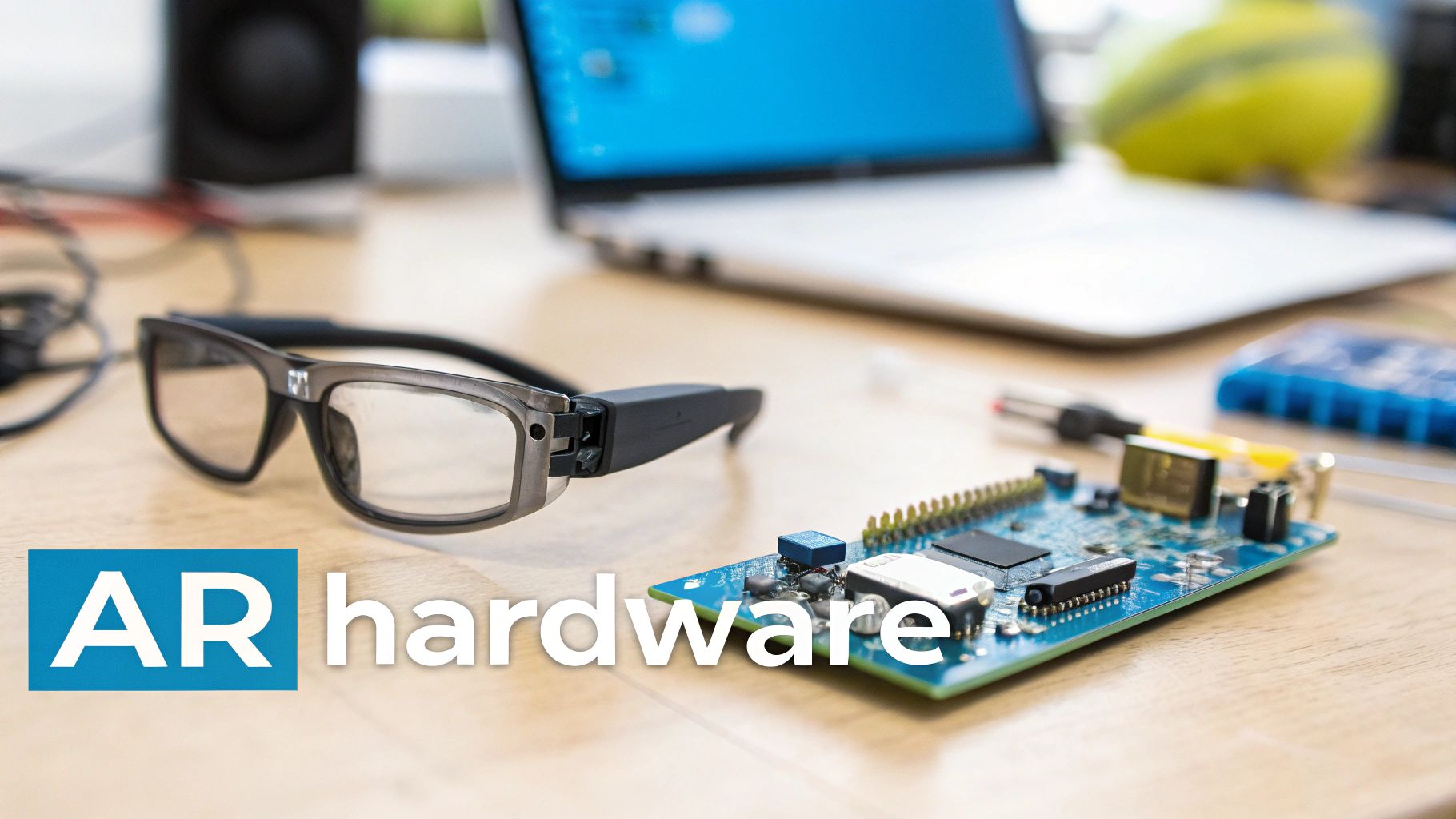
The physical components of an AR system are its sensory organs, constantly pulling in information from the environment to build a bridge between the real and digital worlds. This hardware foundation is ground zero for every interaction, and its quality and integration directly dictate the performance of the entire architecture of augmented reality. A truly effective AR experience hinges on how well these parts work in concert.
Think of it like the human nervous system. You need eyes to see (cameras), an inner ear for balance (IMUs), and a brain to process it all (processors). If any one of these is slow or inaccurate, the whole experience feels laggy, disconnected, and unreliable. In an enterprise setting, that’s the difference between a technician getting clear, rock-solid instructions and a confusing, unusable mess of shimmering pixels.
Capturing the Real World with Precision Sensors
Before an AR system can even think about overlaying digital content, it has to first make sense of the physical space. This is handled by a suite of specialized sensors, each with a critical job in mapping the environment and tracking the user’s every move within it.
- High-Resolution Cameras: These are the primary "eyes" of the system. They capture the visual feed of the world exactly as the user sees it, which is essential for recognizing objects and tracking visual markers.
- Inertial Measurement Units (IMUs): An IMU is a powerful little package combining an accelerometer and a gyroscope. It detects motion, orientation, and gravity, allowing the system to track the user's head movements with incredible speed. This is what keeps the digital overlay locked in place as you look around.
- Depth Cameras: These sensors are all about measuring distance to create a 3D map of the surroundings. Technologies like LiDAR (Light Detection and Ranging) or Time-of-Flight (ToF) cameras are crucial for placing digital objects onto real surfaces—like making a virtual manual appear to sit perfectly flat on a physical machine.
Together, these sensors provide a constant, rich stream of data about where the user is and what they're looking at. Fusing this sensory input is what makes stable, convincing augmentations possible.
The Processing Powerhouse
All that data pouring in from the sensors needs to be processed in real-time. This is a massive computational lift, handled by a trio of specialized processors working together. Even a tiny delay of a few milliseconds can shatter the illusion and cause motion sickness, making raw processing power absolutely non-negotiable.
The real challenge in AR hardware is chewing through massive amounts of sensor data with almost zero delay. The industry benchmark is a "motion-to-photon" latency of under 20 milliseconds—that's the magic threshold where our brains perceive the digital overlay as a seamless part of the real world.
Here’s a look at the key processing units involved:
- Central Processing Unit (CPU): This is the general manager, running the operating system, handling application logic, and keeping the whole show running.
- Graphics Processing Unit (GPU): The GPU is the visual artist, responsible for rendering the 3D graphics and effects that get overlaid onto reality. Its knack for parallel calculations makes it perfect for crunching complex visual data.
- Neural Processing Unit (NPU): This is a specialized chip built to accelerate AI and machine learning tasks like object recognition or gesture tracking, all without killing the battery.
To truly understand an AR system, it's helpful to see how these components fit together. Here's a quick breakdown of the essential hardware and its role in an enterprise context.
Key Hardware Components in an AR System
| Component | Primary Function | Example Use Case in Enterprise |
|---|---|---|
| Cameras | Captures the real-world view for the user and the system. | A field technician's AR glasses scan a QR code on a machine to pull up the correct repair manual. |
| IMU | Tracks head movement and orientation to stabilize digital content. | An engineer moves their head around a complex engine, and the digital overlay stays perfectly anchored to the physical parts. |
| Depth Sensors | Measures distances to create a 3D map of the environment. | A logistics manager uses an AR app to visualize how new racking will fit into an existing warehouse space. |
| CPU/GPU/NPU | Processes sensor data, runs applications, and renders 3D graphics. | Powers a real-time remote assistance call where a remote expert draws annotations that appear on the frontline worker's view. |
| Display/Optics | Presents the final blended view of the real and digital worlds. | A trainee sees step-by-step assembly instructions projected directly onto their workpiece through their smart glasses. |
These pieces must not only be powerful but also work together flawlessly to deliver a believable and, more importantly, useful augmented experience.
Displaying the Augmented View
The final piece of the hardware puzzle is the display, which delivers the merged physical and digital world to the user’s eyes. The tech varies wildly, from the phone in your pocket to highly specialized head-worn devices.
For industrial work, wearable displays are a game-changer because they enable completely hands-free operation. To see how these devices function on the job, you can learn more about what a smart glass is and its impact on the enterprise. These devices use advanced optics like waveguides to project digital information directly into the user's line of sight, creating a truly integrated experience for complex, hands-on tasks.
The Software Stack Powering AR Experiences
If the hardware is the body of an AR system, the software is its brain. It's the complex stack of code and tools that has the tough job of interpreting floods of sensor data, making sense of the real world, and then drawing digital content right on top of it so that it looks and feels real. This software layer is what turns a piece of high-tech hardware into a practical, interactive tool for your team.
You can think of this stack like building a house. First, you pour a solid concrete foundation—that's your operating system. Then, you put up the structural frame, which is where SDKs and runtimes come in. Finally, you add the interior design and finishes that people actually see and use, which is the job of the rendering engine. Each layer depends on the one below it to create something truly functional.
The Foundation: Operating Systems
Right at the bottom of it all sits the Operating System (OS). The OS is the conductor of the orchestra, managing every piece of hardware—the CPU, GPU, memory, and all those sensors—to make sure they communicate and work together without a hitch.
Common operating systems for mobile AR include Android or iOS, while dedicated headsets often run on more specialized platforms. A good OS provides the rock-solid stability needed for the entire architecture of augmented reality to work without freezing or lagging, which is the last thing you want during a critical industrial task.
A stable, real-time operating system is the unsung hero of AR. It juggles immense processing demands to ensure that when a field technician moves their head, the digital overlay they're viewing responds instantly and smoothly, preventing disorientation or motion sickness.
The OS is the traffic controller, directing data from sensors to processors and carving out memory for graphics. Without this solid base, even the most advanced app will deliver a frustrating, unreliable experience.
The Framework: SDKs and Runtimes
Move one layer up, and you get to the Software Development Kits (SDKs) and AR Runtimes. These are the toolboxes that give developers the core building blocks for AR, so they don’t have to reinvent the wheel every time. They handle the really heavy lifting of spatial computing.
Think of an SDK as a master carpenter's toolkit. It comes with all the saws, hammers, and measuring tapes needed to get the job done right, saving developers a huge amount of time and effort.
Industry-standard SDKs provide essential functionalities like motion tracking, environmental understanding (like finding floors and walls), and light estimation to help digital objects blend in realistically. They are the engines running the core AR algorithms, constantly analyzing camera feeds and sensor data to maintain a stable lock on the real world. This is absolutely essential for creating a persistent and accurate experience. To see how these tools fit into the bigger picture, you can check out our detailed guide on the augmented reality workflow.
The Visuals: Rendering Engines
At the very top of the stack, we have the Rendering Engine. This is the layer that does all the creative work, creating and displaying the 3D digital content. It’s where the visual magic happens, turning lines of code and digital assets into believable objects, animations, and instructions that appear in the user’s view.
The rendering engine takes the 3D models and commands from the application and draws them onto the screen, frame by painstaking frame. It handles all the lighting, shadows, textures, and positioning to make sure that virtual content looks like it actually belongs in the real world.
Powerful engines are favored in AR development for their flexibility and strong cross-platform support, making them a go-to choice for apps on both mobile devices and dedicated headsets. When photorealism and high-fidelity graphics are the top priority, developers turn to engines known for their visual prowess.
The synergy between these layers—the OS managing the hardware, the SDK understanding the world, and the engine drawing the graphics—is what makes powerful enterprise applications possible. This space is growing fast; forecasts show the combined XR market hitting $20.43 billion in 2025, with some analysts predicting a jump to $200.87 billion by 2030. This incredible growth is all thanks to the increasing sophistication of the software stack, which is unlocking more complex and valuable solutions for industry.
Core Algorithms That Make AR Work
Underneath all the sophisticated hardware and software, you’ll find the core algorithms—the mathematical engines that truly bring AR to life. These complex instruction sets are what empower a device to genuinely understand and interact with the physical world around it. They are the invisible workhorses of the architecture of augmented reality, constantly crunching sensor data to answer two simple but critical questions: "Where am I?" and "What am I looking at?"
The accuracy of these algorithms is everything. It directly dictates the quality of the AR experience, and in an industrial setting, that’s not just about flashy visuals; it’s about reliability and safety. If a remote expert places a digital arrow on a specific valve, that arrow absolutely must stay locked to that real-world object, even if the on-site technician moves around. That kind of rock-solid stability is born from powerful algorithms.
SLAM: The Anchor of Augmented Reality
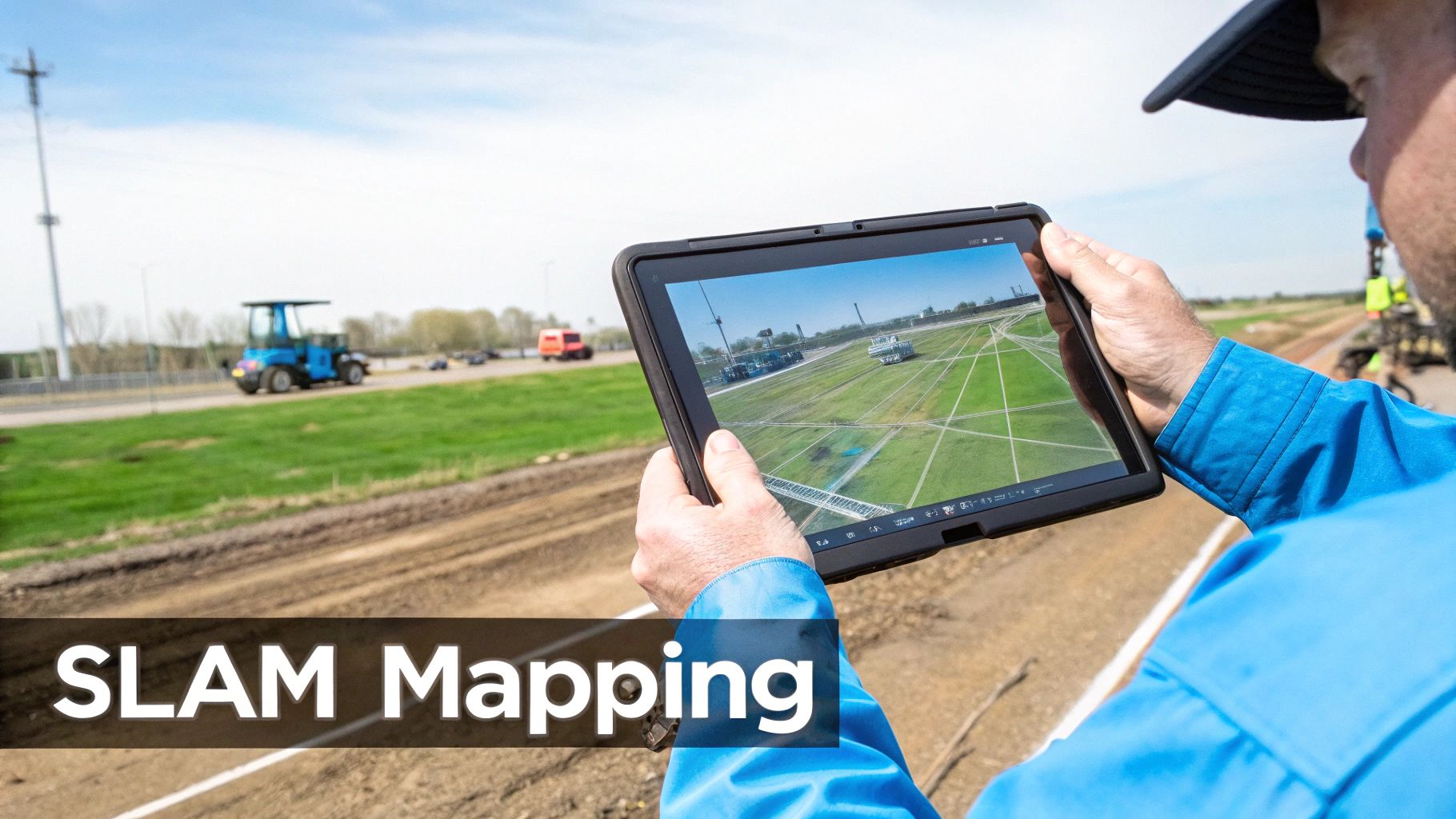
The most essential algorithm in modern AR is Simultaneous Localization and Mapping (SLAM). Picture this: you're dropped into a dark, unfamiliar room with nothing but a flashlight. To get your bearings, you'd have to build a mental map of the space while simultaneously tracking your own position within that map. That’s exactly what SLAM does for an AR device.
SLAM continuously fuses visual data from cameras with motion data from IMUs to build a 3D point cloud of the environment. At the very same time, it’s calculating the device's exact position and orientation within that brand-new map. This dual process is the magic behind persistent and stable AR, allowing digital objects to be "locked" into physical space.
SLAM is the foundational technology that separates true, immersive AR from simple graphics overlaid on a screen. It’s what provides the spatial awareness needed to make digital content feel like a genuine part of the real world, not just a sticker on a camera feed.
This is the tech that lets a maintenance technician walk away from a machine and come back later to find the digital instructions floating exactly where they left them. It turns a simple camera into a spatially aware tool. The algorithms behind SLAM are also deeply tied to AI; in fact, many core methods like computer vision and scene understanding are rooted in modern AI software engineering principles.
Differentiating Tracking Methods
Not all AR tracking is built the same. The best method always depends on the job at hand and the environment where it’s being used. Knowing the difference is crucial for designing a solution that actually works.
- Marker-Based Tracking: This is one of the original and most reliable forms of AR. It uses a distinct, pre-defined visual marker—like a QR code or a custom image—as a known reference point. The system instantly recognizes the marker and uses its fixed size and orientation to place digital content with high precision.
- Markerless Tracking: A more advanced approach, this method uses natural features in the environment—the corner of a machine, the texture of a wall—to track its position. It requires no special markers, offering far more flexibility.
For instance, a technician might use marker-based tracking by scanning a QR code on a control panel to pull up its specific wiring diagram. On the other hand, markerless tracking would let them place a virtual toolbox anywhere on the factory floor for easy access as they work. You can learn more about how artificial intelligence supercharges these capabilities in our guide on AI-driven augmented reality.
The Rendering Pipeline: Creating Believability
Once the system knows its place in the world, the final piece of the puzzle is to draw the virtual objects so they appear to be part of that world. This is handled by the rendering pipeline, a rapid sequence of steps that converts a 3D model into the final pixels you see on the display. It's a computationally heavy lift that has to happen in real-time—typically 60 times per second or more—to create a fluid, believable illusion.
The pipeline has several key stages:
- Positioning: Using the real-time data from SLAM, the engine places the 3D model at the correct location and orientation within the 3D map of the world.
- Lighting: The system analyzes the actual lighting conditions in the room—the brightness, color, and direction of light sources—and applies those same conditions to the virtual object so it blends in seamlessly.
- Occlusion: This is the clever trick that sells the whole experience. Occlusion allows real-world objects to block the view of virtual ones. If a technician places a virtual diagram behind a real pipe, the pipe correctly hides part of the diagram, reinforcing that critical sense of depth and presence.
This entire pipeline works together to ensure digital content isn't just floating randomly in space, but is realistically integrated into the user's view, creating a believable and highly effective tool for industrial work.
The Critical Role of Cloud and Edge Computing
Today's enterprise AR solutions almost never operate in a vacuum. While the hardware on a user's head does a lot of the immediate heavy lifting, the most powerful and scalable systems are backed by a serious network infrastructure. This is where cloud and edge computing become essential pillars in the architecture of augmented reality.
Think of an AR headset less like a self-contained supercomputer and more like a highly intelligent remote terminal. It's fantastic at capturing sensor data and displaying visuals, but offloading the most demanding work—like complex physics simulations or AI-powered object recognition—to beefier remote servers is the only way to maintain performance without killing the battery or overheating the device. This distributed approach is what makes AR practical for all-day industrial use.
This network-first design unlocks a whole new level of capability that’s simply out of reach for on-device processing alone. It’s what turns AR from a standalone gadget into a fully connected, collaborative platform.
Reducing Latency with Edge Computing
In AR, latency is the ultimate deal-breaker. Even a delay of a few dozen milliseconds between a user’s head movement and the visual update can cause motion sickness, completely shattering the illusion of a stable digital overlay. The cloud offers immense power, but sending data all the way to a distant data center and back introduces way too much lag for real-time interaction.
This is precisely where edge computing comes in. By stationing smaller, powerful servers much closer to the action—on a factory floor, in a regional office, or at a nearby cell tower—data gets processed much, much faster.
The entire point of edge computing in AR is to crush the round-trip time for data. By handling processing locally, it cuts down latency to the bare minimum, which is non-negotiable for interactive experiences like a multi-user design review or live remote assistance.
This proximity is what delivers the fluid, responsive feel needed for mission-critical industrial work.
The Power of the Cloud for Scalability and Collaboration
While the edge handles the time-sensitive stuff, the cloud acts as the central brain and shared library for the whole AR ecosystem. Its massive storage and processing muscle are perfect for functions that aren't as allergic to latency but are vital for an enterprise-wide rollout.
In a modern AR architecture, the cloud's job includes a few key things:
- Massive Asset Storage: It’s the central repository for huge libraries of complex 3D models, CAD files, and training modules that you could never store on individual devices.
- User Management: This is where you handle all user authentication, permissions, and access controls across a global workforce, making sure the right people see the right digital information.
- Multi-User Session Synchronization: The cloud makes collaborative AR possible, allowing team members in different cities or countries to see and interact with the same digital content at the same time.
- Data Analytics: It gathers and crunches performance data from countless AR sessions, generating insights that help teams improve their processes and measure ROI.
This centralized model is what makes scaling an AR solution across an entire organization not just possible, but manageable. You can get a deeper look at this backend importance in our article about why AR infrastructure is the next frontier.
Choosing the Right Deployment Model
One of the biggest strategic calls you'll make is picking a deployment model. Each one strikes a different balance between flexibility, security, and control, and the right choice is all about your company’s unique operational needs.
- Software-as-a-Service (SaaS): This is a cloud-based model that gives you maximum flexibility and gets you up and running fast. It removes the headache of on-site server maintenance and makes scaling a breeze, perfect for companies that want to start quickly.
- On-Premise: With this model, you host the entire AR infrastructure on your own private servers. It provides the tightest security and control over sensitive data, which is often a must-have for industries like defense or pharmaceuticals.
- Hybrid Model: Often the sweet spot, a hybrid approach mixes the best of both worlds. You can handle sensitive data and low-latency processing on-premise or at the edge, while using the cloud's scalability and collaborative features for everything else.
This decision directly shapes your ability to grow. While AR shipments saw a temporary 12% dip in 2025 because of some delayed product launches, they are projected for an 87% rebound in 2026. The market is expected to see a staggering 38.6% CAGR in unit growth through 2029. This explosive growth is only possible with flexible frameworks that can support millions of users by transforming training and cutting waste, and you can learn more about these AR industry stats and projections from Treeview.studio. Picking the right deployment model is fundamental to getting in on this trend.
Designing an AR Architecture That Actually Works for Your Business
Successfully rolling out augmented reality in your business isn't about chasing the latest headset; it’s about smart, deliberate design. Building a solid architecture of augmented reality demands a clear strategy that connects the technology directly to your business goals. Whether you’re trying to slash complex maintenance times, tighten up quality assurance, or revolutionize how you train your people, the right blueprint is what turns a cool idea into measurable ROI.
It all starts with a brutally honest look at your primary use case.
For instance, a remote assistance tool for field technicians absolutely has to have low-latency video streaming and rock-solid world-tracking. That immediately tells you that you'll need powerful edge computing and devices with top-notch IMUs and cameras. On the other hand, a training app focused on skill-building might need high-fidelity graphics and a smooth connection to your Learning Management System (LMS), putting the focus on the rendering engine and cloud-based content delivery.
Key Architectural Considerations
A truly durable AR infrastructure is a balancing act between performance, scalability, and integration. As you start mapping things out, zoom in on these three critical decision points:
- Hardware Selection: Match the device to the real-world job. A smartphone might be fine for simple visualization, but if your team needs their hands free, smart glasses are non-negotiable. Don't forget to think about practical things like battery life, processing power, and whether the device can survive a drop on the factory floor.
- Software and Deployment Model: Are you looking for a flexible SaaS model to get up and running quickly? Or do you need a secure, on-premise solution for total control over your data? Often, a hybrid approach hits the sweet spot, using the cloud for scale while keeping sensitive information behind your firewall.
- Integration with Enterprise Systems: AR solutions that operate in a silo rarely deliver their full potential. You need to plan for integration with your existing systems—like ERP or MES—from day one. This ensures your AR workflows can pull real-time data from the heart of your business and push valuable insights right back in.
Planning for Scale and Performance
Getting a pilot program off the ground is one thing. Making sure the architecture can grow from supporting a small team to serving your entire workforce is another. This is where thinking about scalability becomes absolutely essential. When designing the backend, look at modern approaches; exploring microservices architecture best practices is a great place to start. This model lets you scale individual services—like 3D model processing or user authentication—independently as demand inevitably grows.
A well-designed AR architecture is inherently future-proof. It anticipates increased user loads, larger data volumes, and the eventual integration of more complex features, ensuring the initial investment continues to deliver value for years to come.
By carefully choosing your hardware, picking the right software deployment model, and planning for deep integration and scalability from the outset, you build a resilient AR infrastructure. This strategic foundation is what takes augmented reality from an interesting experiment and makes it a core operational tool—one that genuinely cuts service times, gets employees up to speed faster, and delivers clear, sustainable business results.
Frequently Asked Questions About AR Architecture
Diving into the architecture of augmented reality often raises some very practical questions. How does this all work in the real world? What about security? How do other technologies fit into the picture?
This section tackles some of the most common things businesses ask when they start mapping out their AR strategy. Getting these details right is the key to building a system that not only works on day one but can grow right alongside your business.
What Is the Main Difference Between On-Premise and SaaS AR?
The big tradeoff here is really about control versus convenience.
With an on-premise setup, you’re in the driver's seat. All the AR software and data live on your own private servers, giving you total control and maximum security. This is often non-negotiable for companies with sensitive intellectual property or strict compliance needs.
A SaaS (Software-as-a-Service) model, on the other hand, is hosted by a provider in the cloud. You get a much faster setup, lower upfront investment, and you don’t have to worry about managing servers—it just scales when you need it to. Many businesses find a hybrid approach gives them the best of both worlds, keeping critical data in-house while using the cloud for everything else.
How Does AI Enhance AR Architecture?
Think of artificial intelligence as the brains of the operation. AI, especially machine learning and computer vision, is what makes sense of the flood of data pouring in from the device’s sensors. It’s a massive performance booster.
This is what allows an AR system to do some truly smart things:
- Object Recognition: AI can identify a specific machine part or tool in the user’s view and instantly pull up the right manual or instructions.
- Scene Understanding: It helps the system tell the difference between a floor, a wall, and a piece of equipment, which is crucial for placing digital objects realistically in the environment.
- Predictive Guidance: AI can analyze what a technician is doing and offer proactive help, guiding them through a complex repair step-by-step with incredible accuracy.
You could say AI is what gives the AR system its spark. It turns a simple display into an intelligent partner that understands context and anticipates what you need, making the whole experience feel natural and incredibly effective.
Where Should a Business Start with AR Implementation?
Don't try to boil the ocean. The best way to start is to pick one single, high-impact problem that you know AR can solve. Instead of planning a massive company-wide rollout, focus on a targeted pilot project.
A great example would be to focus on a piece of complex machinery that constantly requires an expert to fly in for maintenance. By designing an architecture of augmented reality for that specific use case, you can get clear, measurable results like less downtime or faster fixes.
That initial win is what builds a powerful business case for taking AR further.
Ready to build an AR architecture that drives real business results? AIDAR Solutions specializes in creating and integrating AR and VR applications that accelerate employee training and streamline remote support. Discover our tailored solutions.

