
Effective Standard Operating Procedures Training That Works
Standard operating procedures (SOPs) are all about making sure critical tasks get done the right way, every single time. It's the process of transforming that unwritten "tribal knowledge" locked away in your veteran employees' heads into a consistent, repeatable, and scalable asset for the whole company.
Building the Foundation for Your SOP Training Program
Before you even think about designing a training module or unboxing a single VR headset, you need to lay the groundwork. Simply digitizing your old paper manuals is a recipe for inefficiency. This approach only makes outdated or clunky processes more accessible.
A truly effective SOP training program doesn’t start with a list of procedures. It starts with a deep, honest look at the real-world challenges and skill gaps on your factory floor. This initial discovery phase is where you build a strategic blueprint that ties directly into your core operational goals. This is the difference between a program that people just click through and one that actually changes behavior and delivers results.
Conduct a Meaningful Needs Analysis
First things first: get away from assumptions and start gathering cold, hard data. A proper needs analysis will pinpoint exactly where process mistakes, deviations, and bottlenecks are happening. This isn't about pointing fingers; it's about spotting systemic weaknesses that better training can fix.
You need to answer a few critical questions:
- Where are our error rates highest? Dig into the data to find the specific tasks or machines contributing most to defects, rework, and scrap.
- Which procedures are causing safety incidents? Zero in on tasks where non-compliance is leading to near misses or actual injuries. A key part of this is mastering safety data sheet compliance, ensuring everyone understands and acts on crucial hazard information.
- What knowledge is about to walk out the door? Identify those complex procedures that only a few veteran technicians really understand. This is a massive risk when they retire or take a sick day.
- Where is equipment downtime coming from? Look through maintenance logs. Are preventable failures happening because of improper operation or fuzzy troubleshooting steps?
A classic mistake is to write SOPs in an executive bubble. The best, most effective procedures are always co-authored with the people who do the work day in and day out. They know the workarounds, the machine quirks, and the real steps that a formal manual often misses.
This data-driven approach gives you a clear starting point. It shows you exactly which SOPs need immediate attention and ensures your training budget is spent where it will have the biggest impact.
Involve Frontline Experts and Align with Goals
Once you know what the problems are, it's time to bring in the people who know why they happen. Your frontline managers, senior technicians, and machine operators are your most valuable subject matter experts. Getting them involved isn't just a nice-to-have; it's absolutely non-negotiable if you want the training to be accurate and respected on the shop floor.
This simple, three-part process is your key to building a solid foundation: Analyze what’s really needed, Involve your frontline experts, and Align everything with your business goals.
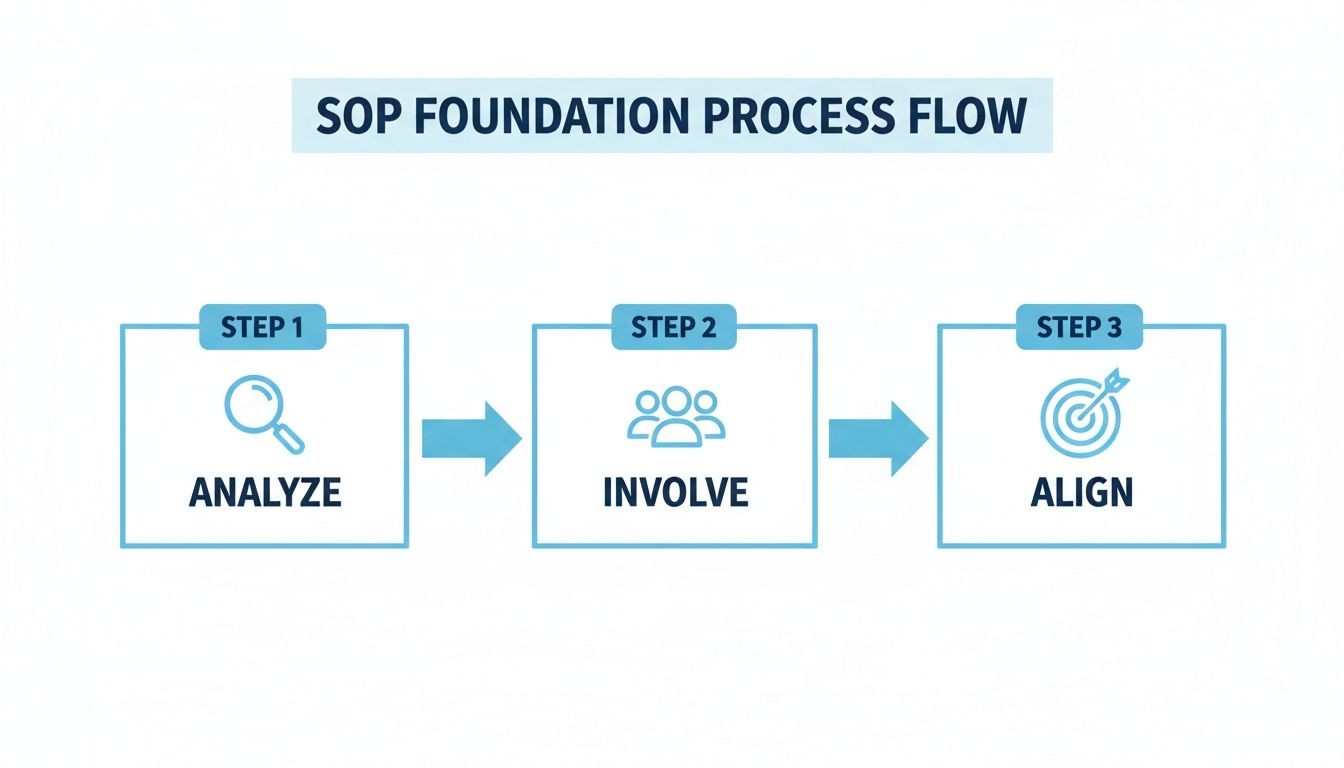
Stick to this flow, and you’ll develop training that’s practical, relevant, and directly tied to improving your KPIs.
Sit down with your experts. Run structured interviews, but more importantly, just go and watch them work. Ask them to talk you through what they're doing. Listen to their frustrations. This is where you uncover the little details that make a procedure work in reality, not just on paper. This collaborative method also creates a sense of ownership, which makes rollout infinitely smoother. To add more structure to this process, you can map their invaluable expertise to a formal development path. Our guide on competency-based training programs shows you how.
Finally, every single training objective has to be tethered to a bigger business goal. Whether that's reducing machine changeover times by 15%, cutting safety incidents in half, or boosting first-pass yield, this alignment is what frames training as a driver of operational excellence—not just another cost.
Designing Immersive Training Scenarios That Stick
Let's be honest: standard, text-heavy training manuals are where knowledge goes to die. It's time to stop just checking a compliance box and start designing experiences that build real, durable skills. This is where we get our hands dirty, moving from dry theory to actual practice by turning those SOPs into engaging, interactive training scenarios with technologies like VR and AR.
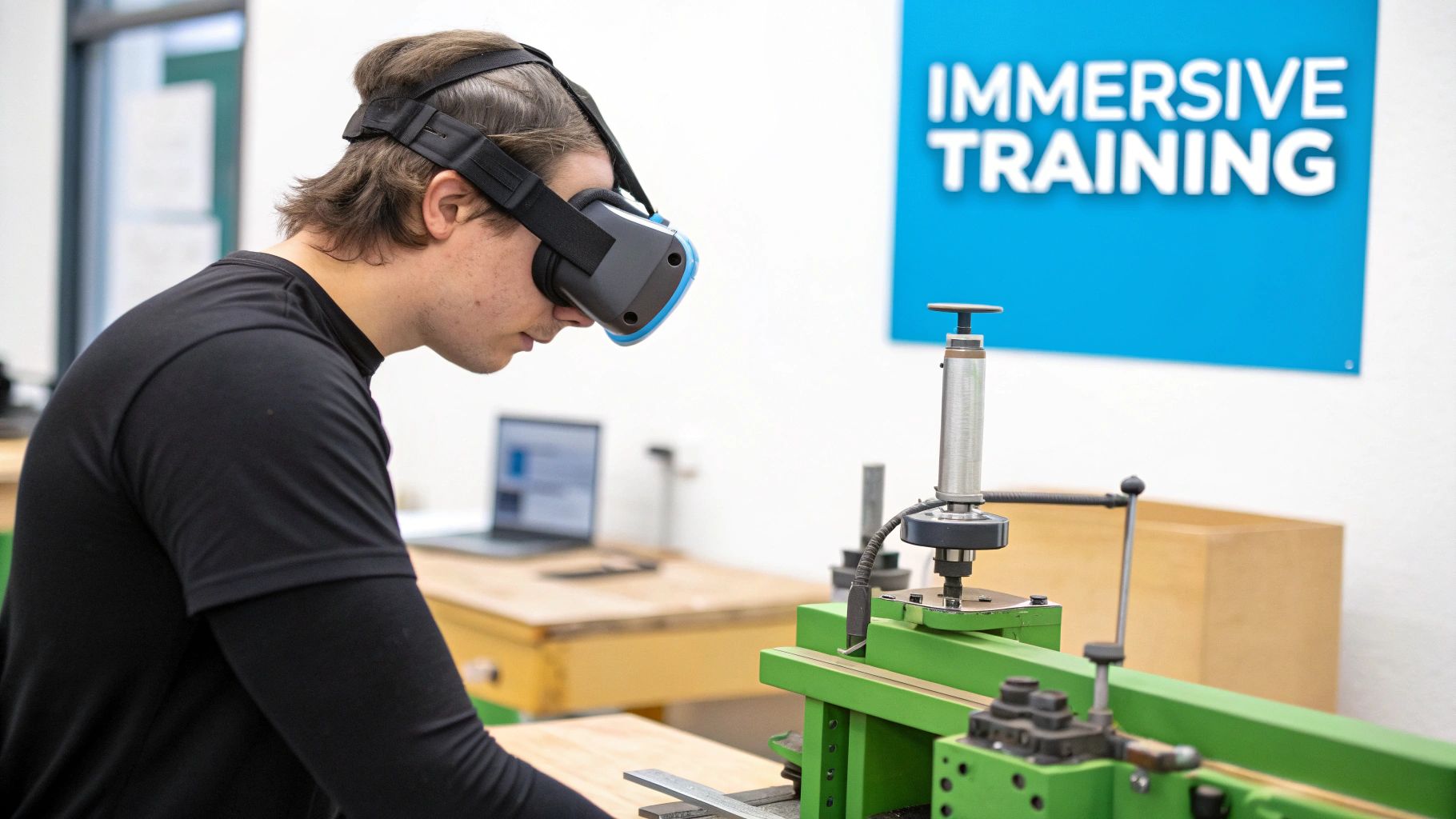
This isn't about chasing the latest tech trend; it’s a direct response to a real need for better skill development. Job requirements are evolving at a breakneck pace. By 2027, skill sets are expected to shift by a massive 50% compared to 2015. It's no wonder that 89% of L&D pros agree that building new skills is critical for the future. You can dig into more of these employee training statistics on DevlinPeck.com.
From SOP Document to Interactive Script
First things first, you have to deconstruct your written SOP and completely reimagine it as an interactive experience. This is way more than a copy-paste job. You need to zero in on the core decision points, the critical safety checks, and, most importantly, the common failure modes within the procedure.
A great way to get started is by asking, "what if?" What happens if a trainee misses a step or does something out of order? A paper manual can't tell you. But a VR simulation can show you.
Key Scripting Elements:
- Realistic Problem-Solving: Don't just give them a checklist. Build scenarios where things actually go wrong. For a CNC machine setup, you could simulate a misaligned tool, forcing the trainee to diagnose and fix it by following the SOP.
- Haptic and Audio Feedback: Good scenarios engage the senses. When a trainee correctly tightens a bolt in VR, they should feel a slight buzz in the controller and hear a solid "click." This is how you reinforce correct actions and start building real muscle memory.
- Branching Paths: Let choices have consequences. If a technician calibrates a sensor wrong, the simulation should show what happens next—maybe a warning light flashes on a virtual control panel, or a simulated production error pops up.
Building Muscle Memory for High-Stakes Tasks
One of the most powerful uses for immersive SOP training is practicing high-stakes procedures in a totally safe space. Think about things like emergency shutdown sequences, handling hazardous materials, or complex lockout-tagout procedures.
These are the moments where one mistake on the factory floor can have devastating consequences. Immersive learning lets your team run through these protocols again and again until the right response is automatic.
By simulating the stress and visual chaos of a real emergency, VR training prepares employees to act decisively and correctly under pressure—something a classroom lecture could never do. You're building true procedural confidence, not just head knowledge.
This is especially true for safety protocols. A VR simulation can throw a trainee into a simulated chemical spill, forcing them to follow the exact SOP for containment and cleanup. They can practice using virtual fire extinguishers or putting on PPE the right way, all without a shred of real-world risk.
Creating Scenarios in a Risk-Free Environment
Immersive training platforms provide the tools to build these custom scenarios, letting trainees interact with a perfect digital twin of their actual machinery and work environment.
Imagine a new hire learning to operate a complex packaging machine. Instead of shadowing a senior tech on a live production line—risking downtime and wasted materials—they can master the process in VR.
Example VR Training Scenario: Packaging Line Changeover
- Objective: The trainee must perform a full product changeover on a virtual packaging machine, following SOP-24B to the letter.
- Interactive Steps: Using hand controllers, the trainee virtually powers down the machine, releases pressure valves, swaps out physical parts like rollers and guides, and loads the new packaging material.
- Built-in Checks: If they forget to engage a safety lock before clearing a jam, the simulation gives them an immediate visual alert and guides them back to the correct step.
- Performance Metrics: The system is tracking everything: completion time, number of errors, and how closely they followed the correct sequence, giving you hard data on their proficiency.
This approach flips standard operating procedures training on its head. It's no longer a passive reading exercise but an active, hands-on experience. Trainees don't just learn the steps; they do them, make mistakes, and build genuine competence before ever stepping onto the floor. To see more on how this all works, you can learn more about immersive learning principles in our detailed guide.
Nailing the Pilot Program and Full Rollout
So, you’ve designed an innovative training program. But transitioning from a great idea on a screen to a full-scale, factory-floor reality is where the real work begins. The key is to avoid a big-bang launch and instead start with a carefully managed pilot program.
This isn't just a simple test run. Think of it as a critical intelligence-gathering mission. It's your chance to prove the value of your new standard operating procedures training, iron out any wrinkles in the content, and build a groundswell of support that makes the company-wide rollout unstoppable.
Skimp on the pilot, and even the best training can fail. But get it right, and you’ll have hard data, early wins, and a clear path forward for a smooth, drama-free implementation.
Who Gets to Go First? Assembling Your Pilot Team
First things first: who are you going to test this on? The temptation is to pick your all-stars or the most tech-savvy folks. Don't. You need a real, representative slice of your workforce to get feedback that actually matters. A balanced team will give you a much clearer picture of the challenges you'll face when you go live for everyone.
Try to pull together a mix of people like this:
- The Newbies: Your recent hires are a perfect litmus test. Their experience will tell you just how effective the training is for someone walking in with zero institutional knowledge.
- The Seasoned Vets: These are your resident experts. Their feedback is gold for validating whether your training scenarios are accurate and actually reflect how things work in the real world. If it doesn't pass their sniff test, it's not ready.
- The Mid-Level Crew: These team members have seen it all before. They can tell you how this new approach stacks up against the old ways and are often brilliant at spotting those subtle process gaps you might have missed.
The ideal number for a pilot group is 10-15 employees. That’s enough to get meaningful data but small enough that you can manage it closely without losing control. Sticking to a single shift or department is usually a good way to keep things contained.
What Does "Success" Actually Look Like? Setting Your Metrics
Before anyone puts on a headset or clicks a single module, you have to define what a "win" looks like. And that means defining it with cold, hard numbers. Vague goals like “improving performance” won’t cut it. You need specific Key Performance Indicators (KPIs) that draw a straight line from your training to real operational results.
This data is your secret weapon. It’s what you’ll use to get leadership to sign off on the full rollout, turning a conversation about "cost" into one about "investment."
Break your pilot metrics down into a few key areas:
| Metric Category | Key Performance Indicators (KPIs) |
|---|---|
| Learning & Proficiency | Completion Time, First-Attempt Pass Rate, Number of Errors Per Session, Knowledge Retention Score (Post-Training Quiz) |
| Operational Impact | Reduction in Scrap/Rework Rates, Decrease in Machine Setup Time, Improvement in First-Time-Right (FTR) Quality |
| Safety & Compliance | Fewer Near-Miss Incidents, Increased Adherence to Lockout-Tagout (LOTO) Procedures |
When you can walk into a meeting and show that the pilot group cut their setup time by 15% or reduced errors by 30%, the conversation changes completely. You're no longer just talking about training; you're talking about productivity, quality, and safety.
The Feedback Loop: Listen, Learn, and Tweak
The numbers tell you what happened. The qualitative feedback from your pilot group tells you why. This is your chance to fine-tune the experience before it hits the entire workforce. The insights you get here are absolutely vital for making the final standard operating procedures training as good as it can be.
You need a structured way to capture all this great feedback.
- Quick Surveys: The moment a session ends, hit them with a short survey. Ask them to rate things like the clarity of the instructions, the realism of the simulation, and how easy the tech was to use. Keep it simple.
- One-on-One Chats: Grab a few participants for a quick, informal interview. Ask open-ended questions like, "Where did you get stuck?" or "If you could change one thing about this, what would it be?" This is where you uncover the nuances.
- Group Debriefs: Get the whole pilot team in a room and let them talk. You’ll be amazed at the conversations that spark up when they share their experiences, uncovering common frustrations and things they loved.
Here’s the most important part: Act on the feedback. Immediately. If three people tell you a step in a VR module is confusing, don't wait. Fix it before the pilot even ends. When your team sees you’re actually listening and making changes, you don’t just build a better program—you build trust. You turn your pilot testers into your biggest champions.
By marrying hard data with candid feedback, you systematically take the risk out of your full-scale launch. You ensure that when you're ready to go big, your program isn’t just good in theory—it's been battle-tested on your own floor, by your own people.
Using AR for Real-Time On-The-Job Guidance
Effective standard operating procedures training doesn't stop once your team leaves the classroom or hangs up a VR headset. Real mastery is forged on the factory floor, where procedures are reinforced in the flow of daily work. This is where Augmented Reality (AR) makes the leap from a training tool to an absolutely essential performance support system.
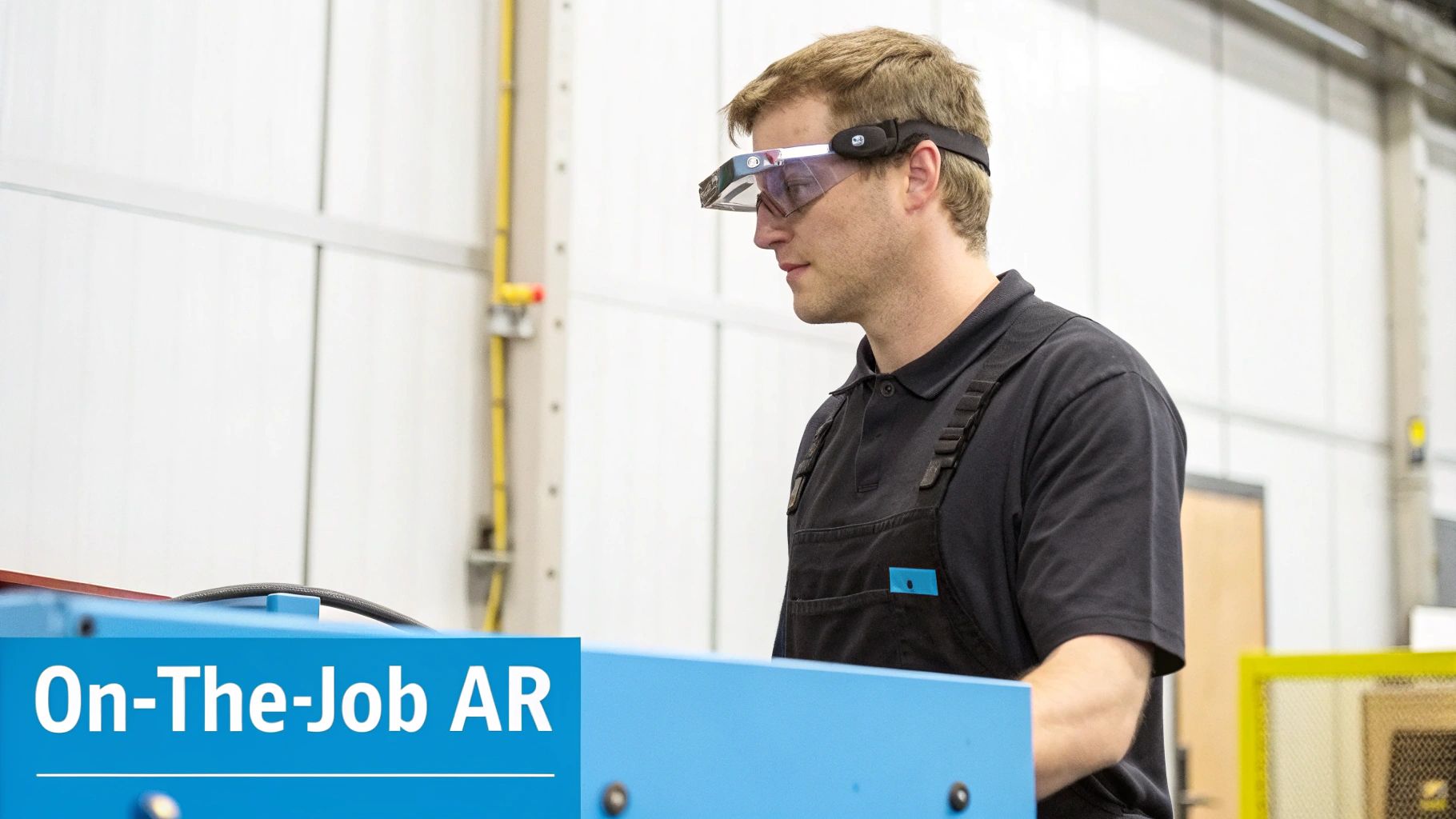
Forget forcing technicians to halt production, hunt down a paper manual, and try to decipher complex diagrams. AR overlays critical digital information directly onto their view of the physical equipment, creating a powerful, context-aware guide right when they need it most.
Overcoming "Knowledge Amnesia" with Instant Support
Let's be honest—people forget things. It’s only human. Even with top-notch initial training, the exact steps for a procedure performed only once a quarter can get a little fuzzy. This "knowledge amnesia" is a recipe for hesitation, errors, and pulling a senior tech off their own job for help.
AR puts an end to that by delivering on-demand support instantly. A technician simply looks at a piece of equipment, and the relevant SOP pops into view on a tablet or smart glasses.
- Digital Checklists: Interactive checklists can be superimposed right on the machine, making it impossible to miss a step during a critical lock-out/tag-out procedure.
- 3D Diagrams: Imagine animated 3D models appearing over a component, showing exactly how it should be taken apart or put back together. No guesswork involved.
- Sensor Data: Real-time data like pressure or temperature readings can be displayed directly in the technician's line of sight, providing immediate context.
This immediate access empowers employees to work confidently and correctly, slashing the errors that come from uncertainty. Suddenly, every task becomes a micro-learning opportunity, constantly reinforcing the proper standard operating procedures.
Practical Use Cases for AR-Powered SOPs
With AR, you can provide technicians with immediate, step-by-step visual instructions for even the most complex jobs. Think about a task like wiring a solenoid valve. Instead of a confusing schematic, they get real-time visual overlays guiding their every move. That kind of clarity is priceless.
The real power of on-the-job AR is its ability to reduce cognitive load. The technician doesn't have to mentally translate a 2D drawing into a 3D action. The instructions are right there, in context, freeing them to focus entirely on performing the task correctly.
Take a machine changeover, for example. Using an AR-enabled solution, a less experienced operator can be guided through the entire process from start to finish. The system can highlight the specific bolts to loosen in the right sequence, show a 3D animation of how to install a new part, and even confirm each step is done before moving on.
This creates a more resilient and agile workforce. When a key expert is unavailable, AR steps in to provide the necessary guidance, preventing costly production delays. And if the on-the-job instructions aren't quite enough? The same platform can be used for expert assistance. Our guide on Augmented Reality remote assistance shows how a remote expert can see exactly what the technician sees and provide live, annotated instructions. It’s a seamless support system that closes the gap between training and performance, ensuring your SOPs are followed every single time.
Measuring ROI and Driving Continuous Improvement
Launching a solid standard operating procedures training program is a huge win, but it’s really only half the battle. To justify the investment and get the buy-in you need for the long haul, you have to prove it’s actually impacting the business. This is where we move past feel-good feedback and dive into the hard data to show a clear, tangible return on investment (ROI).
This final, critical phase is all about connecting the dots between better training and better results on the floor. It’s how you shift the perception of your program from a cost center to a documented engine for productivity, safety, and growth.
Defining Your Key Performance Indicators
You can't measure what you don't define. It's that simple. Before you can even think about calculating ROI, you need to lock down the specific Key Performance Indicators (KPIs) your training was designed to improve. These should tie directly back to the pain points you uncovered way back in your needs analysis.
And let’s be clear: effective KPIs aren’t just about completion rates. They reflect real-world changes out on the factory floor.
- Error and Rework Rates: This is one of the most direct ways to see if your SOPs are working. Track the percentage of products that fail quality checks or need rework. A 25% reduction in errors after training is a powerful story to tell.
- Equipment Downtime: Dig into your maintenance logs. Look at the Mean Time Between Failures (MTBF) and Mean Time To Repair (MTTR). When technicians follow standardized troubleshooting SOPs, you should see both of these metrics improve dramatically.
- Task Completion Speed: Time is money, especially for standardized tasks like machine changeovers or setups. Measure how long it takes employees to complete these procedures and look for a consistent decrease as they master the new workflow.
- Safety Incidents: Keep a close eye on the number of near-misses and recordable incidents. A drop here not only proves the ROI of your safety SOPs but also has a massive impact on employee well-being and insurance costs.
Collecting and Analyzing Performance Data
With your KPIs set, it's time to start gathering data. This means tapping into the systems you already have—like your Manufacturing Execution System (MES), ERP, and maintenance logs—to establish a solid baseline. After the training rolls out, you just keep tracking those same metrics to see what’s changed.
But here’s where it gets interesting. The data from immersive training platforms gives you an even deeper layer of insight. You can analyze what’s happening during the training itself, like:
- How many attempts it takes a trainee to master a virtual procedure.
- Specific steps where lots of people are struggling, pointing to a confusing SOP.
- The decision-making patterns people follow in simulated troubleshooting scenarios.
This level of detail allows you to draw a direct, undeniable line between training proficiency and on-the-job performance. If you want a practical framework for crunching the numbers, our training ROI calculator can help you structure these calculations.
ROI isn't just a number to present to executives once a year. It's a living metric that should guide your continuous improvement efforts. When you see a process metric stagnate, it's a signal to revisit and refine the corresponding SOP and its training module.
Creating a Powerful Feedback Loop
This data-driven approach kicks off a powerful, self-reinforcing cycle of improvement. It’s a continuous loop where your operational data doesn't just justify the training—it actively makes it better. When you look at your KPIs and see that error rates on a specific assembly line are still stubbornly high, you know exactly where to focus your next training update.
This feedback loop also pays huge dividends for employee engagement and retention. Structured onboarding is a game-changer here, with organizations that implement formal SOP-based programs experiencing a significant improvement in new hire retention. When you consider that replacing a single industrial employee can be a major cost, the financial return is massive.
Ultimately, measuring ROI closes the loop on your entire standard operating procedures training initiative. It validates your hard work, gives you a clear roadmap for what to improve next, and weaves the principle of continuous improvement right into the fabric of your company.
Your Questions Answered: Getting Practical About Immersive SOP Training
Shifting from paper binders to dynamic AR and VR for your standard operating procedures training is a significant step, and it naturally comes with practical questions. We hear them all the time from manufacturing leaders who are ready to make the jump but need to understand the nuts and bolts first.
Let's break down some of the most common topics that come up when we talk about implementation, hardware, and making this technology work in the real world.
How Long Does It Really Take to Build a Custom VR Module?
This is the classic "it depends" question, but we can provide some real-world context. The timeline hinges entirely on the complexity of the SOP.
For a straightforward task—say, a basic pre-operation check on a piece of equipment—a module can often be built and delivered in just a few weeks. The process is linear and the steps are clear.
However, for something like a multi-stage machine changeover or a complex emergency shutdown protocol, the development is more involved. These can take two to three months to script, build, test, and refine. The advantage of a structured process is the ability to analyze existing SOP documents to map out a clear project plan from day one.
What Kind of Hardware Do We Actually Need?
This topic comes up in nearly every initial conversation, and the answer is more flexible than you might think. It’s all about fitting the tool to the job and the environment.
- For VR training, we almost always recommend standard commercial headsets like the Meta Quest or Pico series. They are self-contained, powerful, surprisingly affordable, and easy to scale up for training rooms.
- For on-the-job AR support, the choice is usually between a tablet, a smartphone, or dedicated smart glasses. If your technician needs their hands free to work, smart glasses are the obvious pick. If they can hold a device while referencing instructions, a rugged tablet often does the trick.
The goal is always to make the workflow smoother, not to add complicated tech for its own sake. A key part of the implementation process is a thorough consultation to determine the right hardware mix for your facility, your budget, and what your people actually need to get the job done.
How Does This Plug Into Our Existing LMS?
Seamlessly. Solutions should be built to integrate with most modern Learning Management Systems using standards like SCORM and xAPI.
This means all the critical data you care about—trainee progress, completion rates, assessment scores—flows right back into the system you already use. It keeps all your L&D analytics in one place, so the data from your new standard operating procedures training becomes just another part of your overall reporting without manual data entry.
Can We Update the Training Modules Ourselves?
Yes, absolutely. In fact, it is a critical feature. Giving your internal team the ability to manage and update content is the only way a training program like this stays relevant long-term.
Your SOPs will change. You'll get new equipment, or your engineers will find a better way to do something. When that happens, your own subject matter experts should be able to log in, edit a scenario, update a few steps, and publish the changes. This self-service model ensures your training always mirrors what’s actually happening on the floor, and you don’t have to involve a developer for every minor adjustment. It puts you in complete control.
Ready to transform your SOP training from a static manual into a dynamic, hands-on experience? AIDAR Solutions specializes in creating immersive AR and VR training programs that build real skills, reduce errors, and deliver a measurable return on investment. Discover how we can help you build a more competent and confident workforce.